


How an Agentforce Sales Coach Agent Can Help Maximize Rep Performance: Complete Enterprise Guide
source on Google
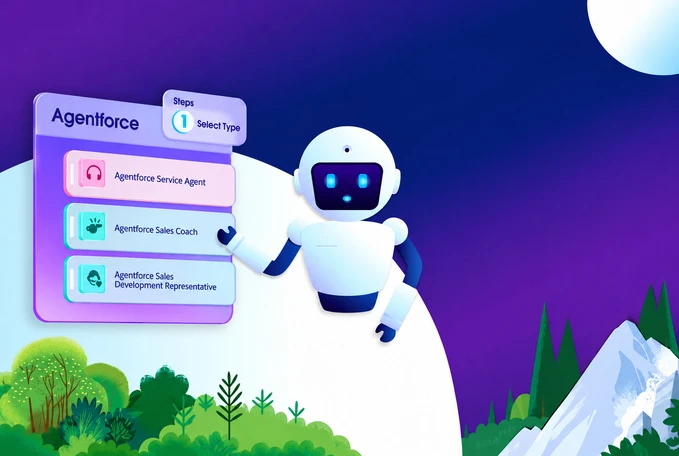
Table of Contents
source on Google
Sales managers cannot train every rep through every deal. As a result, reps often don’t get enough time and practice to handle customer conversations, understand their problems, or respond to objections, which leaves them unprepared when it matters most.
Agentforce Sales Coach helps fill this coaching gap. Reps can practice pitches and role-play buyer conversations using the context of their Salesforce opportunity and get feedback before the real conversation.
This guide covers what Agentforce Sales Coach is, how it works, what your org needs before setup, step-by-step configuration, cost, ways to measure results, and the limitations to consider before rolling it out.
What is Agentforce Sales Coach agent?
Agentforce Sales Coach Agent is a personal AI coach built into Salesforce, helping sales representatives practice customer conversations and improve their sales skills. It uses the context of an opportunity to help reps prepare for real sales interactions, including practicing pitches, role-playing buyer conversations, and receiving feedback.
Salesforce designed Sales Coach to improve the rep’s performance, while the other agents are designed to help execute the sales process. For instance, Sales Coach mainly focuses on rep enablement, while other Salesforce sales agents support activities such as prospecting and lead nurturing.
How Agentforce Sales Coach works
Sales Coach supports reps differently depending on where they are in the sales cycle. Here’s a breakdown of its key capabilities:
1. Pitch feedback for early-stage opportunities
For early-stage opportunities, Sales Coach helps reps strengthen their pitch before they take it to the customer.
- Sales reps can practice the pitch to learn how to present the opportunity and communicate its value.
- Sales Coach reviews the approach and offers feedback on how clearly the rep connects the solution to the customer’s needs.
- It helps identify areas where the pitch can be clearer, more relevant, or persuasive.
2. Role-play for negotiation and proposal stages
For later-stage opportunities, Sales Coach shifts from pitch practice to realistic customer conversations.
- Reps can practice handling pricing discussions and common objections before they face the customer.
- Sales Coach acts as a buyer, responds to the rep’s questions, and raises objections.
- After the role-play, reps get feedback on how they handled the conversation and where they can improve.
3. CRM data and RAG ground the feedback
Sales Coach uses Salesforce data and your own sales content to make the coaching relevant to both the opportunity and your sales approach.
- Sales Coach helps reps practice conversations using the context and details available in their Salesforce opportunity.
- It helps reps practice using your sales playbooks, best practices, and other guidance added to the Agentforce Data Library.
- It helps reps align their approach with the sales stages, behaviors, and skills your organization expects.
Use cases of Agentforce Sales Coach agent
Sales Coach can support different stages of sales coaching, from rep practice to manager feedback. Let’s see how it’s done:
Use case 1: Practice sales pitch
Reps can practice real sales conversations using the Sales Coach agent before they engage with live customers making buying decisions. With this, reps present an opportunity, explain the value of their solution, and connect it to the customer’s needs before the actual sales conversation. This helps reps improve their pitch and get better at connecting the solution to the customer’s needs.
Use case 2: Prepare for difficult customer conversations
Sales representatives can practice role-playing common objections and engage in pricing discussions. Sales Coach agent also helps in negotiation scenarios where reps practice how they respond before facing the customer. This helps reps build confidence and respond to customer objections more effectively.
Use case 3: Use practice data to guide manager coaching
Managers can see structured feedback from each rep’s practice session, including areas that need attention and suggested next steps with the help of Sales Coach. Managers can use this feedback in one-on-one meetings to focus on specific skill gaps instead of relying on general impressions.
Prerequisites for setting up Sales Coach agent
Step 1: Check edition eligibility
Confirm that your Salesforce edition supports Agentforce Sales Coach.
Step 2: Set up access
Configure the required permissions for reps and the agent.
Step 3: Prepare opportunity data
Make sure the information Sales Coach needs is available and usable.
Step 4: Prepare coaching content
Add relevant sales guidance if you want to customize the coaching experience.
Agentforce Sales Coach setup: How to configure the agent
Once your Salesforce org meets the prerequisites, you can set up Sales Coach and make it available to reps. The setup mainly involves enabling the features, giving users access, creating the agent, and adding it to the relevant Opportunity pages.
Step 1: Enable Agentforce Sales Coach
Start by turning on the features required for Sales Coach.
1. Go to Setup and open ‘Salesforce Go’.
2. Under ‘Get Started With Agentforce’, find ‘Agentforce for Sales’ and select ‘Set Up’.
3. Turn on ‘Agentforce’ and the ‘Agentforce Sales Coach’ template.
4. Confirm that you want to use generative AI and Sales Coach in your org.
| Note: Salesforce requires Agentforce Sales Coach to be enabled before you can create and activate the agent. |
Step 2: Turn on Data 360
Sales Coach requires Data 360 (formerly Salesforce Data Cloud) to be enabled in your Salesforce org.
1. Go to ‘Setup’ and search for ‘Data 360 Setup’.
2. Open the Data 360 setup page and turn on ‘Data 360’.
3. Make sure the person enabling Data 360 has the required ‘Data Cloud Architect’ permission.
| Note: Data 360 provides the data foundation Sales Coach uses to access and work with relevant Salesforce data during coaching. |
Step 3: Give admins and reps the right access
Next, decide who will manage the Sales Coach and who will use it.
1. Assign the ‘Manage Agentforce Sales Coach’ permission to the admin or person setting up Sales Coach.
2. Give sales reps the ‘Use Agentforce Sales Coach’ permission set.
3. Make sure the Sales Coach agent user has access to the Salesforce data it needs for coaching.
| Note: Keep management access limited to the people who need to configure or manage the agent. Reps generally only need access to use a Sales Coach. |
Step 4: Add Sales Coach to the Opportunity page
Sales Coach needs to be available where reps work with their Opportunities.
1. Open the relevant Opportunity record page in ‘Lightning App Builder’.
2. Find the ‘Agentforce Sales Coach’ component.
3. Drag it onto the page where you want reps to access coaching.
4. Save and activate the page.
| Note: You can add the component to different record pages depending on which sales teams or coaching scenarios you want to support. |
Step 5: Create your Sales Coach agent
Now create the actual Sales Coach agent in Agentforce Builder.
1. Open ‘Agentforce Studio’ and go to the ‘Agents’ tab.
2. Select ‘New Agent’ and choose ‘Agentforce Sales Coach’.
3. Enter the basic details for the agent, such as its name, description, role, and company.
4. Choose an existing agent user or create a new one when prompted.
5. Review the built-in coaching capabilities and make sure the required Sales Coach subagents are included.
| Note: Salesforce provides standard coaching capabilities for Opportunity coaching, negotiation/review role-play, and proposal/quote role-play. |
Step 6: Customize, test, and activate
Before making a Sales Coach available to your team, customize it to how your team wants to use it.
1. Review the sales stages, coaching instructions, and feedback criteria.
2. Add your sales playbooks or other approved sales content if you want Sales Coach to use them when coaching reps.
3. Select the languages and tone you want the agent to use.
4. Test the coaching scenarios with sample Opportunities.
5. Activate the agent when the responses and coaching experience meet your expectations.
| Note: Salesforce also allows you to use an Agentforce Data Library to ground Sales Coach with your own sales content, which can make its role-play and feedback more relevant to your organization. |
Agentforce Sales Coach cost
Sales Coach uses consumption billing rather than a simple per-user coaching fee. Your total usage can include Sales Coach conversations, Einstein Requests, and Data 360 consumption, depending on your Salesforce setup and contract.
Which activities consume credits?
| Activity | Metered? |
|---|---|
| A rep clicks ‘Get Feedback’ after a practice session | Yes. Each click is counted as one conversation. |
| AI request used for feedback | Depending on your Salesforce contract, these requests may consume Einstein Requests or Flex Credits. |
| Building and configuring in Agentforce Builder | No |
| Preview and testing | Yes. Preview consumes credits. |
| Data 360 files and retrieval | Metered separately under Data 360 pricing; required for Sales Coach. |
| Practice sessions in production | Usage is metered when feedback is generated. |
Hence, the cost of Sales Coach can be calculated by:
| Estimated monthly cost = Sales Coach conversation usage + Einstein Request usage + applicable Data 360 usage |
To summarize, there is no universal Sales Coach price formula. Sales Coach is available in Lightning Experience on Enterprise, Performance, Unlimited, and Developer editions with Foundations or Agentforce 1, and it requires Data 360. The actual dollar cost depends on the rates and credits in your Salesforce contract, which can be tracked by Digital Wallet.
Digital Wallet is Salesforce’s usage dashboard for monitoring consumption and associated costs. You can use it to monitor Sales Coach conversations, Einstein Requests, and applicable Data 360 consumption. This gives admins a view of actual usage rather than relying only on estimates.
Agentforce Sales Coach limitations: What to consider before rollout
| Business Scenario | Why it matters | What you can do |
|---|---|---|
| Data 360 isn’t set up | Sales Coach requires Data 360. Its Data Library also doesn’t support Knowledge articles | Set up Data 360 first and use supported files for your coaching content |
| Your sales stages are customized | Ready-to-use coaching is based on Salesforce’s standard Opportunity stages, so the feedback provided by Sales Coach may not fit your specific sales requirements | Update the prompts and coaching instructions to reflect your actual sales stages |
| Your Opportunity data is incomplete | Missing CRM data means less context for the Sales Coach | Keep the key Opportunity fields that your coaching scenarios rely on consistently updated |
| Managers want Sales Coach to score reps | Salesforce warns against using generic LLM-based scoring for performance because the results can vary | Use Sales Coach for qualitative feedback on clarity, key messages, and areas for improvement |
| Different sales teams need different coaching | Salesforce supports only one active Coach agent per org, so separate Coach agents can’t be maintained for every team | You can use different coaching scenarios and instructions to ground the same agent |
| Short practice sessions | Very short sessions can result in an error instead of coaching | Reps need to complete meaningful practice sessions rather than testing the Coach agent with a few quick responses |

Wrapping up
Agentforce Sales Coach moves practice into the deal itself. It helps businesses give reps a practical way to improve their pitches, handle objections, and prepare for important customer conversations.
However, the results still depend on multiple factors, including clean Opportunity data, Data 360 in place, scenarios built around your sales process, and a clear view of usage cost.
If you want Sales Coach set up around the way your team sells, our certified Salesforce experts can help you configure Sales Coach around your sales process.
Book a consultation with our team!
Don’t Worry, We Got You Covered!
Get The Expert curated eGuide straight to your inbox and get going with the Salesforce Excellence.
Co-founder and CTO at Cyntexa also known as “VJ”. With 10+ years of experience and 22+ Salesforce certifications, he’s a seasoned expert in Salesforce Data Cloud & AI Products, Product Engineering, AWS, Google Cloud Platform, ServiceNow, and Managed Services. Known for blending strategic thinking with hands-on expertise, VJ is passionate about building scalable solutions that drive innovation, operational efficiency, and enterprise-wide transformation.


Cyntexa.
Join Our Newsletter. Get Your Daily Dose Of Search Know-How