






What Is AI in Business? How Companies Use Artificial Intelligence
source on Google

Table of Contents
source on Google
Most organizations today are pushing for AI. While an AI tool might help you generate text, emails, reports, or handle real-time customer complaints, applying AI to improve demand forecasting, streamline customer service, or support business decisions requires a clearer understanding of its capabilities and limitations.
Stanford HAI’s 2026 AI Index reports that 88% of surveyed organizations used AI in at least one business function in 2025. This shows how widely AI has entered business operations, but using it in one function does not necessarily mean it is integrated across the organization.
That’s why businesses need to understand what AI can do and how it fits their operations before they invest. This blog explains what AI means in a business context, how companies adopt it, and why they invest in it. It also covers the types of AI, practical applications across business functions, the growing role of generative AI and AI agents, what AI costs, and how to get started.
What is Artificial Intelligence in business?
Artificial intelligence (AI) in business refers to using AI technologies with a company’s data, systems, and day-to-day processes to perform tasks that typically require human-like capabilities. These tasks include understanding customer requests, forecasting demand, generating content, making predictions, and supporting decisions. Businesses use AI not only through standalone tools but also by embedding it into applications such as CRM, ERP, finance, HR, and customer service platforms. This allows AI to work with business-specific information and help employees complete tasks or move workflows forward.
AI processes data from various business sources, including customer records, sales transactions, invoices, support conversations, equipment readings, and documents. Depending on the use case, this data must be cleaned, organized, or converted into a format AI models can analyze. The model then uses learned patterns to identify relationships, generate responses, predict outcomes, or flag unusual activity that humans might miss.
Unlike traditional automation, which follows predefined rules and instructions, AI uses patterns learned from data to interpret inputs, make predictions, and generate responses to situations that weren’t explicitly anticipated in its programming. Businesses can combine both technologies, with AI interpreting information or recommending the next step while automation carries out predefined actions based on the result.
Understanding how AI works is only part of the picture. Businesses also need to identify where it can create measurable value.
Why are businesses investing in AI?
Deloitte’s State of AI in the Enterprise report finds that 84% of organizations are increasing their AI investments, and 78% of leaders report greater confidence in the technology.
This growing investment highlights AI’s reasoning, learning, and decision-making capabilities. Businesses are using these capabilities to improve team productivity, serve customers more efficiently, make better-informed decisions, and even develop new products or services. To turn these capabilities into business value, organizations need to focus on where AI can best support their priorities rather than adopting it simply because it’s available.
Here’s why enterprises are moving beyond experiments to widespread AI adoption across business functions:
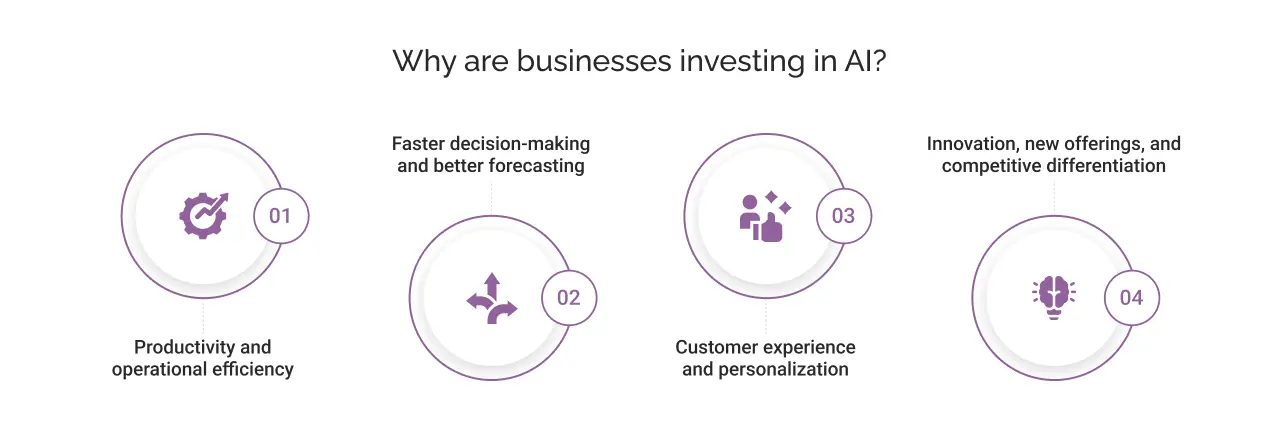
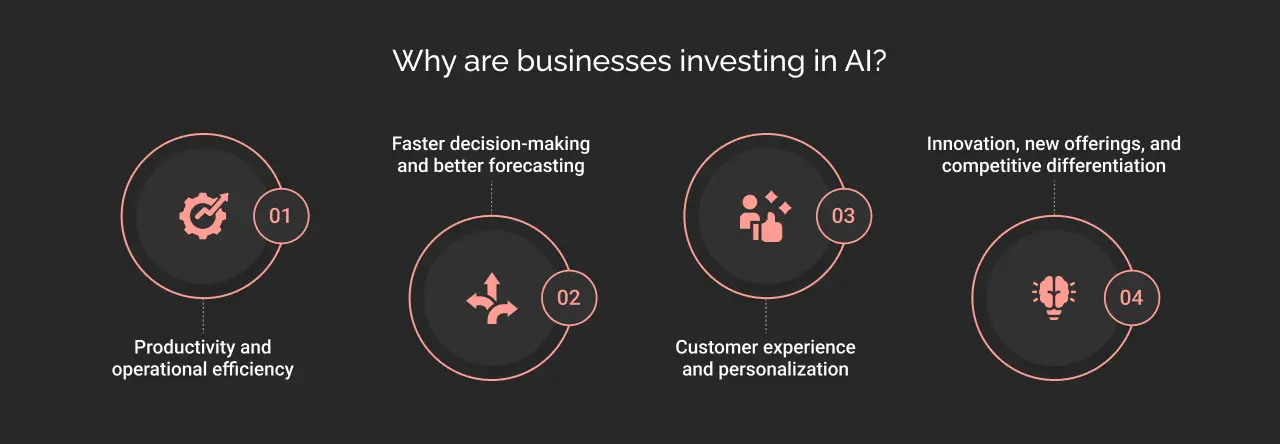
i. Productivity and operational efficiency
Businesses use AI to handle repetitive, information-heavy tasks such as retrieving information from invoices, summarizing customer service requests, drafting reports, and identifying anomalies in data. Through this, employees have more time to focus on work that requires human-led problem-solving and judgement.
ii. Faster decision-making and better forecasting
Artificial intelligence helps enterprises process massive, complex datasets in real time. AI can skim through historical records along with current data to identify patterns, predict demand, flag potential equipment failures, and estimate cash flow. This helps teams make informed decisions faster, anticipate risks, and respond proactively to changing business conditions.
iii. Customer experience and personalization
AI can combine CRM records, purchase history, browsing behavior, and customer interactions to generate relevant recommendations, rank products, and tailor communications. The same customer context can also help AI-powered service tools answer routine queries, summarize past interactions, and provide more informed responses. This helps businesses deliver more relevant, consistent experiences across customer touchpoints.
iv. Innovation, new offerings, and competitive differentiation
Beyond optimizing existing processes, businesses use AI models, predictive analytics, and real-time data processing to develop intelligent product features, validate new service concepts, and identify unmet customer needs. By analyzing customer feedback, market signals, and operational data, businesses can validate ideas, refine product features, and adapt their offerings to changing demands.
Businesses can apply AI in different ways, from analyzing data to generating content and automating workflows. Here are four key types to know.
What are the different types of AI used in business?
The following categories explain what each technology does and how enterprises apply it.
i. Predictive AI and machine learning
Predictive AI uses statistical patterns and historical data to forecast the future, while machine learning enables systems to learn patterns from data and use them to make predictions or classifications. Using these capabilities, businesses can anticipate demand, identify risks, and make data-informed decisions.
For instance, an insurance company can use machine learning models trained on historical claims and transaction patterns to flag potentially fraudulent claims for further investigation.
ii. Generative AI and large language models (LLMs)
Generative AI creates new content, including text, images, code, and summaries, based on patterns learned during training. Large language models (LLMs) are a type of generative AI designed to understand and generate language. Examples include OpenAI’s GPT models, Anthropic’s Claude models, and Google’s Gemini models.
For instance, in financial services, generative AI assistants help summarize lengthy financial reports and extract highlights for financial analysts to review. This reduces manual effort and improves overall productivity.
iii. AI agents and agentic AI
AI agents use AI models, tools, and defined instructions to pursue a goal by performing one or more tasks. They can retrieve information, call APIs, and interact with business systems to move work forward. Agentic AI describes systems designed to pursue goals through multi-step actions, sometimes coordinating multiple agents.
For example, in customer service, an AI agent can retrieve order status, check the applicable refund policy, prepare a refund request, and update the CRM, all within set controls.
iv. Conversational AI and intelligent automation
Conversational AI lets people interact with software through text or voice, as seen in chatbots and virtual assistants. Intelligent automation uses AI and automation tools to handle routine business tasks with less human effort, such as reading invoices, updating records, and flagging errors.
For instance, an e-commerce business can use a conversational AI assistant to answer questions about return requests, refunds, and past orders, while intelligent automation validates return eligibility, updates order records, initiates refund workflows, and flags exceptions for human review.
How are businesses adopting AI today?
Businesses are increasingly moving beyond individual employees using AI tools for isolated tasks and integrating AI into established workflows across departments. This can involve connecting AI to enterprise data, embedding it in existing applications, or allowing agents to interact with business systems under defined access controls.
According to McKinsey’s The State of AI in 2026 report, 89% of respondents said their organizations regularly used AI in at least one business function. However, adoption alone does not guarantee measurable business value. Organizations need to select relevant use cases, connect AI to the right data and systems, and establish governance and access controls to manage how it operates.
Some teams use AI to personalize customer interactions, while others apply it to forecasting, risk assessment, software development, or supply chain planning. Here’s how teams across an organization use AI in their day-to-day work.
How businesses are using AI across different functions
Marketing and sales
- Personalize campaigns: Group audiences by behavior and purchase intent, then tailor messages and offers to each segment.
- Score leads: Rank new inquiries by their likelihood to buy, so reps call the strongest prospects first.
- Forecast pipeline: Analyze past deals and current activity to predict which opportunities will close and when.
- Draft content such as emails and ad copy: Generate first drafts in the brand’s tone for the team to edit and approve.
Customer service and support
- Answer routine queries: Use conversational AI to respond to common questions about orders, products, policies, and account issues.
- Suggest replies to agents: Analyze customer messages and conversation context to recommend relevant responses to support agents.
- Summarize past conversations: Extract key issues, actions, and outcomes from previous interactions so agents can understand the case quickly.
- Route complex cases to human agents: Classify requests by intent, urgency, or complexity and direct cases requiring human intervention to the appropriate team.
Finance and risk management
- Read and match invoices: Extract amounts and vendor details, then match them against purchase orders for review.
- Forecast cash flow: Analyze payment history and open invoices to predict incoming and outgoing cash.
- Flag unusual transactions: Learn each customer’s normal spending and alert the team when a payment breaks the pattern.
- Score credit risk: Assess an applicant’s financial history and give lenders a risk rating to support the decision.
Human resources
- Screen applications against job requirements: Compare candidate skills, qualifications, and experience with job criteria to help recruiters prioritize applications.
- Answer employee questions on leave and benefits: Use AI assistants connected to HR policies to answer routine questions about leave balances, benefits, and company procedures.
- Analyze workforce trends: Examine workforce data to identify patterns in attrition, employee engagement, absenteeism, and staffing needs.
IT and software development
- Suggest and review code: Propose code as developers type and check changes for errors before release.
- Write tests: Generate test cases that cover new code and catch bugs earlier.
- Sort service desk tickets by urgency: Read each request, set its priority, and send simple fixes to automated resolution.
- Detect security threats: Monitor network activity and flag behavior that looks like an attack.
Operations and supply chain management
- Forecast demand: Analyze historical sales, seasonal trends, and market signals to estimate future product demand.
- Plan inventory levels: Combine demand forecasts, current stock, and replenishment lead times to recommend inventory levels and reorder quantities.
- Detect equipment problems before breakdowns: Analyze sensor readings and maintenance data to identify signs of equipment deterioration and potential failures.
- Identify potential supply disruption risks: Monitor supplier performance, delivery delays, inventory availability, and external risk signals to flag possible disruptions.
Identifying where AI can help is the first step. The next is deciding how it should work within the business, from assisting employees to executing tasks across systems. Generative AI, AI copilots, and AI agents offer different approaches. Let’s see how they are driving AI adoption across enterprises.
Generative AI vs. AI copilots vs. AI agents: Which fits your business?
Generative AI, AI copilots, and AI agents offer different ways to apply AI in business. Generative AI creates content and answers questions, copilots assist employees within the tools they already use, and AI agents can carry out tasks across connected systems. The right approach depends on what a business wants to achieve, how much of the workflow it wants to automate, and how well its existing systems support AI integration.
The following comparison highlights how each approach works, what it requires, and where it fits best. You can use it to evaluate which option aligns with your business needs and existing workflows.
| Dimension | Generative AI | AI copilot | AI agent |
|---|---|---|---|
| Primary role | Creates and summarizes content and answers questions from company knowledge | Assists employees inside the apps they already use | Executes multi-step tasks |
| How it operates | Responds to a prompt with text, code, images, or summaries | Suggests drafts, summaries, and next steps as the employee works | Plans steps, calls tools and APIs, and acts across systems |
| What it requires | Inputs and relevant context from employees in natural language | Access inside business apps and role-specific training | System integrations, defined permissions, testing, and monitoring |
| Output | Content or an answer | Recommendation or completion of a task | Completed actions across multiple connected systems and tools |
| Choose it when | You need to generate content in the form of drafts, summaries, or answers from company knowledge | Your teams already work in specific apps and want help in the flow of work | A repeatable process spans several systems, and you can set clear permissions |
How to get started with AI in business?
Adopting AI is much bigger than just choosing an AI tool. Deloitte reports that only 25% of companies have moved 40% or more of their AI experiments into production. A pilot project may work well with clean data and a small team, but the project will bring additional demands when it scales, including system integration, infrastructure, security, and ongoing monitoring.
Here’s how businesses can get started with AI:
i. Identify a business problem
Choose a business problem you want to implement AI for. It can be a process that takes too much time, delays decisions, or creates recurring errors. For example, a mid-sized e-commerce business could use AI agents to handle routine customer support tickets and reduce manual workload.
ii. Assess your data and systems
Your business data should be clean, accessible, and ready to use. Check whether the required data is accurate, accessible, and ready to use. For example, a hotel can use AI to forecast room demand using historical bookings, cancellation rates, seasonal occupancy, and local event data.
iii. Choose the right AI approach
Match the technology by assessing your business needs. Machine learning can support forecasting, generative AI can create content, conversational AI can answer customer questions, and AI agents can coordinate multi-step workflows.
iv. Start with a focused use case
Test AI with one well-defined use case before expanding it across the business. Test it with real business data, check how it works with existing systems, and resolve issues before scaling its scope.
v. Set security and governance controls
Define what data the AI can access, which actions it can perform, and when it needs human approval. Test outputs, monitor performance, and review how the AI uses information to ensure it remains reliable and secure.
vi. Measure the results
Compare AI outcomes against your starting baseline. Track metrics such as time saved in tasks, error rates, response times, or cost per task to determine whether your AI solution is ready to scale.
The cost of implementing AI goes beyond software or model fees. Several factors influence the total investment, from preparing business data to integrating AI with existing systems and maintaining it after deployment. Let’s see a full breakdown ahead.
What factors affect the cost of AI implementation?
| Cost factor | How it affects the cost |
|---|---|
| Type of AI solution | Ready-made AI tools generally require less initial investment than custom models or AI agents built for specific business needs. |
| Data cleaning and preparation | Cleaning, labeling, organizing, and connecting business data adds to total AI implementation cost. |
| Selected model and usage | AI implementation cost depends on the model used, the volume of requests, processing requirements, and whether the business uses a third-party API or hosts its own model. |
| System integration | Connecting AI to CRM, ERP, databases, and other business applications requires integration work, particularly when systems are outdated or disconnected. |
| Establishing governance and security controls | Access controls, privacy safeguards, compliance reviews, audit trails, and human approval mechanisms add to implementation requirements. |
| Maintenance and monitoring | Businesses need to monitor AI performance, update integrations, address errors, and adapt systems as data or business requirements change. |
| Deployment scale | Deploying AI across multiple departments or high-volume workflows requires more infrastructure, processing capacity, and support. |
These factors provide a starting point for estimating the investment required to implement and maintain AI. Another factor to consider is how much AI development companies charge across different markets.
How much does AI implementation cost in different countries?
The cost of AI implementation varies by solution complexity, development requirements, and the location of the service provider.
For businesses hiring external AI development companies, the following hourly rates offer a starting point for comparing costs across markets:
| Country | Typical AI development company rate |
|---|---|
| United States | $50-$99/hour |
| India | $25-$49/hour |
| Canada | $50-$99/hour |
| Australia | $25-$49/hour |
| Mexico | $50-$99/hour |
Small businesses can start with ready-made AI subscriptions costing as low as $20 per user/month, depending on the tool and plan. Mid-sized businesses investing in a custom AI solution may spend around $24,000-$47,000 with an India-based team or $48,000-$95,000 with a US-based provider. These estimates assume two engineers working 160 hours per month over three months, for a total of 960 hours.
On the other hand, large enterprises require more extensive AI development projects, which can go up to six-figure budgets. Hence, large-scale AI development projects can average around $120,600 over a 10-month period, with more complex implementations requiring higher budgets.
In the next section, we’ll look at the common challenges that can prevent businesses from getting the expected value from their AI investments.
Where can AI adoption fall short?
Before investing in AI, consider the challenges that can affect implementation, adoption, and long-term results:
i. Unclear objectives
Choosing a tool before defining the business problem makes it hard to measure success. For example, introducing an AI chatbot may reduce the number of basic support queries handled by employees, but it won’t necessarily improve customer satisfaction or resolution times.
ii. Poor-quality data
AI models rely on data to generate responses, identify patterns, and make predictions. If business records are incomplete, outdated, duplicated, or inconsistent, the outputs may be unreliable.
iii. Integration gaps
An AI solution may generate useful recommendations, but its value remains limited if employees have to switch between applications or manually transfer information to act on them.
iv. Skills and oversight
Employees need the skills to use AI effectively, and higher-impact decisions taken by AI need appropriate human review.
v. Security, privacy, and compliance risks
AI systems may process sensitive customer information, financial records, employee data, or confidential business documents. Without appropriate access controls, data handling policies, and security measures, businesses risk exposing information to unauthorized users or systems.
Hence, addressing these issues early helps businesses move beyond isolated experiments and build AI solutions that work in day-to-day operations.
How our AI experts approach implementation
At Cyntexa, AI implementation starts with understanding the business problem, existing technology, and expected outcomes. Our experts bring experience across AI consulting, machine learning, generative AI, data engineering, and enterprise system integration to help businesses move from identifying an opportunity to deploying a practical solution. Our approach would involve:
Identifying the right use cases
Our AI consultants assess the existing business processes, identify operational bottlenecks, and prioritize AI opportunities based on business value and technical feasibility.
Assessing data and system readiness
We review the data quality, existing applications, integration requirements, and security considerations before selecting the solution.
Validating the solution through a pilot
After assessment, our AI developers start with a focused use case to test performance, identify limitations, and evaluate results before expanding deployment.
Integrating AI into business workflows
We connect the solution with relevant business applications and define the actions it can perform, the information it can access, and where human approval is required.
Supporting adoption and ongoing improvement
In the end, we prepare the employees to use the solution, monitor its performance, and make adjustments based on feedback and changing business needs.
Cyntexa also brings established credentials to enterprise implementation, including Anthropic Claude partnership, ISO 27001:2022 certification, Salesforce Summit Consulting Partner status, and Agentforce Network Partner status. These credentials complement our technical capabilities and experience delivering solutions for enterprise environments.

Wrapping up
AI delivers value when it solves a real business problem. Every business, big or small, has opportunities to use AI. You can start by looking at the systems you already use, such as your CRM, finance, HR, and customer service tools. Identify tasks that take too much of your team’s time, decisions that get delayed, or information that’s difficult to find. Choose one problem, set a clear goal, and test how AI can help before expanding its use.
Turning those opportunities into working solutions requires the right use cases, architecture, integrations, and governance. Our AI consultants can help you assess your current systems, identify high-impact opportunities, and build an AI adoption roadmap aligned with your business goals.
Ready to explore AI for your business? Book a consultation with Cyntexa’s AI experts to discuss your business challenges, identify suitable AI opportunities, and find the right approach to implementation.
Don’t Worry, We Got You Covered!
Get The Expert curated eGuide straight to your inbox and get going with the Salesforce Excellence.
Co-founder and CTO at Cyntexa also known as “VJ”. With 10+ years of experience and 22+ Salesforce certifications, he’s a seasoned expert in Salesforce Data Cloud & AI Products, Product Engineering, AWS, Google Cloud Platform, ServiceNow, and Managed Services. Known for blending strategic thinking with hands-on expertise, VJ is passionate about building scalable solutions that drive innovation, operational efficiency, and enterprise-wide transformation.


Cyntexa.
Join Our Newsletter. Get Your Daily Dose Of Search Know-How