




Databricks Unity Catalog Explained: Features, Security, Migration, Best Practices & More
source on Google
Table of Contents
source on Google
As a Databricks environment grows, managing data access and governance can become difficult. Different teams working across multiple workspaces use different datasets and have different access requirements.
Without a centralized governance model, it becomes difficult to know who can access what and where data came from.
Unity Catalog is Databricks’ single layer for governance.
Traditionally, teams have had to connect separate permission systems for each workspace and each type of asset.
Unity Catalog centralizes that into one place, meaning one set of access rules, one audit trail, one way to see where data comes from and who touched it.
In this guide, we cover what Unity Catalog is, how it works, its key features and benefits, security capabilities, migration considerations, and best practices for adopting it.
What is Databricks Unity Catalog?
Databricks Unity Catalog is a unified governance solution for data and AI assets in the Databricks Platform. It gives organizations a central place to manage access, discover data, track lineage, and audit activity across Databricks workspaces.
Simply put, Unity Catalog helps businesses answer four important questions:
- Who can access the data or AI asset?
- Where did this data come from?
- How is the data being used?
- What data and AI assets are available to the organization?
Instead of managing these rules separately across individual workspaces, Unity Catalog provides organizations with a consistent governance framework that can be shared across workspaces connected to the same metastore.
It is like a large office building where each floor used to have its own key system and visitor log. Unity Catalog is like replacing all of that with a single building-wide access card and one shared security desk that logs everyone, everywhere, all the time.
Why do businesses need Unity Catalog?
As Databricks environments grow, businesses may have multiple workspaces, teams, data sources, and projects. Managing access and governance separately in each workspace becomes difficult to sustain.
For example, a data platform team might have to manage permissions across multiple workspaces. A compliance team might need to investigate data access across different environments. Data teams could also spend time figuring out where datasets came from and which downstream workloads depend on it.
Unity Catalog addresses this by providing a centralized governance layer across the Databricks environment, so access rules, lineage, and audit history stay consistent no matter how many workspaces or teams are involved.
How does Unity Catalog work?
Unity Catalog organizes data into a structured format that makes it easier to find, manage, and govern.
For tables, the basic structure is:
- Catalog → Schema → Table
Each level provides a way to organize and govern data.
- A catalog is the highest-level data container within a metastore. Organizations can use catalogs to create logical boundaries around business domains, environments, or other data access requirements.
- A schema sits inside a catalog and groups related data objects.
- A table contains the actual data that teams query and use. Schemas can also contain other objects such as views, volumes, models, and functions.
For example, it is like:
- Sales catalog→ customer data schema→ customer orders table
This structure makes data easier to organize and gives administrators different levels at which governance policies and permissions can be managed.
What is a Unity Catalog metastore?
The metastore is the top-level regional container for Unity Catalog. It stores metadata about governed objects and their associated permissions, and it is what everything else in Unity Catalog sits on top of.
A single metastore can be attached to multiple Databricks workspaces in the same cloud region. Workspaces connected to the same metastore can share the same governed data and access-control model, which is what allows a permission set once to apply everywhere that data is used.
Organizations operating across multiple regions generally use a separate metastore for each region, since Unity Catalog metastores are region-scoped.
How does data lineage work?
Unity Catalog automatically captures lineage for supported queries run on Databricks. Lineage shows where data comes from and where it goes, including relationships between source data, tables, jobs, notebooks, dashboards, and other supported data and AI assets. It can also provide column-level lineage, helping teams understand how individual fields move through their data environment.
For example, if a dashboard shows an incorrect number, a data team can use lineage to trace the downstream dependencies and investigate which upstream data or transformation may have caused the issue.
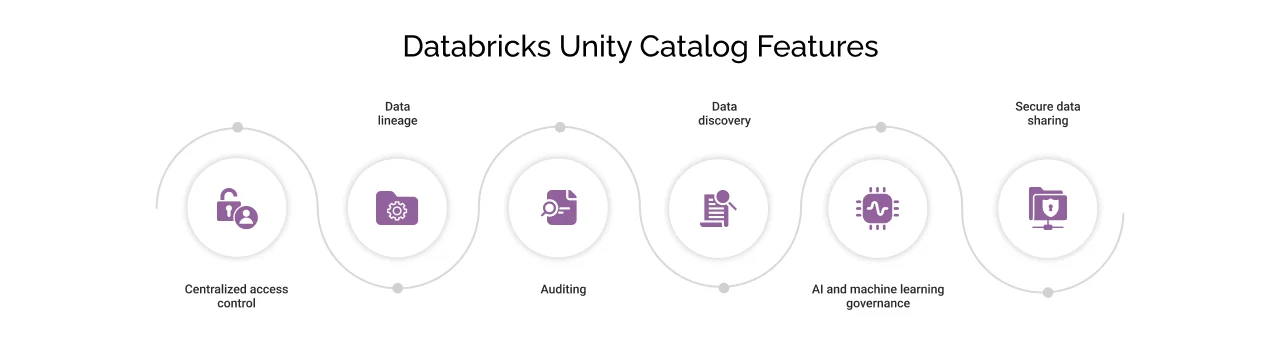
Key features of Unity Catalog in Databricks
Centralized access control
Unity Catalog allows organizations to define who can access governed data and AI assets and what actions they can perform. This gives administrators a central place to manage permissions, rather than maintaining separate access rules across different workspaces.
Data lineage
Unity Catalog automatically captures lineage for supported Databricks workloads, showing how data moves through the environment. This helps teams understand where a dataset came from and perform impact analysis before changing a table or column, investigate unexpected results, and understand dependencies between data assets.
Auditing
Unity Catalog provides audit information that helps organizations understand activity around governed data and other platform operations. This can help security and compliance teams investigate access, monitor activity, and support internal or regulatory reviews.
Data discovery
Unity Catalog provides a central way for users to discover and understand available data and AI assets through Catalog Explorer. Instead of relying on tribal knowledge or asking another team where a particular dataset lives, users can search for available assets and review their associated metadata.
AI and machine learning governance
Unity Catalog extends governance beyond traditional data assets to supported AI and machine learning assets. Governance becomes important as organizations increasingly build models, AI applications, and agents using enterprise data. Unity Catalog can help organizations control access to these assets, track their relationships with data, and maintain visibility into how they are being used.
Secure data sharing
Unity Catalog supports governed data sharing through Delta Sharing. This allows organizations to share data with other teams without requiring traditional methods of copying datasets between environments.
On the Databricks Community forum and r/databricks, practitioners point to Databricks Labs’ UCX, an open-source tool built specifically for Unity Catalog inventory and migration, as something most teams end up using. The official Databricks migration tool currently covers the Hive metastore but doesn’t support custom Unity Catalog metastores on its own. It’s also worth knowing that Databricks-managed Unity Catalog doesn’t include automatic disaster recovery out of the box, so some teams build their own backup and restore process around it.
With that context, here’s what these capabilities actually mean for different teams.
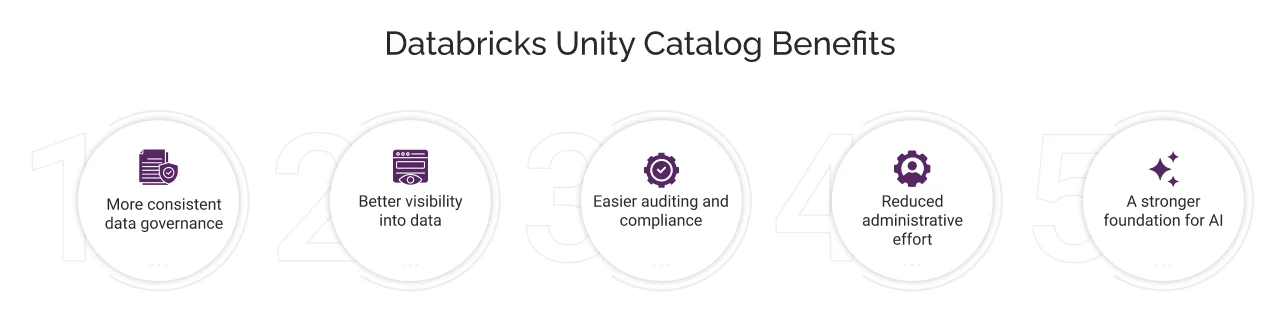
Benefits of Databricks Unity Catalog
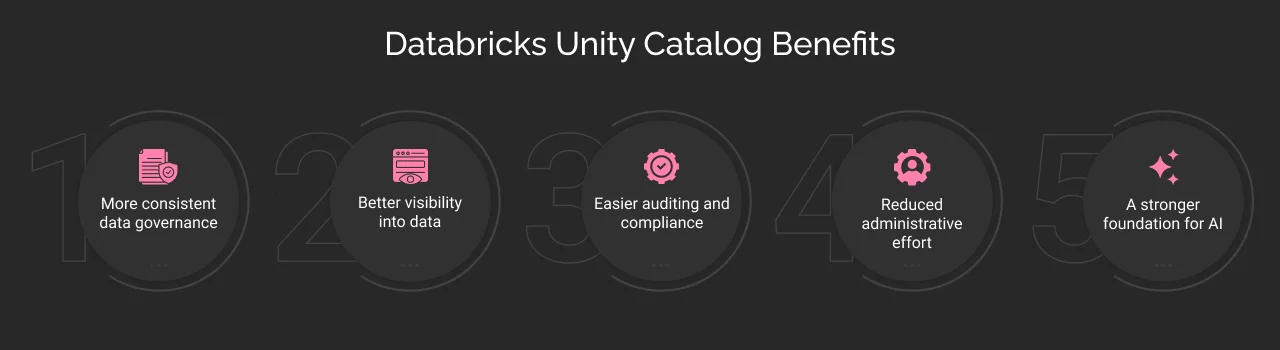
More consistent data governance
Organizations can manage governance policies centrally, helping teams follow consistent access and security practices as the Databricks environment grows.
Better visibility into data
Data lineage and discovery help teams understand what data is available, where it came from, and how it is being used. This can reduce the time spent manually tracing datasets or asking other teams for context.
Easier auditing and compliance
Centralized audit information gives security and compliance teams more visibility into activity across their Databricks environment. It makes it easier to investigate access events and support internal governance and compliance processes.
Reduced administrative effort
Centralized governance can reduce repetitive work for data platform teams. With Unity Catalog, teams can manage permissions and policies through a common governance framework.
A stronger foundation for AI
Since AI applications depend on access to business data, governance is a core part of AI readiness. Unity Catalog can provide a stronger foundation for organizations building machine learning models, AI applications, and agents.
Databricks Unity Catalog governance and security
Governance and security are closely connected in the data platform.
Unity Catalog provides several layers of access control, including privileges and ownership, workspace restrictions, row filters, column masks, and attribute-based access control (ABAC). These controls can work together to provide fine-grained governance.
For example, an organization may have a customer table containing information that should not be visible to every employee. A row filter can restrict which records a user can see, while a column mask can control what values a user sees in sensitive columns.
Unity Catalog also supports Attribute-Based Access Control (ABAC), where policies use governed tags and other attributes to determine which protections should apply to data. ABAC can be used to apply row filters and column masks consistently across multiple tables.
For example, an organization could classify certain columns as sensitive and use a policy to mask those values for users who do not have the required access.
The important distinction is that tags themselves do not automatically make data more secure. They can be used as inputs to governance policies that determine how data should be protected.
Databricks Unity Catalog migration
Migrating to Unity Catalog is not just about data moving from one software to another; it changes how your organization organizes, accesses, and governs its data.
A typical migration involves:
- Assessing your existing Databricks environment
- Reviewing existing catalogs, schemas, tables, and permission sets
- Designing the new Unity Catalog structure
- Configuring the required governance policies
- Migrating or upgrading supported data assets
- Updating notebooks, jobs, and other workloads that reference your existing structure
- Testing access, workloads, and lineage
- Moving production workloads in a controlled manner
The exact migration approach depends on your existing Databricks environment, data architecture, workloads, and metastore configuration.
Databricks Unity Catalog best practices
A well-planned governance structure can make Unity Catalog easier to manage as the environment grows.
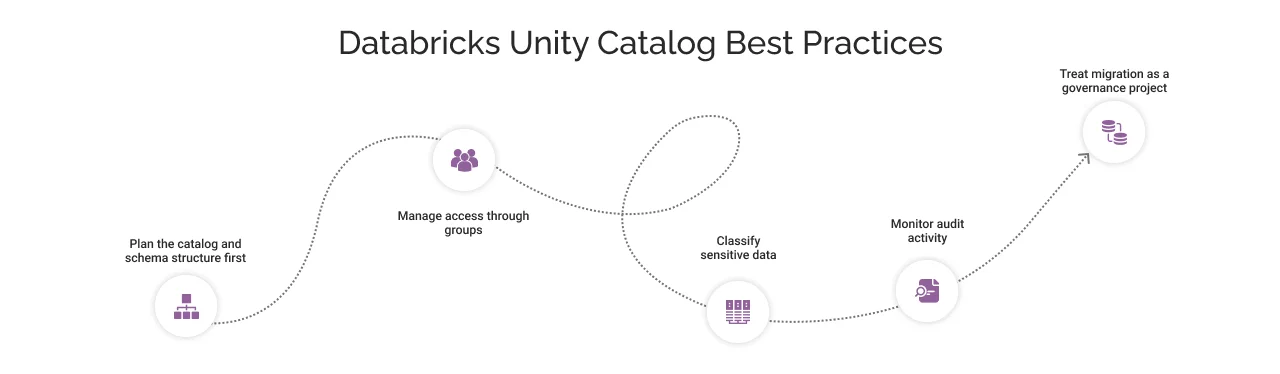
Plan the catalog and schema structure first
Decide what catalogs and schemas should represent before creating large numbers of objects.
Catalogs should provide meaningful boundaries for data organization and access. For example, organizations may use catalogs to represent business domains or other logical data boundaries rather than creating a different catalog for every individual project without a clear governance reason.
Manage access through groups
Where possible, grant permissions to groups rather than individual users.
This makes access easier to manage when people join, leave, or change teams. Instead of reviewing individual permissions across the environment, administrators can manage access through the appropriate group structure.
Classify sensitive data
Use governed tags and appropriate policies to identify and protect sensitive data.
For organizations using ABAC, governed tags can help policies identify which data should be filtered or masked. This provides a more scalable approach than configuring every table separately when the same protection needs to apply across many datasets.
Monitor audit activity
Enable and regularly review audit information rather than checking it only when an incident occurs.
Audit logs can help organizations understand activity, investigate unexpected behavior, and support compliance requirements.
Treat migration as a governance project
If you are moving from a Hive metastore to Unity Catalog, do not treat migration as a simple technical exercise.
Involve data engineers, platform administrators, security teams, and the people who use the data. The goal should be to create a governance structure that supports how the organization actually works.


How can a Databricks partner help with Unity Catalog?
Setting up Unity Catalog is a technical configuration task. The structure you choose for catalogs, schemas, permissions, and governance policies can affect how teams work with data as the environment grows.
As an experienced Databricks partner, we can help organizations:
- Assess the existing environment: Review workspaces, data assets, permissions, and current governance practices.
- Design the governance structure: Define catalogs, schemas, ownership, and access models around business requirements.
- Plan migration: Build a phased migration plan for existing Databricks workloads.
- Configure governance and security: Set up access controls, auditing, lineage, and other governance capabilities.
- Support adoption: Help data and business teams understand how to work with the new governance model.
Cyntexa Databricks consulting & implementation expertise helps businesses design and implement Databricks environments, including Unity Catalog governance, migration, security, and ongoing optimization.
Schedule a consultation call today.
Don’t Worry, We Got You Covered!
Get The Expert curated eGuide straight to your inbox and get going with the Salesforce Excellence.
Co-founder and CTO at Cyntexa also known as “VJ”. With 10+ years of experience and 22+ Salesforce certifications, he’s a seasoned expert in Salesforce Data Cloud & AI Products, Product Engineering, AWS, Google Cloud Platform, ServiceNow, and Managed Services. Known for blending strategic thinking with hands-on expertise, VJ is passionate about building scalable solutions that drive innovation, operational efficiency, and enterprise-wide transformation.


Cyntexa.
Join Our Newsletter. Get Your Daily Dose Of Search Know-How