




Salesforce AIforce Explained: How Salesforce Comes to Any AI Interface
source on Google
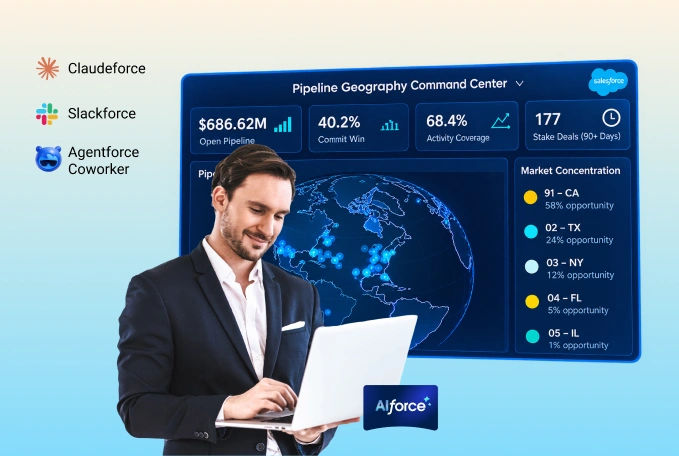
Table of Contents
source on Google
Blog Summary
- Rolled out at Dreamforce 2026, AIforce is a new live interface layer that brings your business’s data, business logic, workflows, permissions, security, semantics, and governance to any AI interface.
- AIforce helps you build your own UI that only surfaces the data you want to gain insights from.
- Salesforce AIforce eliminates your need to navigate to multiple Salesforce dashboards, layouts, or fields, and provides you with everything you want in Claude, Slack, Lightning, or wherever you want to work.
- AIforce launches on three surfaces: Claudeforce (inside Claude), Slackforce (inside Slack), and Agentforce Coworker (inside Lightning).
- The AIforce live interface layer is powered by the Headless toolkit.
- Every interaction you make on AIforce runs on your existing permissions and rules. The platform does not retain data, so it does not store your information.
AI already sits scattered across most enterprises today. One team runs ChatGPT, another runs Claude, developers run their own coding assistants, and none of these AI tools share a single source of truth. As a result, they cannot access live customer data, understand actual business processes, recognize built-in permissions, or have the context needed to make informed decisions.
At Dreamforce 2026, Salesforce addressed this gap with AIforce, a new interface layer designed to bring Salesforce data, business logic, applications, agents, security, permissions, and governance into the AI interface where your teams already work.
Simply, it brings all your enterprise data into any AI interface you are working on.
This is not it!
This blog will help you understand everything about Salesforce AIforce, answering what else it does, why Salesforce built it, the underlying architecture, and much more.
Let’s get started!
What is Salesforce AIforce?
As we have already discussed above, AIforce is a live interface layer that brings Salesforce data, workflows, business logic, permissions, security, and governance into the AI tools people already use, including Claude, Slack, and Lightning. This simply means you no longer have to navigate Salesforce, or it does not have to be the screen you work on.
SALESFORCE IS BROUGHT INTO THE AI TOOL YOU ARE WORKING ON.
Suppose a sales rep asks their AI agent, “Which of my accounts are at risk, and can you follow up with the ones that haven’t heard from us in two weeks?” The agent doesn’t just answer with a summary. It pulls the real account records, deal stages, and support tickets already sitting in Salesforce, reasons across all of them at once, and then takes action directly: it drafts and sends follow-up emails to the accounts that qualify, all while staying inside the rep’s existing permissions and security controls.
Apart from this, AIforce also lets you build your own UI. Instead of every employee working from the same fixed screens, they can describe what they need in natural language and get a live, working interface built around exactly that. For example, a sales rep might want a view that only shows accounts nearing renewal, while a support lead might want one built around open cases and response times. AIforce lets each person shape their own workspace, using real Salesforce data.
Why did Salesforce build AIforce?
Most of the business’s data, including customer history, deal stages, support tickets, workflows, and more, lives inside Salesforce. The traditional way to reach out to any of it was navigating across Salesforce and clicking through multiple screens.
That single point of entry created three limitations:
- Access to Salesforce was limited to users who possessed the necessary skills to navigate its interface. Thereby excluding employees who had never utilized a dashboard.
- Users could only look at a few records at a time, since no one can manually scroll through hundreds of accounts at once.
- Even when the user found the right information, it was confined within the application rather than being integrated into the platforms where actual work was happening, such as Slack, Claude, spreadsheets, or other relevant tools.
Salesforce built AIforce to remove that limitation. Instead of users navigating Salesforce, AIforce brings Salesforce’s data, workflows, and business logic to any AI tool a user already works in.
The information doesn’t duplicate or shift. Rather, it becomes accessible from any location by the user, at scale.
With this, productivity increases, since agents can pull from hundreds of records at once instead of a person clicking through them one by one. And teams get answers and take action right where they are already working, without switching tabs or opening a separate app.
How does AIforce work?
Here is a simplified explanation of how AIforce connects to AI tools and its working.
Step 1: You ask or request something
For example: “Show me the accounts that may need attention.”
Step 2: AI understands the request
The AI figures out whether you need information, an action, or both.
Step 3: Salesforce provides trusted context
It brings relevant business data, customer context, business logic, and available actions from Salesforce, all based on what you’re already allowed to access.
Step 4: AI reasons over the information
Using that context, the AI works out the answer or decides what needs to happen next.
Step 5: The action is taken
If the request calls for it, and your permissions allow it, the answer is displayed in the AI tool, and the action is updated in Salesforce in real-time.
AIforce architecture explained
Let’s understand the underlying architecture of AIforce.
Think of it as four stacked layers, each of them performing a specific job.
1. At the bottom sits Data 360
- It connects your company’s records and organizes them into one clean, usable source. Without this layer, nothing above it works, because an AI can only reason well when it has clear, accurate data to work from.
2. On top of that sits Customer 360
- This is where the actual Salesforce products live: Sales, Service, Marketing, and more. Additionally, the business logic and semantics that turn raw data into something meaningful are also present in this layer. It’s the layer that knows what a “closed deal” means, or what counts as an “open case”.
3. The second layer: Agentforce
- This includes AI agents that are built to handle a specific job rather than being a general-purpose assistant.
4. Top layer is the AIforce itself
- This is the layer a person actually talks to, the live, conversational interface where a question gets asked and an answer, or an action, comes back.
Underneath all four of these layers runs Salesforce Guardian. It handles Zero Data Retention, meaning none of your business’s data is ever used to train anyone’s underlying AI model.
However, these four layers work with AI tools such as Claude or Slack via Headless Toolkit. It takes everything built into these four layers and turns it into APIs, MCP tools, and CLI commands that any AI agent can plug into directly, without needing a browser or a screen to navigate.
This is what makes the entire architecture reachable from outside Salesforce, and it is what AIforce itself, along with Claudeforce, Slackforce, and Agentforce Coworker, is built on.
What is AIforce capable of?
The live interface, AIforce offers four capabilities:
- Data & context: It understands your data and complete context. As per it, it brings the right customer information and business context into every interaction you do. Hence, the results are based on your actual records and not generic information.
- Actions & workflows: It puts Salesforce to work anywhere, using the same business logic and workflows that already run your enterprise. Therefore, nothing needs to be rebuilt for a new interface.
- Identity & permissions: It carries your existing Salesforce identity, permissions, and access controls into every interaction and experience. Therefore, allowing individuals to only see and access what they are authorized for.
- Trust & governance: It extends Salesforce’s trust, security, and governance wherever your data and capabilities are used. This is the same protection Guardian and Zero Data Retention provide, as we covered in the architecture section.
Where can AIforce be used?
AIforce launches with three companion offerings, each focusing on a different platform. Let’s understand them.
Claudeforce
Claudeforce is AIforce showing up in Claude. It introduces Salesforce in Claude through a prebuilt MCP server integrated directly within Claude, eliminating the manual setup, complex authentication, and custom skill-mapping. It launches with Salesforce integration, featuring 37 prebuilt sales skills. The service is currently being piloted by Deloitte, GitLab, and Legora, and is now in beta for all customers. Read the What is Claudeforce guide for a detailed understanding.
Slackforce
Slackforce is AIforce showing up in Slack. It brings Salesforce into every conversation, workflow, and experience you have across Slack. It unveils four capabilities, including Slackforce Surfaces, Slack CRM, Slack Code, and powers Slackbot to work more than just a bot. Explore in detail in our Slackforce blog.
Agentforce Coworker
Agentforce Coworker is AIforce showing up inside Lightning. It acts as an AI teammate, reasoning across accounts, activity, and history to surface insights and take action. It calls on the specialized Agentforce agents such as:
- Piper brings in leads, engaging people on your website and in your inbox, and qualifying the ones worth passing on to sales.
- Hunter works across sales pipelines, doing the research and outreach a rep would normally spend weeks on. Still in pilot, opening up to everyone around November 2026.
- Casey handles customer service, answering questions and resolving issues over calls, texts, WhatsApp, and web chat.
- Paige takes care of IT and HR requests, right where employees already work, in Slack or internal portals.
- Fin handles the trickier customer support cases, the kind that need more than a quick answer, across whatever channel the customer reaches out on.
- Carter helps shoppers find what they’re looking for, compare options, and check out, all inside the chat.
- Marshall runs the back-office side of supply chain work, and keeps a clear record of every action it takes.
- And those that you’ve already built and deployed, growing alongside your agent workforce. It runs inside Salesforce itself, adhering to all your permissions and business rules. You must refer to our Agentforce Coworker guide for a detailed understanding.
Simply, AIforce is the layer, and Claudeforce, Slackforce, and Agentforce Coworker are the first three places it shows up, each built on the same Headless Toolkit foundation.
How can AIforce benefit your different teams?
The benefits of AIforce change depending on what each team already spends time doing. Let’s understand one by one.
AIforce for sales teams
Reps can check deal stages, update records, and get account context without leaving Slack or Claude. Hence, reducing the time spent switching tabs between a CRM and everywhere else the work actually happens.
AIforce for support and service teams
Instead of manually going through each case one at a time, agents can read across hundreds of tickets at once, spot patterns, and take action directly. Be it reassigning an owner or drafting a follow-up.
AIforce for marketing teams
Your team can access all campaign and customer data from the tools they already use, without the need to switch to Salesforce to check numbers or pull segments.
AIforce for IT and admin teams
Instead of going through a whole week-long process of setting up a new access model, figuring out what data it’s allowed to touch, and often migrating or duplicating records just so the tool has something to work with. AIforce removes that entire checklist. It runs through the same roles, profiles, and sharing rules already configured in Salesforce. And it doesn’t need your data moved anywhere either. So there’s nothing new to configure and nothing to migrate before teams can start using it. Admins connect once, and the rest of the business gets access on day one.
AIforce for leadership and operations teams
Decisions that used to require someone to log in, pull a report, and summarize it can now happen directly inside a conversation, displaying real numbers.
AIforce vs Agentforce
You might also be curious to know how AIforce differs from Agentforce. Well, we have the answer!
Agentforce is the workforce. AIforce is the interface.
Agentforce is Salesforce’s digital workforce. These are autonomous AI agents built to do specific jobs, like handling a customer refund, qualifying a lead, or resolving a support case, on their own. You build these agents once, inside Salesforce, using Agentforce’s builder.
AIforce doesn’t build agents. It is what makes everything Salesforce has already built, including those Agentforce agents, reachable from outside Salesforce entirely. It’s the layer that lets you ask a question or trigger a workflow from Claude, Slack, or Lightning, instead of opening the Salesforce app.
Put simply: Agentforce decides what gets done. AIforce decides where you can ask for it to get done.
They are not competing, they work together. In fact, one of AIforce’s three launch products, Agentforce Coworker, exists specifically to call on the agents you’ve already built in Agentforce, bringing them into Lightning.
Here is a quick view table:
| Aspect | Agentforce | AIforce |
|---|---|---|
| What it is | Digital workforce, autonomous agents | Live interface layer |
| What it does | Executes specific jobs independently | Connects any AI tool to Salesforce’s data, logic, and workflows |
| Where you build it | Inside Salesforce, with Agentforce’s builder | N/A, it’s the connective layer, not something you build agents in |
| Where you use it | Wherever the agent is deployed | Claude, Slack, Lightning, and other AI tools |
To Summarize
AIforce brings the data, logic, and workflows already running inside Salesforce to any AI tool you and your teams already use, so work doesn’t need to happen inside Salesforce’s own screens anymore.
It’s built on a four-layer architecture, made reachable through the Headless Toolkit, and it’s already showing up in Claude, Slack, and Lightning through Claudeforce, Slackforce, and Agentforce Coworker.
Additionally, if you want to make the best of Salesforce AI ecosystem in your business, consult our experts today!
Don’t Worry, We Got You Covered!
Get The Expert curated eGuide straight to your inbox and get going with the Salesforce Excellence.
Co-founder and CTO at Cyntexa also known as “VJ”. With 10+ years of experience and 22+ Salesforce certifications, he’s a seasoned expert in Salesforce Data Cloud & AI Products, Product Engineering, AWS, Google Cloud Platform, ServiceNow, and Managed Services. Known for blending strategic thinking with hands-on expertise, VJ is passionate about building scalable solutions that drive innovation, operational efficiency, and enterprise-wide transformation.


Cyntexa.
Join Our Newsletter. Get Your Daily Dose Of Search Know-How