




Salesforce for Small Businesses: Features, Benefits, and Why Choose it?
source on Google

Table of Contents
source on Google
Salesforce CRM was synonymous with enterprise software. The pricing tag alone was enough to make it unaffordable for small businesses.
The enterprise barrier has come down, with Salesforce CRM pricing starting from $25/user/month, making it accessible for small to mid-sized businesses.
Now, that’s affordable. Let’s have a look at what Salesforce CRM brings to small businesses like yours. That’s what this guide has got you covered with.
What does Salesforce for small businesses actually mean?
Salesforce CRM for small businesses refers to the suite purpose-built for small to mid-sized businesses.
These suites bring sales, services, marketing, commerce, and Slack into one unified platform. So small businesses have a unified platform for all their needs, from attracting customers with personalized marketing campaigns to capturing leads, closing sales, and resolving customer issues.
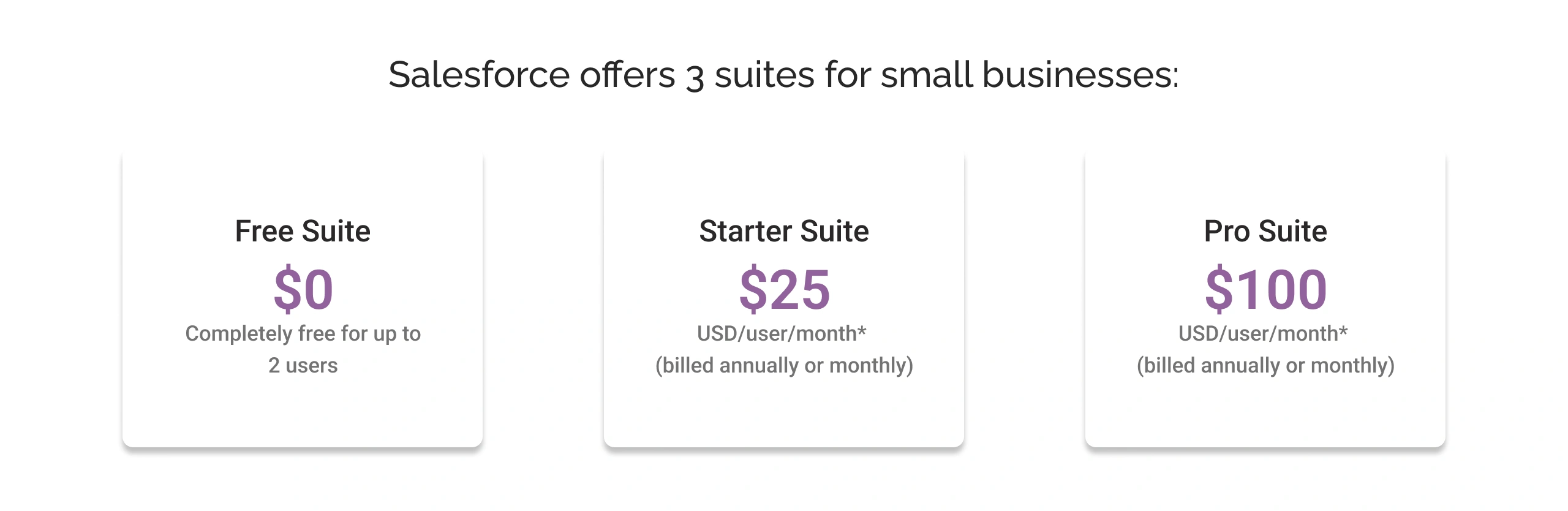
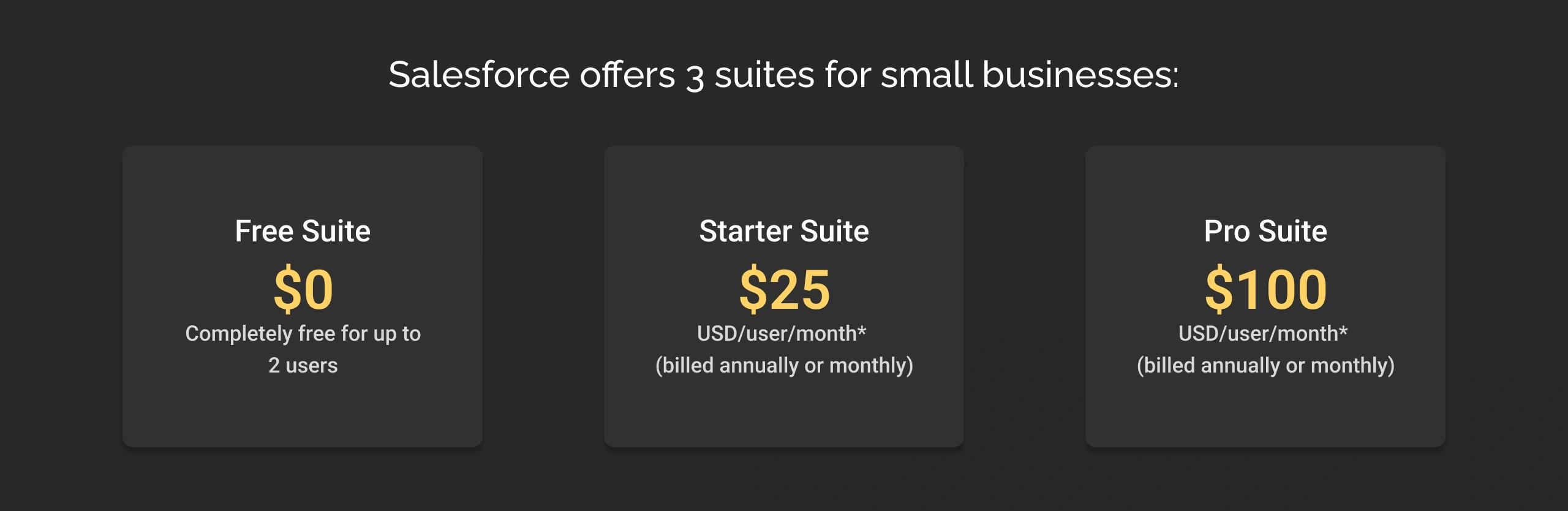
Salesforce offers 3 suites for small businesses:
- Free Suite: Completely free for up to 2 users
- Starter Suite: $25/user/month
- Pro Suite: $100/user/month
The core idea is that Salesforce is offering solutions to cater to businesses at every stage of growth. For example, startups or solo entrepreneurs can start with the Free Suite, and as their business grows, they can upgrade to the Starter Suite for additional users and capabilities. For those ready to scale further, the Pro Suite has more advanced automation and customization capabilities.
To recap briefly, Salesforce for small businesses means having a foundation that never needs to be replaced. You start where you are today, pay for what you need, and scale at your own pace.
Salesforce CRM for small businesses features
Below are the features available in each suite. We’ve labeled every feature with its corresponding suite so you know exactly what’s included where.
1. Salesforce Sales Cloud features for small businesses
Sales-related capabilities are available in both the Free, Starter, and Pro Suite. However, they vary in their scope and availability:
| Salesforce Sales Cloud features for small businesses | ||||
|---|---|---|---|---|
| Features | Descriptions | Free Suite | Starter Suite | Pro Suite |
| End-to-end sales lifecycle management | A unified view of accounts, contacts, and opportunity management. | ✅ | ✅ | ✅ |
| Lead management | A unified view of all the lead activities and engagement metrics | ❎ | ✅ | ✅ |
| Duplicate blocking | All the duplicate data is merged automatically to ensure access to usable and reliable data. | ❎ | ✅ | ✅ |
| Web-to-lead capture | Capture leads from a company’s website | ❎ | ✅ | ✅ |
| Mass email | Allows you to send bulk messages to leads and contacts from CRM. | ❎ | ✅ | ✅ |
| Email productivity | Support real-time meeting scheduling, delayed sending, and engagement tracking. | ❎ | ✅ | ✅ |
| To-do list | A single customizable view of all the tasks. | ✅ | ✅ | ✅ |
| Email templates | Allows the creation of an email to facilitate easy communication with prospects and customers. | ❎ | ✅ | ✅ |
| Campaign Influence | Measures how marketing campaigns are contributing to opportunities. | ❎ | ✅ | 3 campaigns per opportunity |
| Customizable sales process | With Sales Path, the sales process can be customized | ❎ | ✅ | ✅ |
| Sales console apps | A tab-based workspace for sales reps to find all the information to close a deal on a single screen. | ❎ | ❎ | 1 custom app per org |
| Salesforce Meetings | A single-pane view of meeting attendees, along with the next best action to be followed once the meeting ends. | ❎ | ✅ | ✅ |
| Salesforce Mobile App | An Android and iOS application to manage sales activities on the go. | ❎ | ✅ | ✅ |
| Offline mobile functionality | Allow to create new records without an internet connection. | ❎ | ❎ | ✅ |
| Sales Cloud Everywhere | A browser extension to bring CRM functionality directly into the flow of work. | ❎ | ❎ | ✅ |
| Customizable reports and dashboards | Tailored analytics using CRM data to match specific business needs. | ✅ | ✅ | ✅ |
| Forecasting a mobile app | Access to forecasts in real-time on mobile. | ❎ | ✅ | ✅ |
| Products and price books | Streamlines product catalogue management with automated, accurate pricing, quantities, and discounts. | 1 price book | ✅ | ✅ |
| Contracts management | Allow to manage contract approvals and renewals. | ❎ | ❎ | ✅ |
| Orders management | Tracking and managing sales orders. | ❎ | ❎ | ✅ |
| Quote creation and management | Easy quote creations by fetching products and pricing. | ❎ | ❎ | ✅ |
| Files sharing | Allow to share relevant sales documents. | ❎ | ✅ | ✅ |
| Email integration | Allows integration with Gmail and Outlook. | ✅ | ✅ | ✅ |
| Data Synchronization | Data Cloud helps to connect Salesforce and third-party data. | ❎ | ❎ | ✅ |
2. Salesforce Marketing Cloud features for small businesses
Marketing Cloud is the core of all 3 Salesforce small business editions.
| Salesforce Marketing Cloud features for small businesses | ||||
|---|---|---|---|---|
| Features | Descriptions | Free Suite | Starter Suite | Pro Suite |
| Email sends | Helps you to reach your customers through emails. | 100/month | 2000/month | 2000/month |
| Drag-and-drop email builder | Create marking templates with clicks. | ✅ | ✅ | ✅ |
| Einstein Send Time Optimization | With the help of AI suggests the best time to send an email is when a customer is most likely to engage. | ❎ | ✅ | ✅ |
| Campaign Analytics | Helps to understand how your customers are interacting with your emails. | ❎ | ✅ | ✅ |
| Forms and landing pages | Drag-and-drop functionality to help build intuitive forms and landing pages to capture leads. | ❎ | ✅ | ✅ |
| Segmentation filters | Filter the customers based on attributes like demographics, behaviors, and purchase history for effective targeting. | ❎ | ✅ | ✅ |
3. Salesforce Service Cloud features for small businesses
| Salesforce Service Cloud features for small businesses | ||||
|---|---|---|---|---|
| Features | Descriptions | Free Suite | Starter Suite | Pro Suite |
| Case management | Entire case lifecycle management from creation to send auto-responses and assigning to the right agent. | ✅ | ✅ | ✅ |
| Integrated email support | Integrate with Gmail or Outlook. | ✅ | ✅ | ✅ |
| Custom email templates | Pre-made, reusable email templates help support agents to have personalized and consistent responses to customers’ queries. | ✅ | ✅ | ✅ |
| Knowledge management | Centralized access to all knowledge base articles to intelligently resolve issues. | ✅ | Read-write | Read-write |
| Omni-channel routing | Route cases from any channel to the right agent. | ❎ | ❎ | ✅ |
| Salesforce mobile app | An Android and iOS application. | ❎ | ✅ | ✅ |
| Files | Share and collaborate on relevant files. | ❎ | ✅ | ✅ |
| Topics and recommendations | A content discovery system that organizes knowledge base articles, cases, and feeds around user-defined topics. | ❎ | ❎ | ✅ |
| Case auto assignment | When a case logs into CRM, it routes automatically to the right support rep. | ❎ | ✅ | ✅ |
| Web and email case capture | Capture cases from email and website directly into CRM. | ❎ | ✅ | ✅ |
| Case email auto response | Allows setting up auto-response rules to ensure automated email sending when a case is logged. | ❎ | ✅ | ✅ |
| Case escalation | Set up escalation rules to ensure cases meeting the criteria are escalated to the right agent. | ❎ | ✅ | ✅ |
| Incident management | A single pane view to all incident details and customer communications. | ❎ | ✅ | ✅ |
| Einstein Next Best Action | Deliver personalized actions to your team at the most impactful moments. | ❎ | 5k request per user per month | 5k request per user per month |
| Computer Telephony Integration (CTI) | Integrate Service Cloud with telephony systems. | ❎ | ❎ | ✅ |
| Service contracts and entitlement | Track and manage warranties, subscriptions, or maintenance requirements. | ❎ | ❎ | ✅ |
| Customizable reports and dashboards | Configurable reports and dashboards | ❎ | ✅ | ✅ |
| AppExchange app integration | Download preintegrated Service Cloud apps from AppExchange. | ❎ | ✅ | ✅ |
4. Salesforce Commerce Cloud features for small businesses
Salesforce Commerce Cloud features are available with Salesforce Starter and Pro Suites only. Here is a detailed list of Commerce Cloud features for small businesses.
| Salesforce Commerce Cloud features for small businesses | ||||
|---|---|---|---|---|
| Features | Descriptions | Free Suite | Starter Suite | Pro Suite |
| Storefront website design | Design a flexible online store using built-in drag and drop tools and templates. | ❎ | ✅ | ✅ |
| Product and category workspace | A dedicated interface for merchants allowing them to manage all the products and categories in an organization. | ❎ | ✅ | ✅ |
| Buyer groups | Group multiple buyers together to apply the same rules, discounts, or inventory. | ❎ | ✅ | ✅ |
| Promotions | Configuring promotions by adding segments, discounts, qualifiers, and coupons. | ❎ | ✅ | ✅ |
| Managed checkout | Ready-to-use, Salesforce-hosted checkout process that manages everything from payments, taxes, and shipping. | ❎ | ✅ | ✅ |
| Order summaries | A unified record containing all the customers’ order information from the initial capture to fulfilment. | ❎ | ✅ | ✅ |
| Insight dashboards | Pre-configured dashboards to understand the key metrics such as sales trends, customer behaviours, product performance, and more. | ❎ | ✅ | ✅ |
| Search management | Configuring searchable fields, filters, sorting rules, synonyms, and more. | ❎ | ✅ | ✅ |
| Pay Now | Payment solution powered by Salesforce Payments. Note: subject to regional availability. | ❎ | ✅ | ✅ |
Why choose Salesforce for small businesses?
For small businesses, the selection of a CRM depends on multiple factors in addition to pricing. The very first and foremost important selection facet should be understanding the requirements and evaluating the Salesforce CRM capabilities to meet those requirements. If Salesforce CRM promises to meet those requirements, then you should compare the availability of the best CRM for small businesses to choose it to make better sense than its competitors.
Here, we have helped you with a detailed understanding of the benefits of Salesforce CRM for small businesses.
1. 360-degree view of your business
The entry-level edition of Salesforce CRM, Starter Suite, helps businesses to have a 360-degree view of all business operations from sales, service, and marketing to commerce.
This will benefit small businesses:
- Track leads from capture to close, giving your sales team the visibility they need to act quickly and keep every opportunity moving forward.
- Speed up case resolution with email support, a searchable knowledge base, and case management in one place.
- Helping to engage the right people when they’re most receptive to boost your marketing performance and amplify the marketing efforts.
- Digital storefront to sell your products directly to customers.
- Access accurate, organized data that powers business decisions.
Salesforce is the best choice for small to mid-sized businesses looking for a comprehensive CRM for managing all their operations, replacing the need for separate tools across different functions.
2. Insightful analytics
Salesforce helps businesses with customizable reports and dashboards to provide them with a tailored view of the key insights that matter. Additionally, it has Generative Canvas, an AI-powered tool to make it easy to interact, visualize, and summarize the data. So, your team can pull information on leads, opportunities, meetings, and more, then display it in tables, charts, or other formats that make sense for your team.
3. Scalability
Salesforce CRM is a highly scalable CRM, allowing you to start small and grow with your business. For example, if you are a solo entrepreneur, then you can start with Free Suite, and as you grow your business, you can upgrade to Starter Suite.
Simply saying, the platform supports you from a solo entrepreneur to an enterprise without ever needing to change the platform.
4. Enterprises grade security and compliance at startup prices
Data security and compliance are a must for all sizes of businesses, whether startups or an enterprise.
Salesforce is a cloud-based platform, and it works on a layered security architecture that protects your data across multiple dimensions. The platform uses Salesforce Shield Platform Encryption to secure data at rest, while TLS encryption protects data in transit. Additionally, it has Platform Encryption, which adds a layer of security by making data unreadable to unauthorized users, even if they gain access to the database.
Beyond encryption, Salesforce provides continuous visibility into your data. Tools like Event Monitoring and Field Audit Trail help track data changes and detect anomalies, which means you can see exactly who accessed customer information, when they accessed it, and what changes they made. This audit trail capability is essential for compliance with GDPR, CCPA, and HIPAA regulations.
For small businesses operating in regulated industries (healthcare, finance, legal) or handling sensitive customer data, these built-in compliance features remove the burden of achieving certifications independently. Your customer data gets protected to the same standard as Fortune 500 companies, without your small team needing to manage servers or security infrastructure.
5. Transparent ROI you can track in real-time
Small businesses, as discussed, often have limited budgets and resources; therefore, every investment they make must justify itself.
Salesforce has built-in dashboards and reporting, enabling business users to measure outcomes such as:
- How many leads does each marketing campaign generate?
- Which sales reps close deals fastest?
- Which customer segments have the highest lifetime value?
- How does service efficiency impact retention?
For small business owners, having clear visibility into their CRM investment is key.
6. Built-in community and learning resources
Many CRM implementations fail because the teams using them don’t know how to use the platform effectively.
Salesforce has Trailhead, a free online learning platform where your entire team can learn at their own pace, covering everything from basic features to advanced capabilities.
Beyond the self-paced learning, you have access to the Trailblazer Community, where millions of Salesforce users share solutions, best practices, and troubleshooting advice. This peer-to-peer support network means your team isn’t isolated.
For example, when your sales rep encounters a problem, they can search the community and often find an answer that someone else has already solved.
For small businesses that can’t afford dedicated training budgets or Salesforce consultants on retainer, this community-driven learning helps them find the support they need when they need it.
7. Partner network for help when you need it
Salesforce has a network of certified implementation partners, consultants, and developers ready to support you.
You can hire a certified consultant for implementation, a partner agency for ongoing optimization, or a Salesforce developer from a staff augmentation company for a specific need without long-term commitments.
Salesforce certified partners like Cyntexa offer fixed-price Salesforce QuickStart packages purpose-built for small businesses, starting at USD 3,500* with consultation, initial setup, data migration, and end-user training completed in 2-3 weeks. This removes the uncertainty around implementation timelines and costs that typically deter small businesses from adopting Salesforce CRM.
Salesforce for small businesses pricing
Salesforce has transparent pricing for small businesses, supporting them at every stage of their growth. You can choose the suite that aligns with your needs, and upgrade as you grow.
1. Salesforce for small businesses licensing price
- Free Suite
- Cost: Free up to 2 users
- Starter Suite
- Cost: $25/user/month (billed annually at $300/user/year)
- Pro Suite
- Cost: $100/user/month (billed annually at $1,200/user/year)
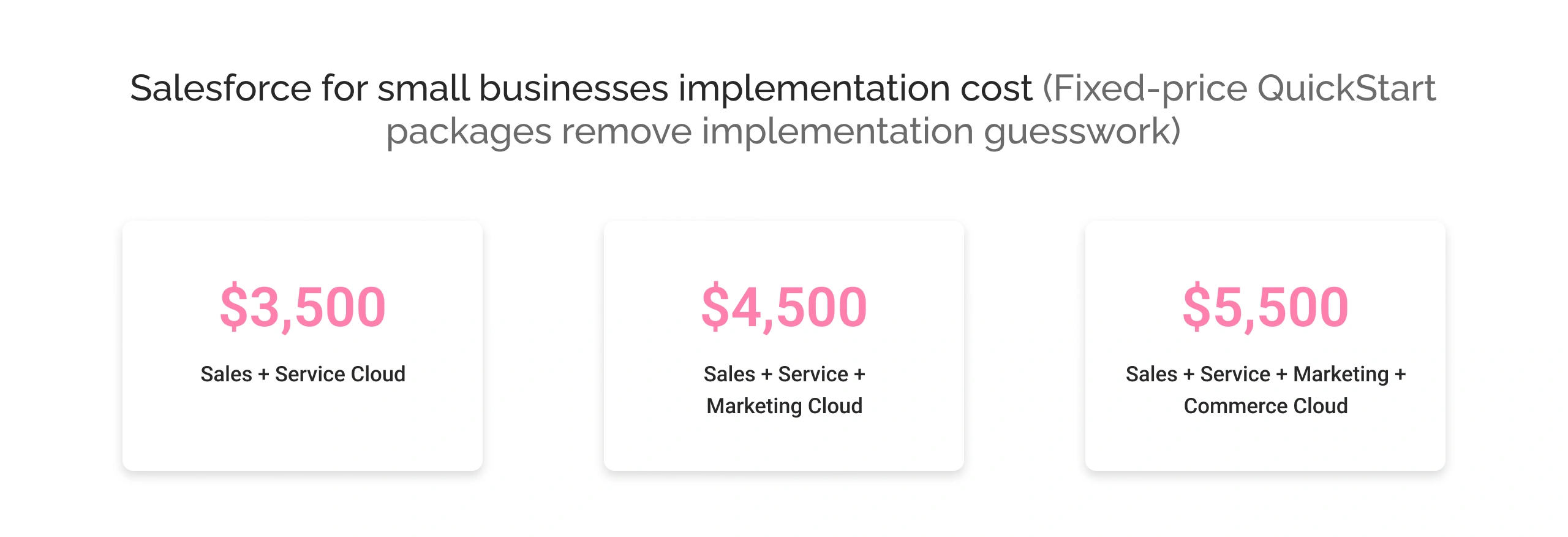
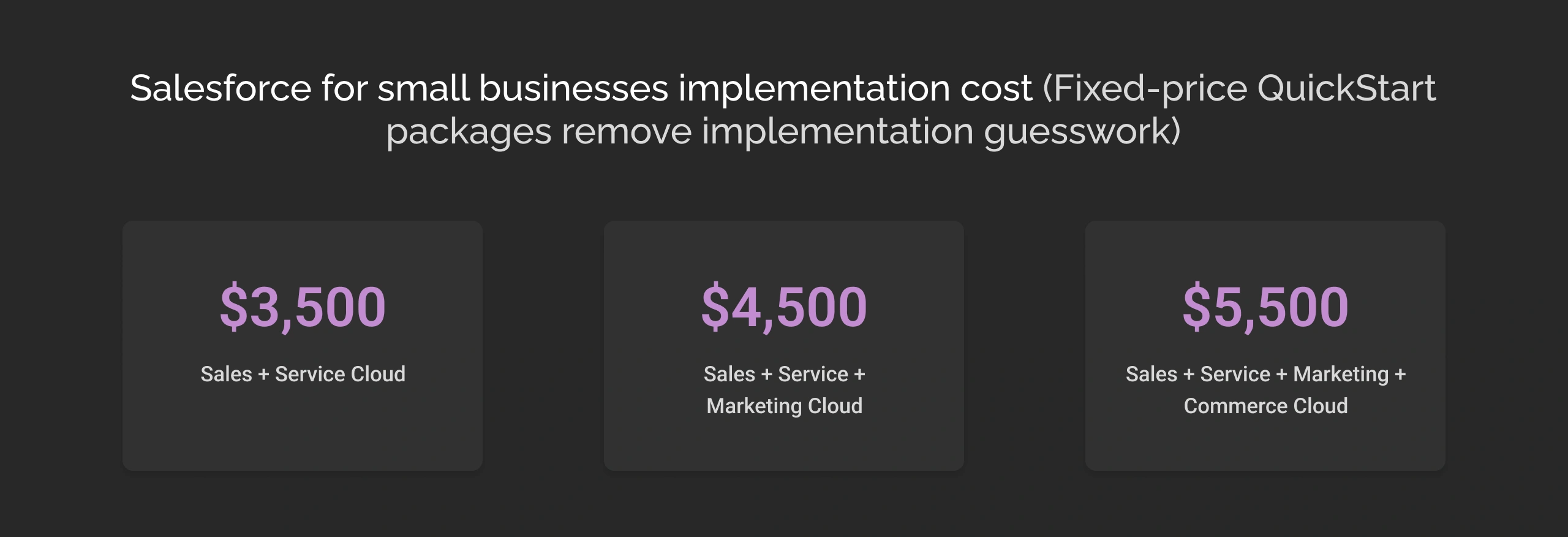
2. Salesforce for small businesses implementation cost
Fixed-price QuickStart packages remove implementation guesswork:
- Sales + Service Cloud: $3,500
- Sales + Service + Marketing Cloud: $4,500
- Sales + Service + Marketing + Commerce Cloud: $5,500
Includes setup, configuration, data migration, and user training. Go-live in 2-3 weeks.
Final take
Salesforce pricing makes it more affordable than ever for small to mid-sized businesses, supported by Cyntexa’s fixed price implementation packages with us. With Cyntexa, your journey of Salesforce adoption is transparent, helping you know everything beforehand. Schedule an obligation-free consultation session with us, and we will help you have the world’s #1 CRM supporting your business without breaking the bank.
Don’t Worry, We Got You Covered!
Get The Expert curated eGuide straight to your inbox and get going with the Salesforce Excellence.
With over 5 years of experience, Shubham specialize in curating solutions on Salesforce Service Cloud, Nonprofit Cloud, Consumer Goods Cloud, Managed Packages, and ServiceNow ITSM. He designs and implements end-to-end service solutions that improve operational workflows and ensure seamless integration across enterprise systems. Shubham’s expertise lies in creating secure, efficient, and agile platforms tailored to unique business needs.


Cyntexa.
Join Our Newsletter. Get Your Daily Dose Of Search Know-How
Frequently Asked Questions
Salesforce helps small businesses increase efficiency by automating mundane repetitive tasks and streamlining business processes. It provides businesses with a single source of truth for all customer data resulting in quick responses to customer inquiries and making informed decisions.
Salesforce for small businesses offers an affordable starter suite at a base price of $25 per user/month. Also, there are some transactional charges that small organizations must know about and pay. Furthermore, depending on their financial capacity, the companies can pay the package price manually or opt for monthly billing. Additionally, Salesforce offers a 30-day free trial to let businesses analyze and try the features.
Salesforce offers a range of features that are beneficial for small businesses. Some of the most common features of Salesforce include: automated lead generation, lead scoring, automated workflow management, customer segmentations for personalized marketing, data analytics & reporting, and custom fields.
With Salesforce, small businesses can centralize customer data, deliver personalized service, and streamline lead management. With case management, companies can track and analyze the cases for effective solutions. Moreover, businesses have the flexibility to choose platforms to connect with customers. Small businesses utilize multiple and more advanced features with Salesforce to deliver better customer service.