



Salesforce for Nonprofits: Features, Pricing, and How It Works (2026)
source on Google

Table of Contents
source on Google
Most nonprofits do not have a technology problem. They have a coordination problem as donor data lives in one spreadsheet, grant deadlines in another, volunteer records in the inbox, and program outcomes in a report that takes weeks to compile.
Salesforce was originally built for sales teams, but with time, it has become the most widely adopted CRM in the nonprofit sector.
The reason is simple: rather than using five separate tools that do not talk to each other, Salesforce gives nonprofits one place where donors, programs, grants, and volunteers’ data live together.
This guide walks you through what Salesforce actually does for nonprofits, its cost, the free licensing path, the new 2026 AI features, and how to assess if it’s the right fit for your organization.
Why are nonprofits turning to Salesforce?
The problem with running operations across five separate tools is not just inconvenience; it is what happens at reporting time.
When a program director needs to show a funder how donor support translated into program outcomes, they spend days pulling data from five different places. The information exists, but getting to it is the work.
Salesforce addresses this by acting as a single system of record: who your donors are, what they have given, how your programs are running, which grants are due, how volunteers are performing, and what outcomes you can report. The difference is that all these functions are connected and accessible from one place.
What is Salesforce for nonprofits?
Salesforce offers a purpose-built solution for nonprofits called Agentforce Nonprofit (formerly known as Nonprofit Cloud). It provides pre-built tools that connect everyone your organization works with, including donors, participants, grantors, partner organizations, and volunteers, into one shared platform. So data flows between teams instead of being stored in separate tools.
Salesforce also runs the Power of Us Program, which gives eligible 501(c)(3) organizations 10 free Enterprise Edition licenses.
Nonprofit organizations evaluating Salesforce encounter two paths: the Nonprofit Success Pack (NPSP), a free open-source extension that has served the sector for over a decade, and Agentforce Nonprofit, Salesforce’s current purpose-built product with native AI and built-in grant, program, and volunteer tools.
NPSP still works and remains supported, but it is no longer receiving new features. If you are evaluating which one fits your organization, our NPSP guide and the Salesforce Nonprofit Cloud guide already covered that in detail.
Is Salesforce free for nonprofits?
Yes. Qualified nonprofits can get 10 free Enterprise Edition licenses through Salesforce’s Power of Us Program. If your organization needs more than 10 users, additional licenses are available at discounted nonprofit pricing.
What these 10 free licenses include:
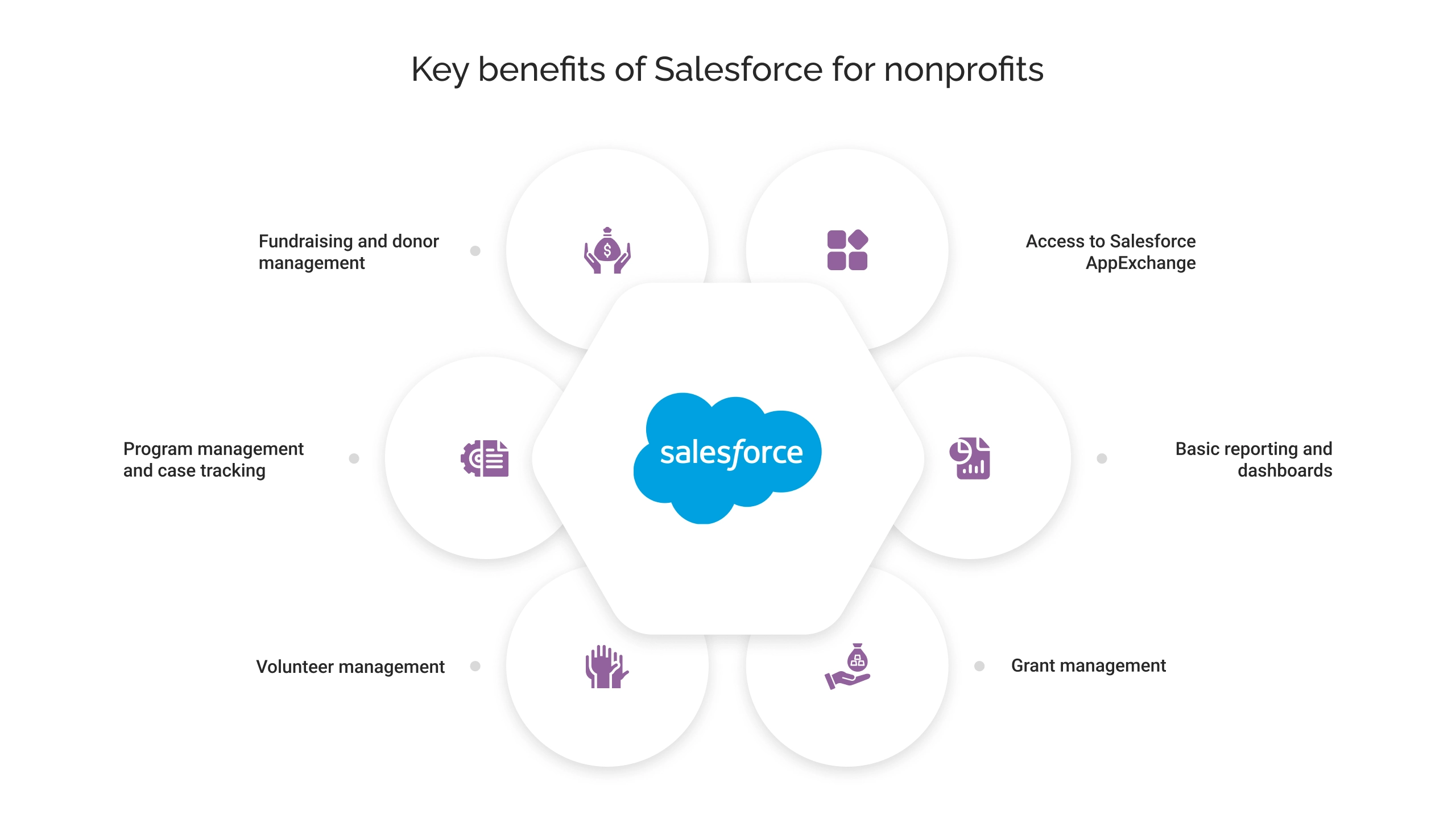
- Fundraising and donor management
- Program management and case tracking
- Volunteer management
- Grant management
- Basic reporting and dashboards
- Access to Salesforce AppExchange (thousands of integrations)
What they do not cover:
- Additional user licenses beyond the initial 10
- Agentforce AI agent add-ons (the autonomous AI agents for donor support, prospect research, etc.)
- Premium support plans
- Implementation and configuration (this is the cost most organizations underestimate)
How to apply for free Salesforce licenses for Nonprofits?
- The basic requirements for nonprofit organizations to have a Tax ID number and legal documentation: 501(c)(3) or 501(c)(4) IRS determination letter in the U.S.
- You can register through the Power of US program, verify your organization’s nonprofit status, and request your 10 free Salesforce licenses.
- You will receive an approval email after verification clears. It will help you get the discounted product with the Trailblazer profile.
How much does Salesforce cost for nonprofits?
| License type | Starting price |
| Nonprofit Cloud- Enterprise | $60/user/month |
| Nonprofit Cloud – Unlimited | $100/user/month |
| Nonprofit Cloud Agentforce 1 for Sales | $325/user/month |
| Nonprofit Cloud Agentforce 1 for Service | $325/user/month |
| Nonprofit Cloud for Grantmaking – Enterprise | $175/user/month |
| Nonprofit Cloud for Grantmaking – Unlimited | $225/user/month |
Note: Salesforce’s current pricing pages still use the Nonprofit Cloud. This refers to the same product now marketed as Agentforce Nonprofit.
The license cost for Nonprofit Cloud is only the first step. Implementation and configuring the system to match your processes, migrating data from old systems, and training staff are additional costs. It typically runs anywhere from $5,000 for a basic setup to $50,000 or more for a complex organizational setup. Organizations that treat the 10 licenses as free Salesforce and skip proper implementation rarely get value from the platform.
Key benefits of Salesforce for nonprofits
1. Fundraising and donor management that actually scales
Most nonprofits start with a donor spreadsheet that works at 500 contacts but breaks at 5,000. Agentforce Nonprofit provides fundraising teams with a complete view of every donor that includes their giving history, event attendance, communications, major gift potential, and lapsed-giving risk indicators in a single record.
Your staff no longer need to search across systems before a donor call. The platform’s AI (Einstein) flags donors showing early signs of lapsing, so retention becomes proactive instead of reactive.
2. Grant management without the compliance concern
Grant tracking in spreadsheets creates a specific kind of stress: deadlines in email, reporting requirements scattered across documents, budget actuals that do not sync with what the finance team has.
Salesforce for nonprofit organizations centralizes the entire grant lifecycle, including application, award, reporting milestones, budget tracking, and compliance documentation, in one place. Program staff and finance teams can see the same data, which means grant reports get done faster and with fewer errors.
3. Program delivery aligns with outcomes
Many nonprofits can tell funders how many people they served, but only a few can tell funders what changed for those people. Salesforce’s program management tools let organizations track participant journeys from intake through service delivery to outcomes, and connect those outcomes to the specific programs, staff, and funding streams that produced them. That’s the difference between a report that says “we served 100 families” and one that says “100 families reduced food insecurity by 50% after 12 weeks in our program.”
4. Volunteer coordination at scale
Managing volunteers manually, such as matching availability to shifts, sending reminders, and filling last-minute gaps, consumes significant staff time. Salesforce’s volunteer management tools automate shift matching and notifications. The Spring 2026 release added AI-powered shift-filling, which scans volunteer profiles and surfaces the best matches for vacant shifts based on timing, location, and qualifications.
5. Reporting that takes hours, not weeks
The time nonprofit staff spends compiling reports for boards, funders, and government agencies is time not spent on programs. Because Salesforce stores all the data, including donor records, program notes, financial allocations, and volunteer hours, reports that previously took two weeks to compile can be generated in hours. Dashboards give leadership a live view of fundraising progress, program capacity, and grant compliance without anyone having to pull data manually.
What’s new in Salesforce for nonprofits in 2026?
Here are the new pre-built agents for nonprofits introduced by Salesforce:
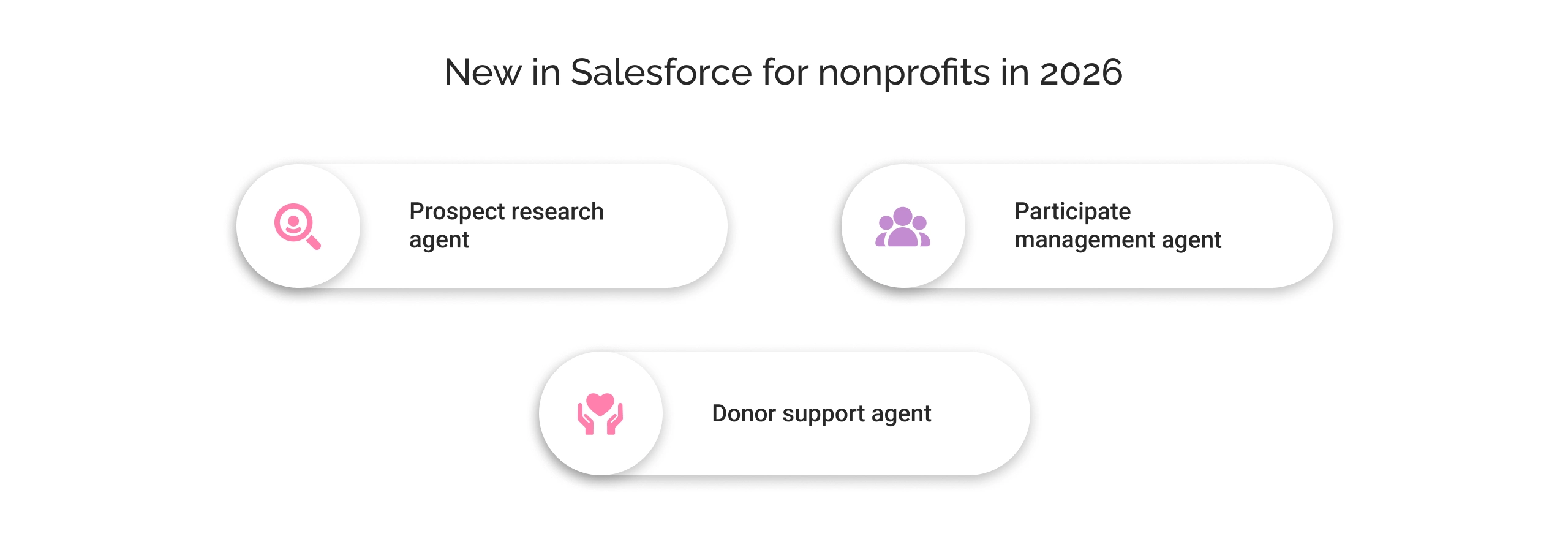
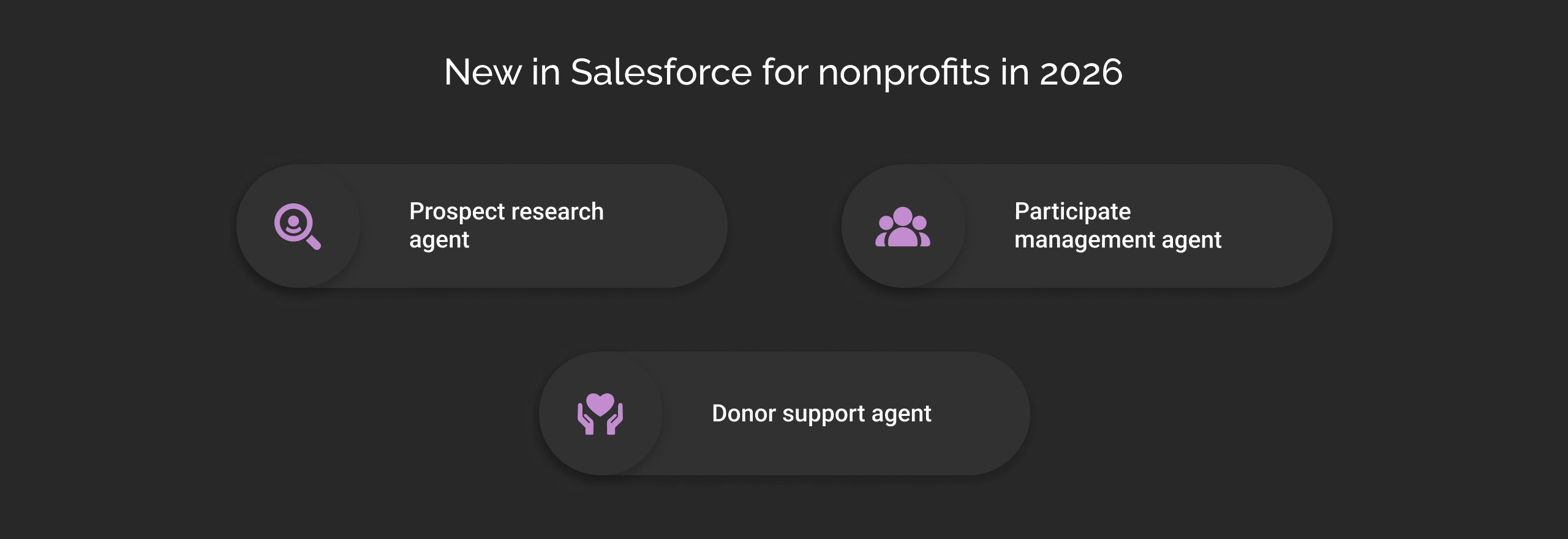
1. Prospect research agent
It helps fundraisers to get a better understanding of high-value donors and their giving history directly within Slack. It surfaces a list of potential major donors and helps schedule meetings, eliminating hours of manual research.
2. Participate management agent
This agent handles routine program tasks like participant updates, enrollment confirmations, appointment reminders, and follow-ups without staff intervention. It can work alongside the case managers during conversations to take notes and create new goals automatically.
3. Donor support agent
This agent enables donors to self-manage their recurring gifts, such as changing amounts, pausing donations, and updating payment methods, through a donor portal. It eliminates the need for a staff member to log in and make the change manually.
These agents do not replace staff judgment on complex decisions. They handle routine administrative tasks, freeing staff to focus on work that requires human expertise.
How do nonprofits actually use Salesforce? A practical walkthrough
Here’s an example of what a mid-sized nonprofit looks like with Salesforce and without it.
Without Salesforce: A program director preparing a quarterly funder report spends a day pulling attendance records from the volunteer management app. They cross-reference with the donor database to see which funders supported which programs and compile outcome data from case notes in Google Docs on another day. Then, they compile outcome data from case notes in Google Docs. This data is now three days old by the time the report is submitted.
With Salesforce: The program director opens a pre-built dashboard that pulls attendance, outcomes, and funding allocations in real time. The report is generated from a template with current data; it previously took 3-4 days but now takes a few hours.
For fundraising: When a major donor calls, the development officer opens the donor’s Salesforce record before picking up the call. They can see the donor’s full giving history, the last three touchpoints, notes from the gala they attended, and an AI flag noting this donor typically upgrades gifts in Q4. The staff member knows what matters most to the donor before the conversation starts. This helps them make a request that fits the donor’s interests and giving habits.
For grant management: Salesforce for nonprofit organizations reminds the team about grant deadlines 60 days ahead. It automatically prepares a draft report with the required data. A compliance officer checks it and submits it, avoiding any last-minute rush.
Is Salesforce right for your nonprofit?
Here’s a framework for assessing whether Salesforce is the right choice for your nonprofit.
Salesforce is a good fit if:
- You manage more than 1,000 donor or constituent relationships, and data retrieval is already painful.
- You run multiple programs and need to track outcomes across all of them.
- You manage grants from multiple funders with different reporting requirements.
- You have regular staff turnover and need institutional knowledge to live in the system.
- Your board or funders are asking for outcomes data, but you can not currently produce it quickly.
Salesforce may not be the right fit if:
- You are a nonprofit organization of 2-3 people with a single program and straightforward donor relationships.
- You don’t have a budget for a Salesforce nonprofit developer or a Salesforce implementation partner. Because getting licenses without a proper setup produces a system that frustrates everyone and creates technical debt.
- Your team is not planning for training or change management.
Do you need a Salesforce consultant?
Not every nonprofit needs outside help to get started. If you qualify for Power of Us and your needs are simple, like a small donor base, one program, and basic reporting, Salesforce’s guided setup and AppExchange templates can help you set up a working system without a consultant.
But most of the situations in the “good fit” list above will require technical expertise to configure Salesforce for nonprofits to get more value. A certified Salesforce consultant becomes worth the cost when:
- You are migrating years of donor or program data from spreadsheets, NPSP, or another CRM.
- You manage grants with different reporting structures per funder and need the system configured to match each one.
- You need integrations with your existing tools, like payment processors, email platforms, and accounting software.
- No one on your existing team has Salesforce admin experience, and you need someone to set up permissions, automations, and dashboards correctly the first time
- You want to take advantage of AI agents like prospect research, which require configuration beyond the base setup.
Nonprofits that go live without proper configuration either struggle to adopt the system by their team or need expensive fixes later. Setting up correctly with planned implementation delivers long-term value.
If you’re evaluating Salesforce for nonprofit organization, or already on the platform and not getting the value you expected, that’s the kind of conversation we have. We at Cyntexa offer Salesforce for nonprofits implementation experts from setup to full Agentforce configuration.
Contact Us Today!
Don’t Worry, We Got You Covered!
Get The Expert curated eGuide straight to your inbox and get going with the Salesforce Excellence.
Co-founder and CTO at Cyntexa also known as “VJ”. With 10+ years of experience and 22+ Salesforce certifications, he’s a seasoned expert in Salesforce Data Cloud & AI Products, Product Engineering, AWS, Google Cloud Platform, ServiceNow, and Managed Services. Known for blending strategic thinking with hands-on expertise, VJ is passionate about building scalable solutions that drive innovation, operational efficiency, and enterprise-wide transformation.


Cyntexa.
Join Our Newsletter. Get Your Daily Dose Of Search Know-How
Frequently Asked Questions
Yes. Donor management is one of Agentforce Nonprofit's core functions. It helps nonprofits to maintain a single record per donor that includes giving history, event attendance, communication preferences, and engagement touchpoints. The platform’s built-in AI (Einstein) flags donors showing early signs of lapsing and highlights major-gift potential, so fundraising teams can act accordingly.
Salesforce centralizes the core functions nonprofits run on: donor and fundraising management, program delivery and outcome tracking, grant management across the full lifecycle, and volunteer coordination including AI-powered shift matching. In 2026, it also adds AI agents for prospect research, participant management, volunteer coverage, and donor self-service. Now, reporting, donor calls, and grant deadlines are handled from one connected system instead of several disconnected tools.