



What is Salesforce Guardian? Building Trust Into Every Layer of AI
source on Google
Table of Contents
source on Google
Blog Summary
- Salesforce Guardian is Salesforce's unified security framework, organized into three layers: Foundationals, Configurables, and Enhanceables.
- Foundationals are built-in, always-on protections that Salesforce manages for every customer, requiring no configuration.
- Configurables are the settings and controls that customers enable and tune themselves, such as MFA, SSO, and permission sets.
- Enhanceables are the add-on Guardian products, including Shield, Security Center, Privacy Center, Data Mask & Seed, Backup & Recover, and Archive.
- At Dreamforce 2026, Salesforce positioned Guardian as the layer securing agent identity and data, working alongside Agent Fabric for agent governance and Data 360 for context.
- Guardian matters more than ever with Agentforce, since autonomous agents need the same rigor around access, monitoring, and recoverability that businesses already apply to human users.
Salesforce Guardian is Salesforce’s unified security framework for protecting data, managing access, monitoring activity, and supporting compliance across the Salesforce platform. It brings Salesforce’s built-in security capabilities, admin-configured controls, and advanced security products under one framework.
Guardian matters more as businesses deploy AI agents through Agentforce. These agents can access business data and take actions inside Salesforce, making identity, permissions, monitoring, encryption, and recovery critical parts of an AI deployment.
This guide explains what Salesforce Guardian is, how its three layers work, which security capabilities fall under each layer, and how Guardian fits alongside Agentforce, Data 360, and Agent Fabric.
What is Salesforce Guardian?
Salesforce Guardian brings together built-in security, the settings admins configure, and the advanced add-on products customers can purchase together under a single umbrella built on trust.
Salesforce Guardian is not a standalone product that you install. It provides a framework for understanding how Salesforce protects an organization’s data and how customers can extend those protections through configuration and additional products.
It follows Salesforce’s shared responsibility model. Salesforce secures the underlying platform and infrastructure, while customers are responsible for configuring access, security controls, and governance according to their business requirements.
Why does Salesforce Guardian matter?
Salesforce Guardian becomes more important as businesses deploy AI agents through Agentforce. As AI agents can access data, make decisions, and take actions automatically, businesses need to know what an agent can access, what it can do, and how its actions are monitored.
Guardian addresses these security requirements through three layers:
- Foundationals: Provide the security protections built into Salesforce. Agentforce operates within these platform-level protections.
- Configurables: Let admins control what users and agents can access through permissions, sharing rules, and other security settings.
- Enhanceables: Enable organizations to add advanced capabilities for monitoring, data protection, security policies, privacy, and recovery.
This becomes especially important when an agent has access to sensitive business data or can perform actions without human review. Businesses need appropriate permissions, visibility into agent activity, and controls to reduce security and compliance risks.
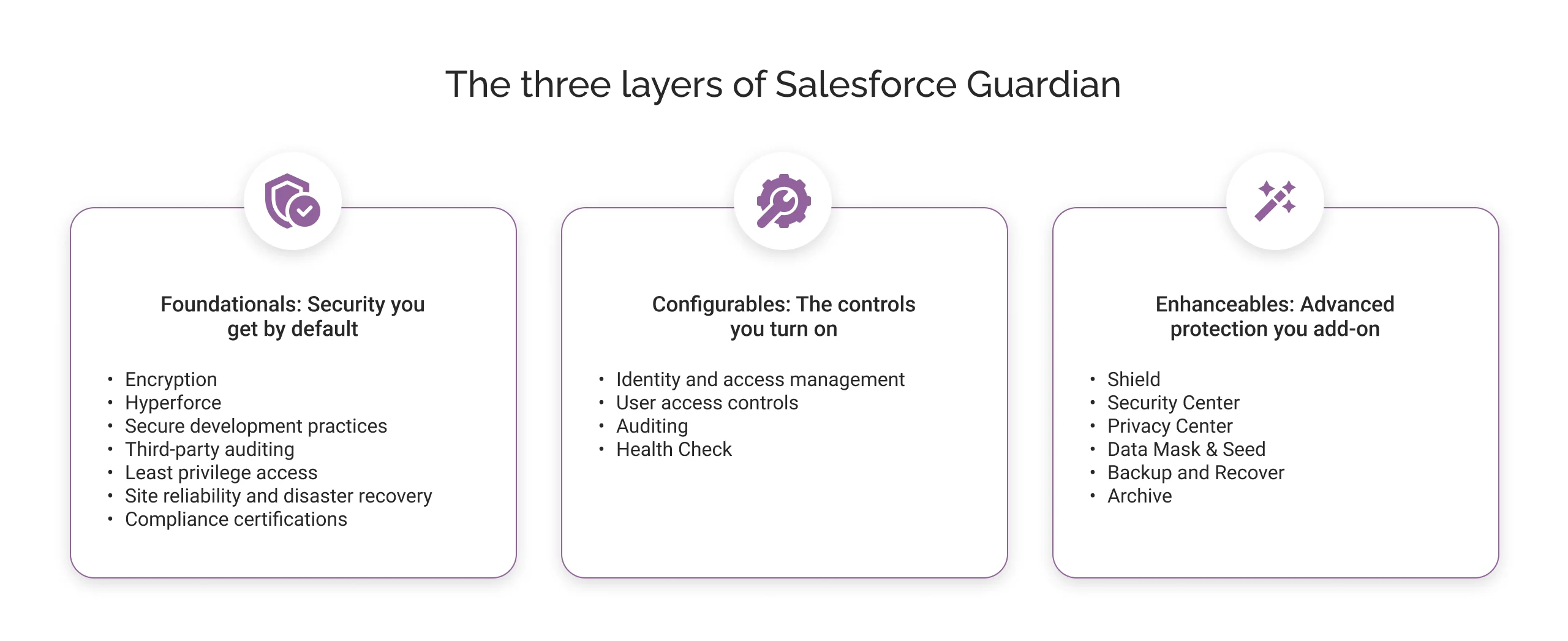
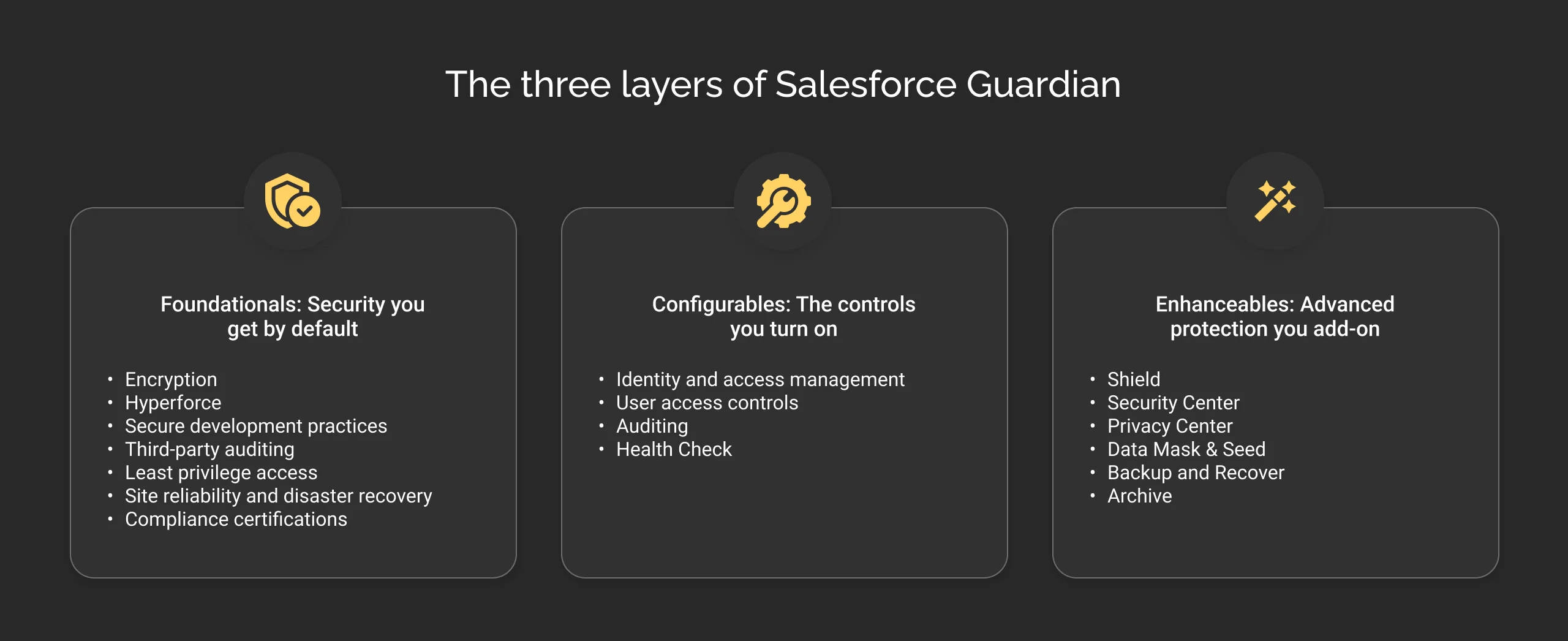
The three layers of Salesforce Guardian
Foundationals: Security you get by default
Foundationals are the security protections Salesforce provides as part of the underlying platform. They operate as the baseline security layer for every Salesforce org. This layer includes:
- Encryption: Salesforce encrypts data at rest and protects data in transit using TLS 1.2 or higher.
- Hyperforce: Salesforce’s public cloud infrastructure with controls for security, compliance, and data residency.
- Secure development practices: Threat modeling, security reviews, and code scanning on every release.
- Third-party auditing: Scheduled penetration testing, continuous vulnerability scanning, and an independent bug bounty program.
- Least privilege access: Internal Salesforce access to customer data is need-based, time-limited, logged, and regularly reviewed.
- Site reliability and disaster recovery: Multi-region redundancy, automated failover, and uptime SLAs above 99.9 percent.
- Compliance certifications: SOC 2 Type II, ISO standards, PCI DSS Level 1, HIPAA eligibility, and FedRAMP authorization, including a dedicated Government Cloud for public sector customers.
These protections form the baseline security layer provided by Salesforce.
Configurables: Security controls you configure
Configurables are built-in settings and controls that exist on the platform already, but only work once an admin sets them up according to the business’s own policies. This is where most day-to-day security administration happens:
- Identity and access management, including multi-factor authentication and single sign-on with providers like Okta, Azure AD, or any SAML 2.0 or OAuth 2.0 provider.
- User access controls, using profiles, roles, and permission sets to limit access at the object, field, and record level.
- IP restrictions, to allow logins only from trusted networks.
- Auditing, through Setup Audit Trail, Login History, and Field History Tracking, to review configuration changes and login activity.
- Health Check, which scores an org against a security baseline and flags gaps with remediation steps.
Configurables put security controls in the organization’s hands. Salesforce provides the tools, while admins configure them according to the organization’s security requirements. Health Check can help identify gaps against Salesforce’s security baseline.
Enhanceables: Advanced protection you add
Enhanceables are advanced security, privacy, monitoring, data protection, and recovery capabilities that organizations can add based on their requirements. It includes:
- Shield: Provides Platform Encryption, Event Monitoring, Field Audit Trail, and Data Detect for additional encryption, monitoring, auditing, and sensitive-data discovery capabilities.
- Security Center: It is a single, org-wide view for managing security health, identifying misconfigurations, and investigating threats across multiple Salesforce orgs.
- Privacy Center: It automates data subject requests, right-to-be-forgotten requests, and consent management to support GDPR and CCPA compliance.
- Data Mask & Seed: It anonymizes production data or seeds sandboxes with realistic synthetic data, so development and testing never touch real customer PII.
- Backup & Recover: Creates automated backups and provides tools to restore data affected by data loss, corruption, integration issues, or user error.
- Archive: It moves inactive records into secure, lower-cost storage without losing the ability to access them from live records.
Foundationals and Configurables are included with your Salesforce license. Enhanceables are what you choose to add based on your risk profile, not a checklist you work through top to bottom.
How does Salesforce Guardian work with Agent Fabric and Data 360?
At Dreamforce 2026, Salesforce positioned Guardian within its broader architecture for data, applications, AI agents, and user experiences. The architecture includes several connected capabilities:
- Data 360: Brings together the data and business context an agent needs to work with.
- Customer 360: Provides the applications and business processes where work happens.
- Agentforce: Provides AI agents that reason, make decisions, and take actions.
- AIforce: Provides the interfaces through which people interact with Salesforce’s AI capabilities.
- Agent Fabric: Helps discover, register, and manage agents across different environments.
- Salesforce Guardian: Provides security and protection for identities, data, and activity across the Salesforce environment.
Guardian therefore works alongside these capabilities rather than replacing them. It does not determine what business context an agent needs or manage the agents themselves. Its role is to provide the security and protection layer around the data and activities involved.
Simply put, Data 360 provides the context, Agentforce provides the agents, Agent Fabric helps manage those agents, and Guardian provides security and protection around the environment.
Salesforce Guardian vs. AI governance: What’s the difference?
Salesforce Guardian and AI governance are related, but they address different security and control needs.
| Aspects | Salesforce Guardian | AI governance |
|---|---|---|
| Main focus | Protecting data, identity, and the Salesforce environment | Controlling how AI agents behave and what they are allowed to do |
| Key question | Is our data and Salesforce environment protected? | Is our AI operating within the rules we defined? |
| Access | Controls who or what can access Salesforce data | Defines what an agent should be allowed to access or act on |
| Monitoring | Tracks security events and activity | Monitors whether AI behavior follows business and governance policies |
| Examples | Encryption, access controls, Event Monitoring, Transaction Security Policies, backup and recovery | Agent instructions, AI policies, prompt-injection protection, and agent-level controls |
| Role in Agentforce | Provides security and protection around the agent and the data it accesses | Helps define and control how the agent reasons and acts |
In simple terms, Guardian focuses on protecting the Salesforce environment, while AI governance focuses on controlling AI behavior.
How to prepare your Salesforce org for Guardian’s Enhanceables?
Preparing for Guardian does not start with buying additional security products. Start by understanding your current security posture, identifying your biggest risks, and then determining which security capabilities address your organization’s needs.
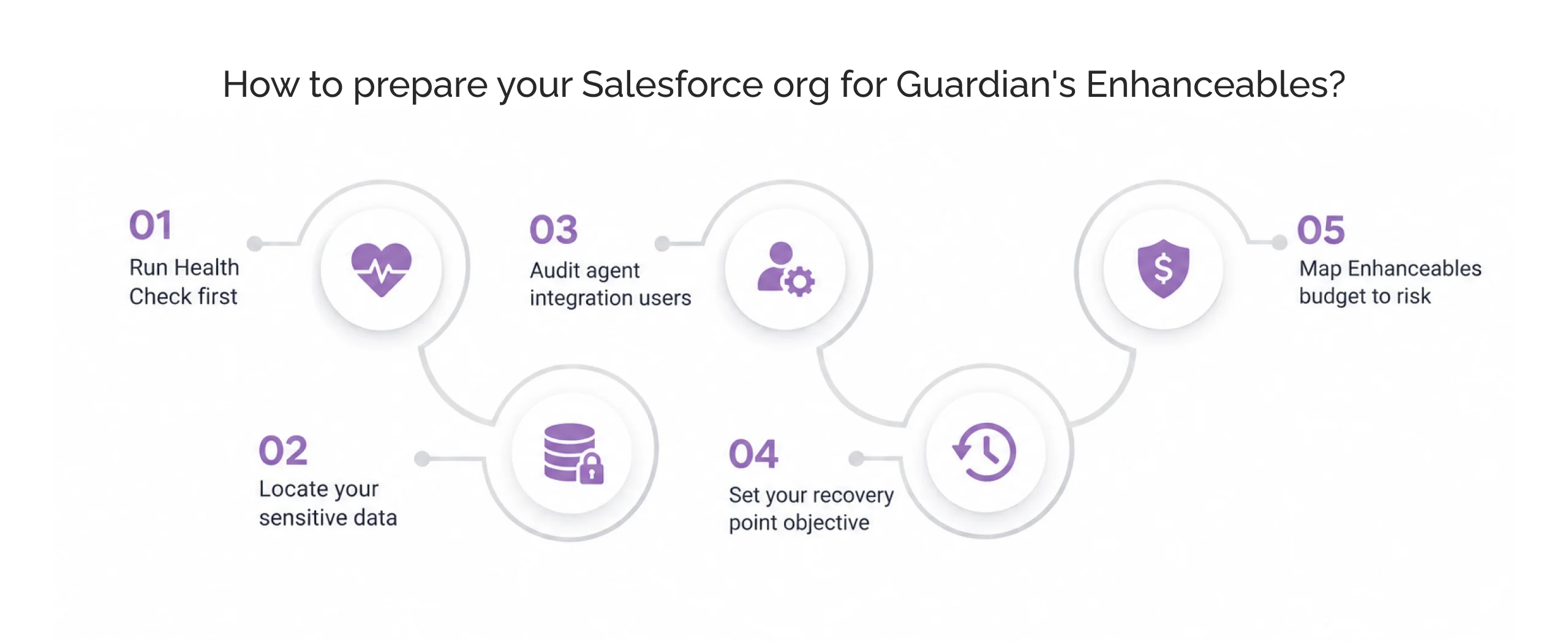
1. Run Health Check first
Use Health Check to assess your org against Salesforce’s security baseline. It helps identify gaps in your current security configuration so you can address foundational security issues before evaluating additional Guardian Enhanceables.
2. Locate your sensitive data
Before deciding how to protect sensitive information, determine where it exists in your Salesforce org. Data Detect can help identify sensitive data across your Salesforce environment, giving security and compliance teams a clearer view of what needs additional protection.
3. Audit agent integration users
If you use Agentforce, review the permissions and access assigned to the users and integration users that support your agents. An agent can only access the data and perform the actions allowed by its underlying permissions, so excessive access can increase security risk.
4. Set your recovery point objective
Determine how much data your business can afford to lose and how quickly it needs to be restored after an incident. These requirements help define your recovery strategy and whether capabilities such as Backup & Recover are appropriate for your organization.
5. Map Enhanceables budget to risk
Not every organization needs every Enhanceable. Your requirements will depend on factors such as data sensitivity, regulatory obligations, Agentforce adoption, monitoring needs, and recovery requirements. Map these risks to the specific security capabilities that address them rather than investing in controls you do not need.
When should you consider Salesforce Guardian Enhanceables?
The steps above tell you what to check. These four questions tell you when a given Enhanceable is worth your investment.
- Are you deploying Agentforce agents? Review how agents access data, what actions they can perform, and how those activities will be monitored and governed.
- Are you in a regulated industry, such as healthcare, finance, or the public sector? Identify your audit, privacy, encryption, data residency, and retention requirements, then determine which capabilities support them.
- Do you store sensitive data in Salesforce? Use data discovery capabilities to understand where sensitive information exists and determine how it should be protected.
- Do you have a defined backup and recovery strategy? Make sure you can recover critical Salesforce data within the time and recovery objectives your business requires.
The goal is not to adopt every Guardian Enhanceable. It is to identify the security and compliance requirements that matter to your organization and add the capabilities that address them.
In conclusion
Salesforce Guardian provides a framework for understanding how Salesforce protects data, manages security controls, and supports advanced security requirements. As businesses adopt Agentforce and other AI capabilities that can access data and take actions inside Salesforce, these security considerations become even more important.
A secure AI deployment requires more than controlling what an agent can do. Organizations also need appropriate access controls, monitoring, data protection, auditability, and recovery capabilities.
At Cyntexa, our Salesforce consulting experts help businesses assess their existing security setup, identify gaps, and implement the Salesforce capabilities that align with their Agentforce, compliance, and data protection requirements.
Don’t Worry, We Got You Covered!
Get The Expert curated eGuide straight to your inbox and get going with the Salesforce Excellence.
Co-founder and CTO at Cyntexa also known as “VJ”. With 10+ years of experience and 22+ Salesforce certifications, he’s a seasoned expert in Salesforce Data Cloud & AI Products, Product Engineering, AWS, Google Cloud Platform, ServiceNow, and Managed Services. Known for blending strategic thinking with hands-on expertise, VJ is passionate about building scalable solutions that drive innovation, operational efficiency, and enterprise-wide transformation.


Cyntexa.
Join Our Newsletter. Get Your Daily Dose Of Search Know-How