



Salesforce Health Check Guide: What to Review, Why It Matters, and How to Run Effectively
Table of Contents
Salesforce is a comprehensive platform. It assures businesses get the best return on their CRM investment. However, even a well-implemented instance struggles with slow org performance, broken integrations, and data inconsistencies.
Additionally, with Salesforce releasing major updates three times a year, it becomes imperative to keep the Salesforce environment up to date. This is where Salesforce Health Check comes into the picture. It helps identify hidden issues and prevents them from turning into risky challenges.
In this guide, we will discuss what it is and the top reasons to run a security health check. We will also discuss how proactive actions solidify businesses’ & teams’ growth over time.
Key Takeaways:
- Introduction to Salesforce health check & the three pillars of the assessments
- Understanding the key reasons why a Salesforce health check is vital for businesses
- A checklist that helps you follow the best practices to perform security checks
- Key focus areas for successful org assessment
- Prerequisites for an effective Salesforce health check
What does Salesforce health check do for your business?
The Security Health Check is an in-built Salesforce tool that identifies areas where your organisation may be vulnerable. From analysing system performance to maturing security postures, health checks ensure your instance runs smoothly and highlight possible threats that could affect your risk management.
The Health Check tool has a single-page dashboard that displays org’s security score. It ranges between 0% to 100%. The higher the percentage, the more closely your system aligns with the best security settings.
Through the org’s assessment, a business can:
- Identify system vulnerabilities.
- Analyze the factors that affect system performance and delay everyday operations.
- Receive recommended steps to cement the security system.
Let’s understand this with an example. Your security assessment indicates that some user roles no longer require system access. The accessibility may lead to a lapse in data security, with a 20% score. This is an access-control nightmare that could severely damage a business’s reputation if not corrected immediately.
What more can we do to empower you as a business decision maker? The section below will discuss everything in detail.
Why does a Salesforce org need a consistent security health check?
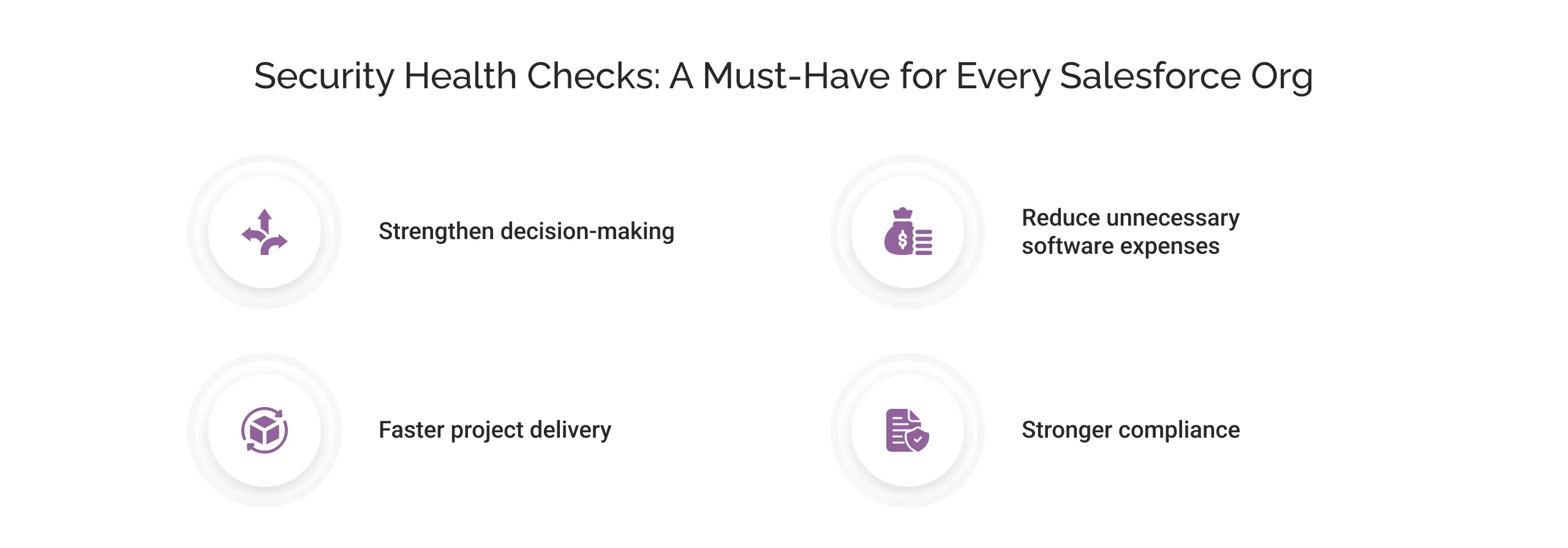
1. Strengthen decision-making
Regular health check helps maintain data consistency. It will enable decision makers to trust the reports and make informed decisions. It accelerates approval time, enables accurate forecasting, and paves the way for faster project delivery.
2. Reduce unnecessary software expenses
Salesforce is a feature-rich CRM. Each license comes with a set of features. In our experience, we have seen companies not fully utilising the potential of all their licensed features, leading to subpar integrations and poor system performance.
When you conduct a health check:
- The system becomes more efficient
- Unwanted integrations and automations are removed
- Data gets regulated
Ultimately, enabling your team to use a highly responsive org that improves their work efficiency.
3. Faster project delivery:
Without a consistent health check, the system often struggles with outdated workflows and inconsistent data, which degrade business productivity. A robust security check accelerates automations and eliminates unnecessary workflows, enabling business users to deliver projects faster and helping your team stay one step ahead of competitors, giving them a competitive edge.
4. Stronger compliance:
For any business, staying compliant with local & industry regulations is imperative. When Salesforce’s health check identifies system vulnerabilities, it also reveals the areas where your business lacks compliance, and which may cause legal actions against it. You can meet regulatory requirements that align with industry standards through regular health checks, thereby mitigating the risk of penalties.
How to run a Salesforce health check effectively?
For business users and decision-makers, the Salesforce health check is a governance exercise. It validates whether Salesforce supports their business goals, growth plans, and risk posture. Therefore, before you start with the health check process, there are a few prerequisites you can perform:
- Ensure every stakeholder has the appropriate level of access like view and modified control in the system. In this way, you can rest assured that your stakeholders have complete visibility for a smooth analysis process.
- Always prepare a backup of your instance so the original environment won’t be affected.
- Set your business priorities. In this way, you will steer the health check toward the factor that matters most to business output.
- Getting acquainted with the tools before running a health check ensures you interpret the results more accurately. It enables businesses to save time and internal resources during the actual health process.
Expert tip: You should never underestimate your team’s opinions. They are the first users of the system and the ones who learn first when friction arises. Their suggestions can help you mitigate risk and shape future assessments, saving operational costs and avoiding technical debt.
As a Salesforce health-check services provider, we can assure you that the discussed pre-requisites will lay a rock-solid foundation for a successful & result-driven health-check.
Now, let’s discuss how you can perform a Salesforce health check:
1. Start with the Right Objective:
Before you dive straight into the check-up process, make sure you clearly know why you are conducting the health check. Here are some common factors you can consider:
- Declining user trust in reports
- Data inconsistency across teams
- Compliance concerns
- Scaling to new markets or integrations
2. Run Salesforce health check:
Navigate to Setup, then select Health Check. Here you will get an overview of the org’s security standards, like password policies and access controls. It will help you understand whether your data & instance are exposed to risks.
3. Choose a suitable baseline:
Salesforce offers two types of baselines: standard and custom. Some companies define custom baselines aligned with their industry, regulations, and policies. For example, a financial services or a healthcare business needs stricter controls than an SMB.
Make sure you choose your baseline wisely, reflecting business reality, because it will influence the way you classify risks.
4. Check Salesforce health check score:
Salesforce security healthcheck scores are based on how closely your org aligns with recommended security settings.
Risks are classified into four major categories:
| Risks Level | Health Check Score | Risks types | Recommended steps |
|---|---|---|---|
| High | 0%–33% | Security sessions, unrestricted data exports, excessive admin access | Highly critical. Address them immediately |
| Medium | 34%–66% | IP restrictions, API access, password policies, etc. | Moderate gaps. Address high risks in the short run and medium risks in the longer run |
| Low | 67%–100% | Reminder for certification expiration, token policies | Keep checking them periodically |
| Informational | These values provide insights into security and do not affect the overall score. | ||
Note: Do not let only technical urgency drive your decision. Always consider the operational and business repercussions of managing a specific risk.
5. Document your findings & discussions:
Have all your findings, recommendations, and discussions properly documented. It will support future audits, compliance reviews, and help leadership to plan business strategies that drive growth and maximize teams’ productivity.
Take the help of some of the prominent tools: You may get more trustworthy results by pairing the Salesforce health check with different tools like:
- Salesforce Health Checker
- Apex PMD tool
- Chekarx Apex Code Scanner
- Salesforce Code Analyzer
Each tool has a unique preposition that helps surface underutilized features of your org. They help identify configuration gaps and analyze areas where inefficiencies prevail.
For a deeper understanding, we’ve already covered Salesforce Health Check tools in detail, explaining how they work, what to evaluate, and when to use them to assess overall org health.
However, these tools lack human intellect and cannot interpret user behavior or business priorities.
You can take help from an experienced Salesforce consulting partner. Expert guidance provides detailed insights. Business users can translate findings into meaningful outcomes that align with business strategies.
When is a security health check required?
Salesforce is a powerful system. It seldom falls apart. However, due to continuous unmonitored use of the CRM system, issues start piling up. Before you even realise, its malfunction starts to affect team efficiency and user adoption, and reports become less trustworthy.
Here are the most common yet critical elements silently weakening your organization’s performance. Work on them before they snowball into unmanageable risks:
- Slow page load time
- Regular system crashes
- Duplicate records, outdated values, and incomplete user profiles with high inconsistency
- Not knowing license usage with respect to actual usage
- New integration without post-change review
- Disparate data use across departments
- Unregulated data flow in CRM increased over time
- Alie and overcomplex customisations for users
- System with unwanted and unused features
- Difficulty in staying compliant with regulations
- Irregular system health check process
Salesforce org assessment: 5 key areas to review
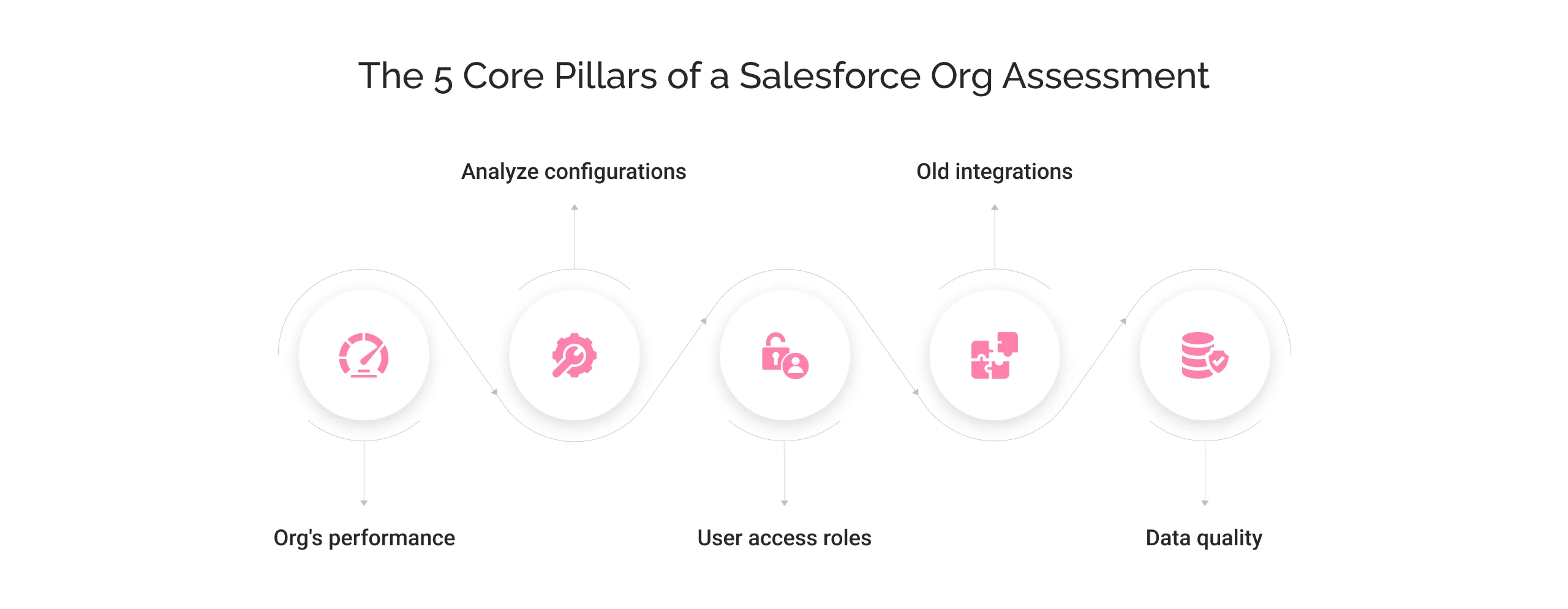
Businesses’ priorities shift, teams change, and workflows drift away from their original design. What once worked efficiently may now be creating inefficiencies, risks, and hidden costs.
Therefore, we present five core areas for inspection for a healthy Salesforce org. Each helps you strengthen decision-making and protect revenue, driving away inefficiency.
1. Org’s performance
The Salesforce ecosystem offers a vast range of features and functionalities. Over time, these features & functionalities become obsolete as the business requirements evolve. It results in a slower, less responsive system.
A security health check identifies areas for improvement in its performance. These include:
- Page load and response times
- Orphaned triggers
- Unuseful customizations
2. Analyze configurations:
As your business scales, your Salesforce org grows to support new workflows and custom objects. Piled-up old and unwanted configurations, when left unregulated, will lead to an inefficient system. While inspecting the Salesforce org for integrations, you can check for:
- Redundant or unused automations
- Conflicting workflows, flows, or triggers
- Outdated customizations
Working on these integration pointers will help business users improve operational processes and long-term maintenance costs.
3. User access roles
In our years of experience as a Salesforce health check provider, we have worked with orgs with more than 50 users. And let us tell you, it is not an ideal situation. Over time, teams and roles change; make sure the right people have adequate access at the right time. Here are a few factors one can work on:
- Obsolete users
- Inactive profiles with extra privileges
- Permission sets
- Unnecessary access to sensitive data that causes a data breach.
4. Old integrations
Salesforce integrates easily with a range of systems, including ERP, data & analytics, productivity suites, and more. With time, integrations get old, and if not analyzed regularly, they cause delays in processes and longer workflows, affecting the system’s & team’s efficiencies. Make sure to analyse changes in APIs, data mismatches between integrated systems, and the relevance of integration.
5. Data quality
Over the years, we have seen businesses lose sales & revenue due to inconsistent or poor-quality data. Inaccurate forecasts, unreliable reports, and vague dashboards erode trust in leadership.
Through a health check in Salesforce, you can identify structural weaknesses & strengthen data protection, leading to better sales planning and more customer engagement.
Here’s what needs to be analyzed:
- The sources of data entering your system
- The process through which the data is being validated
- The area where data duplicity or breakdown occurs
Salesforce health check best practices
As a business, you invest significantly in a Salesforce implementation. Merely knowing the Salesforce health assessment checklist is not sufficient. Therefore, we are bringing you the list of the Salesforce health check best practices:
| Reasons | Descriptions |
|---|---|
| Define development standards for Apex | Have proper coding guidelines. It helps prevent performance bottlenecks like “Too many SOQL queries or DML limits.” |
| Prioritizing issues | Address the most severe issue first based on its complexity. |
| Optimize data storage | Remove unused fields and set aside outdated records for proper storage optimization. |
| Embrace automation | Automate data validation and routine admin tasks. |
| Regular compliance audits | Regularly run compliance reviews and security audits to stay aligned with data protection laws and abide by internal governance policies. |
| Set user roles regularly | Always check and review the user’s role. Authorize the access as per the user’s requirements. |
| Tracking error reports | Identify error signs via monitoring performance metrics and event logs. |
| Regular UAT | It ensures users stay up to date on the latest security threats and are aware of ways to avoid them. |
Salesforce health is complete. Now what?
Many companies take the Salesforce health check as the final step in the optimization process. On the contrary, it is the first step toward a well-optimized Salesforce instance. It empowers leadership to strengthen data security, elevate marketing efforts, streamline sales funnels, accelerate customer services, and stay compliant with industry regulations.
Here are a few things you can do after the health check process is completed:
- Analyse the result you received.
- Prioritize risks and their impact on your business
- Collaborate with different team members
- Apply changes & update governance & policies
- Monitor your amendments
- Plan your next health check
How to Solidify Org Security After a Salesforce Health Check
A Salesforce health check is a strong start to keep your CRM system optimized and secure, but many business leaders mistakenly equate a high score with low risk. It often leads to operational friction and growing technical debt, impacting business productivity and scalability.
Why is securing a high score in the health check not sufficient?
Health checks primarily focus on simple settings like password policies, session settings, and basic antihacking controls.
It often ignores broader areas like:
- Data quality
- Customizations
- User adoption
- Integration health,
The false sense of confidence in a high score can lead to noncompliance, revenue loss, slower decision-making, and chances of high risks.
Additionally, a health score alone cannot:
- Assess whether the users actually need the access they have
- Evaluate whether the data is correctly shared across stakeholders
- Analyze the risks associated with custom automations, 3rd-party apps, and integration security.
Therefore, we advise businesses to:
- Schedule regular health checks and do not wait for problems to arise.
- Make health checks part of the security posture.
- Align security decisions with business growth and user productivity.
Taking Salesforce org health check to the next level with AI Agents
In this agentic era, adopting AI is not a choice but a necessity. Today, businesses are seeking AI-based solutions to conduct a Salesforce health check to improve operations and drive growth.
Here’s how you can achieve health check success with AI-agents:
- Start assessing the org’s health using basic tools (optimizer, health check)
- Keep your data unified, clean, and regulated with tools like Salesforce Data Cloud and Einstein Trust Layer.
- Assign tasks to agents and test their performance capabilities, simulating real-world scenarios. Testing is the new health check.
- Deploy AI-agents live and check their impact on sales, service, marketing, and customer service teams, to name a few.
- Measure its performance by evaluating factors such as resolution time, deflection rate, accuracy, ROI per outcome, and more.


Conclusion
Salesforce security health check helps businesses harness the full potential of their CRM system. This native Salesforce tool can significantly elevate your org’s security posture and turn your Salesforce instance into a growth engine.
Do you also need to run a health check for your Salesforce org? Get expert guidance from Cyntexa. The certified health-check experts conduct a detailed gap analysis and recommend a roadmap to higher performance and a robust Salesforce ecosystem.
Don’t Worry, We Got You Covered!
Get The Expert curated eGuide straight to your inbox and get going with the Salesforce Excellence.
AUTHOR
Vishwajeet Srivastava
Salesforce Data Cloud, AI Products, ServiceNow, Product Engineering
Co-founder and CTO at Cyntexa also known as “VJ”. With 10+ years of experience and 22+ Salesforce certifications, he’s a seasoned expert in Salesforce Data Cloud & AI Products, Product Engineering, AWS, Google Cloud Platform, ServiceNow, and Managed Services. Known for blending strategic thinking with hands-on expertise, VJ is passionate about building scalable solutions that drive innovation, operational efficiency, and enterprise-wide transformation.


Cyntexa.
Join Our Newsletter. Get Your Daily Dose Of Search Know-How
Frequently Asked Questions
A good health check score ideally falls between 67% to 100%.
The tool never changes your system's configurations unless you decide to apply the fixes it recommends.
It depends on the complexity and size of your Salesforce org. The ideal periodical health check time is as follows: