



How to Integrate ServiceNow with Salesforce: A Complete Guide
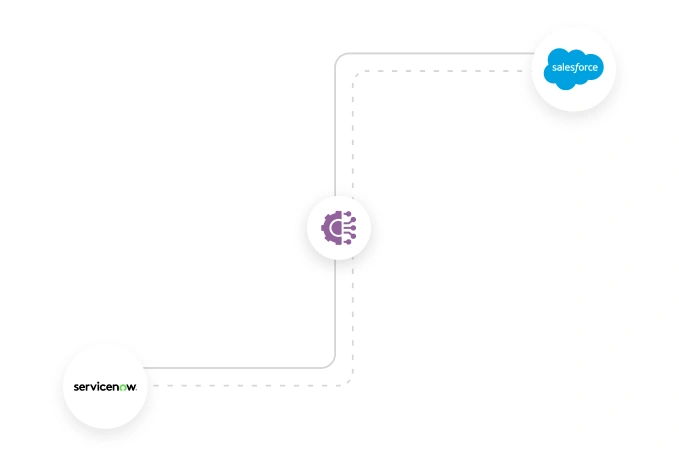
Table of Contents
Can ServiceNow integrate with Salesforce? Can Salesforce handle IT service management? These are some of the most often asked questions that businesses ask.
The short answer is yes, ServiceNow can integrate seamlessly with Salesforce CRM, but the two platforms serve very different purposes.
Salesforce CRM focuses on managing customer relationships across sales, support, and marketing, while ServiceNow is built for IT service management and internal service workflows across IT, customer service, and HR. It reflects how effectively your internal teams respond, resolve, and maintain service continuity.
Challenges arise when these platforms operate in silos. Teams see only part of the customer story. Salesforce shows customer value, while ServiceNow shows unresolved issues. Salesforce ServiceNow integration bridges this gap by connecting customer and service data into a single source of truth.
In this post, we will discuss how to integrate Salesforce with ServiceNow, a checklist for a successful integration, and warning signs that indicate the need for integration. By the end, you will have a clear roadmap to a result-driven system.
Why Businesses Integrate Salesforce with ServiceNow
Connecting Salesforce with ServiceNow ensures the transformation of IT services, enhances the customer experience, provides robust security, and improves the employee experience. Integration facilitates seamless data flow across systems, providing business users with a unified view of their data.
Let’s understand how integration makes Salesforce & ServiceNow complement each other:
1. 360-degree customer view:
Salesforce integration with ServiceNow provides a comprehensive view of customer data, making it easily accessible to users of both platforms. It also enables IT & operations teams to set priorities, establish better collaboration, and respond to issues faster and effectively. This becomes critical when customer-facing teams operate in Salesforce, while backend issue resolution happens in ServiceNow.
2. Accelerate case management:
Cases raised in the Salesforce system automatically sync with ServiceNow. The resolution notes, or the updates from the IT team, sync all information back to the Salesforce case, accelerating case resolution time, reducing manual data entry, and ensuring real-time issue resolution across both platforms. This is especially impactful in tiered support models where L1 support works in Salesforce and L2/L3 resolution happens in ServiceNow.
3. Better collaboration:
Integration between Salesforce & ServiceNow provides a common workflow and a platform for sales, service, and IT teams, minimizing miscommunication and fostering team collaboration. Without integration, these teams often rely on manual updates, emails, or duplicate ticket creation.
4. Optimal resource allocation:
Properly synced data enhances accuracy and visibility, ensuring data integrity. It also allows businesses to make insightful decisions that are strategically aligned with sales goals and business objectives. This helps leadership prioritize high-impact issues instead of allocating resources based on incomplete or delayed data.
4. Comprehensive reporting and insights:
Through integrations, businesses can leverage comprehensive insights from CRM and ITSM operations. Business users can track KPIs across departments and make informed decisions, leading to optimized workflows. Without integration, these insights remain fragmented across disconnected dashboards and reports.
How Salesforce and ServiceNow Complement Each Other
ServiceNow and Salesforce, as the two most powerful platforms, hold their unique competitive strengths. When integrated, these key factors will play a key role in business success.
While Salesforce and ServiceNow sometimes appear to overlap, they are designed to solve fundamentally different problems across customer-facing and internal service operations. The following table will highlight the factors where both platforms excel in their domains.
| USPs | Salesforce | ServiceNow |
|---|---|---|
| Functions | It handles customer-centric workflows and processes across sales, marketing, service, and other areas. | It automates workflow for IT and other operations for entire businesses |
| Core capabilities | Lead & opportunity management via Sales CloudCustomer support & case management via Service CloudMarketing & campaign management via Marketing CloudOnline store management via commerce cloudConnecting customers, employees & partners with the system via Experience Cloud | IT service management for change managementIT operations management for unified visibility across a hybrid cloud environmentCustomer service management for robust customer service operationsHR service delivery for employee service managementCustom app development for workflow automation |
| Processes | It helps optimise customer interactions & other frontend processes. | It optimises both backend and frontend processes. Improves overall operations |
| Integration | It comes with superior integration capabilities with native and third-party tools | Facilitates integrations with IT tools, facilitating seamless workflow |
| Business size suitability | It is a scalable platform, from startups to SBMs and large-scale enterprises, Salesforce caters to every business size | It is more suitable for mid to large-scale businesses that have complex IT & operational requirements |
| Industry suitability | Healthcare, retail, real estate, NPOs, automotive, consumer packaged goods, telecom | Government, telecommunication, IT, finance, manufacturing, education, etc. |
| Pricing modules | Different pricing for different products. Generally start from $25/user/ month to over $15k /user/month | Custom pricing modules, tailored to specific business requirements and the complexities of solutions |
Key Takeaways: Salesforce focuses on customer lifecycle and external engagement, whereas ServiceNow focuses on solving complex IT and operational processes. When integrated, both platforms conjure a single and accurate source of truth, reducing manual intervention, accelerating incident resolutions, and enabling end-to-end automation.
Salesforce ServiceNow Checklist (Pre-integration, Technical, Post-integration)
Integration between Salesforce and ServiceNow is a complex process. Therefore, a business must follow a well-defined structure for successful integrations.
This checklist is intended for IT leaders, Salesforce admins, ServiceNow admins, integration architects, and delivery managers planning enterprise-grade integrations.
We have classified the integration checklist into three categories:
- Pre-integration checklist
- Technical integration checklist
- Post-integration checklist
1. Pre-Integration Checklist
- Identify Stakeholders: Ensure every stakeholder (project managers, integrators, end-users, etc.) is in the loop before initiating the integration process. Collecting their inputs will help you keep the integration and team aligned.
- Set goals & objectives: Identify the goals and objectives you want to achieve through the integration, such as streamlined customer service, faster case resolution, improved data accuracy, workflow automation, or a unified customer view.
- Assessment: For optimum system assessment, you may check the following factors:
- ServiceNow account with relevant modules like case management & incidents.
- Properly configured Salesforce account with the correct permissions.
- Admin-level accessibility of both platforms for seamless configurations and better mappings.
- Integration approach: Whether it is a hub-and-spoke, point-to-point, or middleware-based approach, selecting the right approach lays the foundation for successful integration with real-time, bi-directional synchronization.
2. Technical Integration Checklist
From a technical point of view, make sure you go through this checklist before going for Salesforce to ServiceNow integration:
- Configure API access: Ensure that both ServiceNow & Salesforce systems have enabled APIs, making it easier to build a connection between the systems.
- Define integration patterns and protocols: Selecting integration patterns in prior helps users overcome challenges that come during the integration process. Some common types of integration patterns are:
- Request and reply – Best if you are seeking instant results
- Fire and forget – Suitable for background processes
- Bulk data synchronization and transfer – Best to process extensive volume data and scheduled data loads
- UI integration – Facilitates unified user experience
- Data virtualization – Best to access live data without storage.
- Define integration architecture: According to your business requirements, define a suitable integration architecture. It will facilitate seamless data flow between both platforms.
- Ensure data consistency: Here, you can define data mapping & transformation rules, as well as establish data flow directions. Set data validation rules for high-end data quality.
- Security precautions: You can take care of access controls, authentication protocols, and encryption as part of security measures.
- Testing: Keep testing and validation plans in your checklist to ensure accuracy and security of your data against unauthorized access.
3. Post-Integration Checklist
A post-integration checklist ensures your integration stays relevant and successful. It helps you garner greater business value and make the team more productive. You can start with:
- Documentation: Document the entire integration process. It includes system diagrams, implementation, testing, technical specifications, user manuals, etc. Update these documents to meet requirements and make them easy to understand for new users.
- User adoption: Provide proper user acceptance training to the team members who will work on the system post-integration. Gather their inputs and take corrective actions. Their acceptance and training ensure the integration’s success.
- Ongoing support: It includes constant monitoring, bug fixing, and troubleshooting of the integrated system. An up-to-date system will deliver a smooth running of the integration.
- Analyzing success rate: The Success of an integration not only depends on ROI, but it also tells how well your team has adopted the platform post-integration. It helps identify pain points and paves the path for improvements.
How to integrate Salesforce with ServiceNow: A step-by-step guide
Integrating two enterprise platforms is a detailed process that requires careful planning. It involves defining clear goals, understanding system dependencies, and aligning technical decisions with business needs.
Since Salesforce and ServiceNow are large, feature-rich platforms, their methods of integration vary as per business scale, project complexities, and resources involved. In the following section, we outline a commonly used integration approach that has helped businesses garner efficiency across their IT management services and customer relationship management.
Step 1 – Plan your integration
- Clearly define your integration objective. Understand the reason why you want to integrate – sync customer data, case management, case to incident flow, or anything else.
- Involve all critical stakeholders in your planning stage.
- Plan out your integration methods. Whether it will be using a Middleware solution or direct API integration for custom builds.
Note: Ensure both platforms are accessible from the admin point of view. They are well set up to facilitate seamless permission to configure the integration.
Step 2 – Set up authentication and build a secure link connection
- Create a connected app in Salesforce App Manager and get the customer ID
- Enable the OAuth setting and create an integrated profile in ServiceNow
- Configure the profile to use OAuth with Salesforce details
Step 3 – Map data & workflow across platforms
The next step is to understand what your integration will do and when it will do it. Map the workflow and data between both platforms. Define your triggers by setting rules for when cases get logged in Salesforce, incidents will be created in ServiceNow, and vice versa.
Note: Make sure the data types (text, image, date, etc.) stay consistent across platforms to prevent data transfer issues and ensure accurate synchronization.
Step 4 – Define data sync rules
Define the rules for how both platforms will interact when a new case arises in Salesforce or an incident is created. It will keep the IT and customer services teams synced while tracking issues.
Expert Tips:
- Always establish real-time syncing so that cases and incidents are reflected across platforms quickly.
- Have pre-defined SLAs to resolve high-priority cases quickly.
Step 5 – Test, deploy, and train
Before making integration available to the public, test it in real-world scenarios. You can do it by testing large data volumes, edge cases, or common workflows. The test runs will help you keep data flow checked and systems properly synced.
- Ensure to set up real-time monitoring and alerts in case of data sync and errors.
- Once the testing is done rigorously, deploy the integration and monitor it closely.
- Make sure you provide proper training to your IT and customer service teams to avoid change management issues.
The integration is not a one-time process. Therefore, to keep it strong and relevant, you should keep it in your monitoring in regular intervals and optimize it as per business requirements and market dynamics. The key steps discussed above will help you bridge the gap between data and processes, leading to improved efficiency and data consistency.
Common challenges in Salesforce ServiceNow integration (And how to avoid them)
Signs your business needs Salesforce and ServiceNow Integration
As a business visionary, it is important to closely watch the warning signs that creep in and pile up quietly, compounding into risks and measurable revenue impacts.
We are sharing some practical signals business leaders should watch for.
Warning Sign 1: Slow customer issue resolution
- Problem: Customer issues often reach the IT team members without critical context, such as past conversation history, entitlements, etc. It made them rework to gather the required details, stretching the resolution timeline.
- Why it matters: Delays and repeated follow-ups snowball into customer dissatisfaction and high support costs.
- Integration benefit: Accelerated case resolution time and improved customer satisfaction
Warning Sign 2: Duplicate efforts
- Problem: Two teams (say sales & support or IT & support) log the same issue with different notes & attachments.
- Why it matters: It creates a fragmented view of operations & customers. Extra headcount increases costs & productivity.
- Integration benefits: Businesses will gain a unified view of customers through real-time, bi-directional data synchronization.
Warning Sign 3: Unreliable reporting
- Problem: Salesforce & ServiceNow both produce separate reports with different numbers, making it difficult for leadership to comprehend.
- Why it matters: Different reports affect decision-making and cause leaders to miss critical signals. It may turn discussion rooms into a debate ground.
- Integration benefits: Delivers comprehensive & structured dashboards and analytics, driving informed decisions and optimized workflows.
Warning Sign 4: Fragmented customer details
- Problem: Different teams have different views of customer details. If teams can’t collectively see active cases, recent interactions or contract status, your system is giving warning signs.
- Why it matters: Teams can’t prioritize cases, lose upsell opportunities, and customer retention becomes challenging.
- Integration benefits: The unified details across systems streamline customer reach, improve customer retention, and increase brand value.
Warning Sign 5: Inefficient workflows across departments
- Problem: Disconnected systems, manual handoffs, and delayed information updates create communication bottlenecks
- Why it matters: It becomes difficult to keep essential records up to date on time, leading to misalignment across teams.
- Integration benefits: Connecting Salesforce with ServiceNow streamlines the end-to-end workflow, ensuring a cohesive response to business requirements.
How Much Does it Cost to Integrate ServiceNow with Salesforce?
The meticulous integration process takes into account several factors, such as tools, licenses, and required resources. These factors play a key role in deciding the cost of integration.
Let’s decode the estimated numbers.
Cost of integration apps from AppExchange:
- App price range: 0 to 12k USD
- Pricing model: Subscription-based (monthly/annual). One-time fee.
- Free Trial: Many apps offer a free trial period. The most common is 14 days.
Cost of licenses:
- Salesforce: $25 to $550 USD per user, per month
- ServiceNow: $75 to $100 USD per user, per month
Cost by project size
- Basic: $5,000 to $15000
- Large: > $30000
Maintenance cost
- Regular update & monitoring: $2000 to $5000 per year
Conclusion
The proper selection of tools is essential, but what’s more important is how efficiently they communicate with each other. ServiceNow integration with Salesforce is not just about data synchronization; it is about reducing operating costs and improving service quality by fostering team collaboration and information flow.
However, the best way to realize these benefits is to lay a strong foundation for the integration. At Cyntexa, we deliver custom Salesforce integration services that connect Salesforce and ServiceNow while supporting long-term business objectives.
Don’t Worry, We Got You Covered!
Get The Expert curated eGuide straight to your inbox and get going with the Salesforce Excellence.
AUTHOR
Vishwajeet Srivastava
Salesforce Data Cloud, AI Products, ServiceNow, Product Engineering
Co-founder and CTO at Cyntexa also known as “VJ”. With 10+ years of experience and 22+ Salesforce certifications, he’s a seasoned expert in Salesforce Data Cloud & AI Products, Product Engineering, AWS, Google Cloud Platform, ServiceNow, and Managed Services. Known for blending strategic thinking with hands-on expertise, VJ is passionate about building scalable solutions that drive innovation, operational efficiency, and enterprise-wide transformation.


Cyntexa.
Join Our Newsletter. Get Your Daily Dose Of Search Know-How
Frequently Asked Questions
The integration enables businesses to experience real-time team collaboration, end-to-end visibility into customer interactions, and optimized IT and customer service resource allocation.
Sometimes, even a well-implemented integration can create problems. Here are a few factors you can check if things are not working:
- Data is not synchronizing between the systems
- Duplicate data sync or incomplete records
- Lack of proper permission and admin access
- Broken automation and outdated workflow rules
- Misconfigured data field mappings
Integration is not a one-time process. It keeps requiring regular maintenance. Here are a few ongoing cost factors that will come after initial integration: subscription fee, maintenance fees, and user licenses.