



Salesforce Stripe Integration: Streamline Your Payment Data
source on Google
Table of Contents
source on Google
Enterprises use Stripe to handle customer payments, subscriptions, and billing processes inside their systems. With growing payment activities, businesses need to keep track of payment data and connect this data with their customer and sales operations.
Most businesses already use Salesforce to manage customer relationships and opportunities, while Stripe handles payment activity, subscriptions, and billing. Without an integration between the two, teams end up switching between systems, checking payment statuses manually, and updating customer records to keep sales and finance aligned.
This guide covers four ways to integrate Stripe with Salesforce, from Stripe’s own AppExchange app to a custom Apex build. You’ll get a full setup walkthrough, the problems each method runs into once it’s live, and a cost comparison so you can pick the right one for your team.
What is Salesforce Stripe integration?
Stripe-Salesforce integration allows businesses to connect their payment and billing operations with customer and sales data inside Salesforce. Simply put, you can bring Stripe data into your CRM to build workflows that connect sales, billing, and customer management.
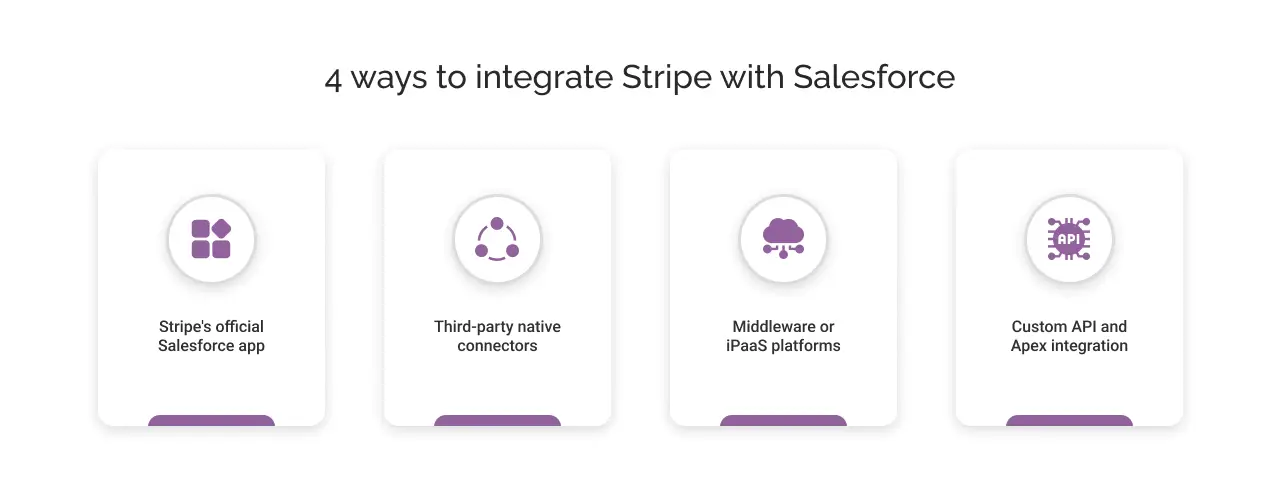
To connect Salesforce with Stripe, there are four main methods you can use, including Stripe’s official Salesforce app, third-party native connectors, middleware or iPaaS platforms, and custom API integrations.
If you choose Stripe’s official Salesforce app, you have several built-in options for connecting Stripe data with your Salesforce workflows:
- Billing Sync: Syncs Stripe billing data with Salesforce.
- Stripe Events: Sends Stripe events to Salesforce to trigger workflows.
- Flow Builder: Lets you create Salesforce workflows using Stripe actions.
- Apex: Lets developers build custom logic using Stripe API actions.
4 ways to integrate Stripe with Salesforce
1. Stripe’s official Salesforce app
Enterprises can approach Salesforce payment integration in different ways depending on the number of systems involved, the level of customization required, and the technical resources available.
Stripe provides an official Salesforce app on AppExchange. It gives businesses pre-built Stripe billing objects, Salesforce Flow and Apex actions, and two synchronization options: real-time updates through webhooks or scheduled syncs.
Businesses get the core building blocks for Salesforce-Stripe integration rather than a complete workflow for every business. Teams can use these components to configure the data mappings, automate billing processes, and build workflows around their specific requirements. The app is available for a one-time $1 fee (Source).
2. Third-party native connectors
Enterprise teams can use third-party connectors available through Salesforce AppExchange, such as Breadwinner Payments. These solutions make the Salesforce integration with Stripe gateway more ready to use, as they come with guided setup, pre-built mappings, and features for common Stripe and Salesforce workflows.
It reduces the development and configuration time required from your Salesforce team. There is a recurring subscription cost to use a third-party connector and its features.
3. Middleware or iPaaS platforms
Platforms such as Zapier, Workato, and MuleSoft can connect Stripe and Salesforce through a separate integration layer. This approach becomes particularly useful when Stripe and Salesforce are part of a larger ecosystem of business applications.
For example, a business may need to move data between Stripe, Salesforce, and an ERP or accounting platform such as NetSuite or QuickBooks. Instead of building separate integrations between every system, an iPaaS platform can build these connections from one place.
4. Custom API and Apex integration
Businesses can use the Stripe API and Salesforce Apex when they need custom data flows, complex payment or subscription logic, or integration with Salesforce objects and systems that pre-built connectors don’t support.
Adopting this approach means your team owns the integration code, authentication, error handling, monitoring, and updates required when either Stripe or Salesforce changes its APIs or platform capabilities.
How to integrate Stripe with Salesforce?
Once you’ve selected the Stripe app for Salesforce Platform, you can set up your payment gateway integration with Salesforce in a few steps.
This guided setup takes care of the initial configuration, so you don’t need to write Apex or build Flows for basic syncing. You’ll need Salesforce admin access and an active Stripe account with the required API keys.
Here’s a step-by-step approach you can follow:
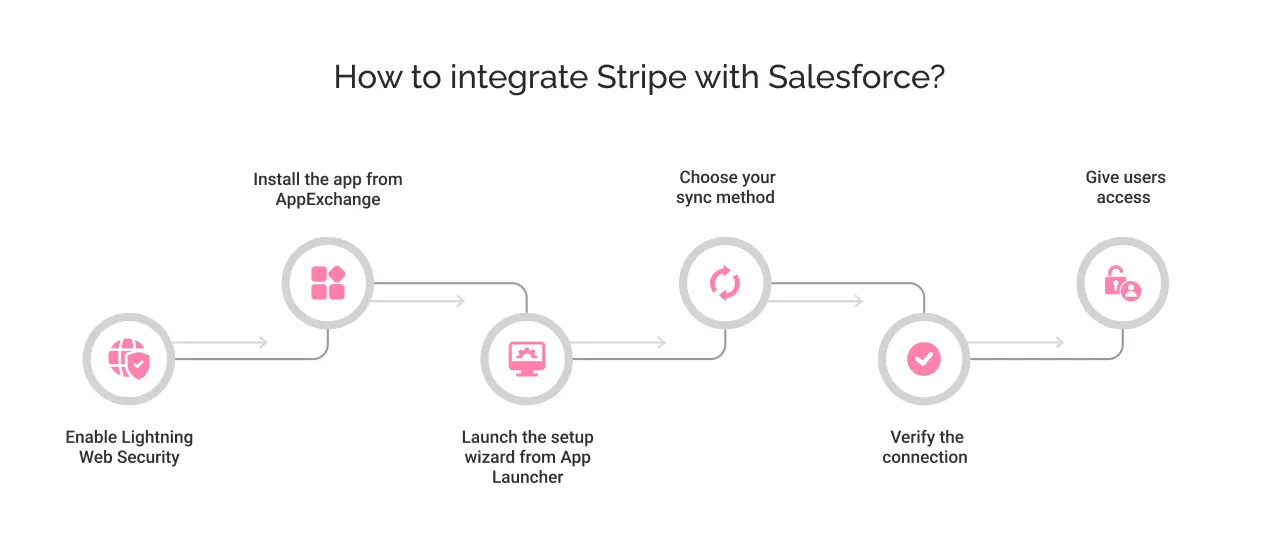
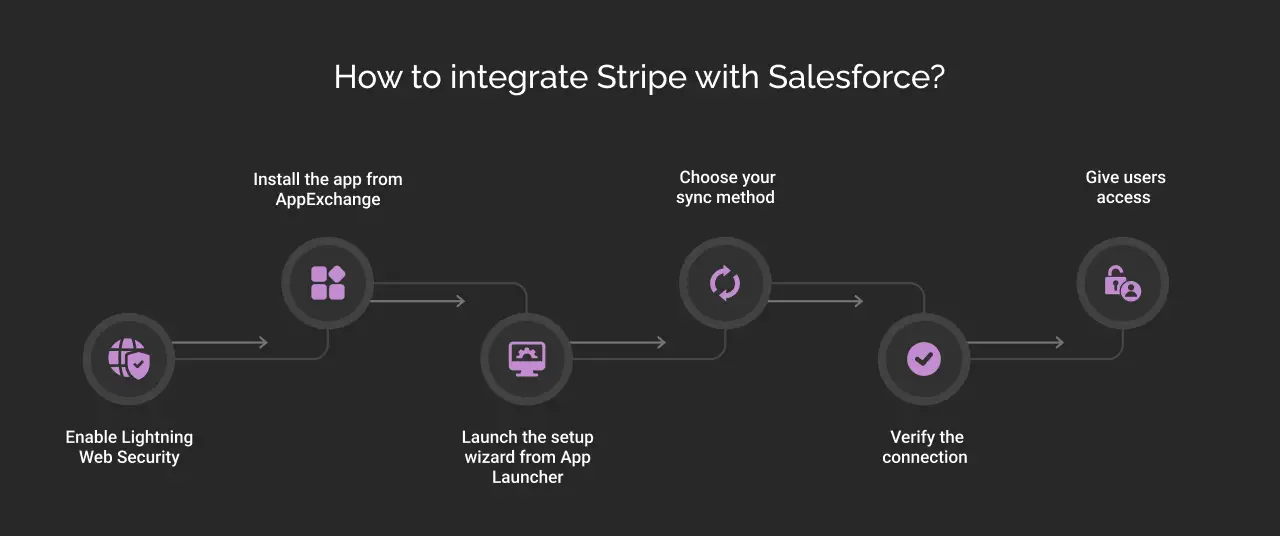
Step 1: Enable Lightning Web Security in Salesforce
- Go to ‘Setup’ and then ‘Session Management’.
- Open ‘Session settings’ and turn it on before you install anything.
Step 2: Install the app from AppExchange
- Choose ‘Install for Admins Only’ first, so you can control access before rolling it out.
- Approve third-party access when prompted, as it allows data to move between your org and Stripe.
Step 3: Launch the setup wizard from App Launcher
- Authorize your org using login credentials
- Add your Stripe account using your publishable key and restricted API key.
Step 4: Choose your sync method
- Select a real-time syncing method: webhook-driven or scheduled recurring.
- Map any custom fields or metadata you want to sync beyond the default fields.
Step 5: Verify the connection
- Go to Developers and open Webhooks in your Stripe Dashboard
- Check if the webhook endpoint is successfully created.
- Next, open the Stripe Billing Data app in Salesforce from the App Launcher and check that your Stripe records are syncing to the right Salesforce objects.
Step 6: Give users access
- Assign the app’s permission set to the sales, finance, or support users who need access.
- If the app is installed for admins only, other users won’t have access until you assign the required permissions.
Want to use MuleSoft instead?
If you choose MuleSoft for your Stripe to Salesforce integration, you can follow our detailed Salesforce MuleSoft integration guide.
Choosing the right Salesforce payment gateway integration method
These four approaches differ mainly in how much you build, manage, and pay for the integration. If your requirements include Salesforce billing integration for subscriptions, payments, invoices, or customer billing data, the table below compares each approach across setup, flexibility, cost, and business fit:
| Integration method | Pros | Cons | Best suited for | Pricing |
|---|---|---|---|---|
| Stripe app for Salesforce | Official Stripe app Low upfront costSupports pre-built syncing Custom workflows | Requires Salesforce configuration Custom development required for advanced workflows | Businesses that want to manage the integration within Salesforce | $1 one-time(AppExchange listing price) |
| Third-party connector | Faster setup Pre-built mappings Less development | Recurring costLess flexibility for custom workflows | Small and mid-size teams that want a ready-to-use solution | Varies by provider |
| Middleware / iPaaS | Connects Stripe and Salesforce with other business systemsSupports broader automation | More complex and costly to set up | Businesses connecting multiple systems such as ERP, CRM, and finance platforms | Varies by platform and usage |
| Custom API / Apex | Full control over data, workflows, and business logic | Requires development and ongoing maintenance | Large enterprises with complex Salesforce architectures, custom billing workflows, and in-house development teams | Development and maintenance cost |


Bottom line
There is no single Stripe Salesforce integration approach that fits every business model and size. The decision comes down to two practical questions: How many systems need Stripe data, and who will build and maintain the connection? A native app works well for a Salesforce-first setup. Middleware makes it more suitable when Stripe needs to communicate with several systems. Custom API and Apex development gives enterprises greater control when standard options cannot support their workflows.
Cyntexa works with enterprise teams to answer those questions before implementation. Our Salesforce Stripe Integration Services cover everything from configuration and custom development to testing, deployment, and ongoing support, giving your internal teams a solution they can actually operate and scale.
Talk to our team to discuss your integration requirements.
Don’t Worry, We Got You Covered!
Get The Expert curated eGuide straight to your inbox and get going with the Salesforce Excellence.
Co-founder and CTO at Cyntexa also known as “VJ”. With 10+ years of experience and 22+ Salesforce certifications, he’s a seasoned expert in Salesforce Data Cloud & AI Products, Product Engineering, AWS, Google Cloud Platform, ServiceNow, and Managed Services. Known for blending strategic thinking with hands-on expertise, VJ is passionate about building scalable solutions that drive innovation, operational efficiency, and enterprise-wide transformation.


Cyntexa.
Join Our Newsletter. Get Your Daily Dose Of Search Know-How