




What is Salesforce AppExchange (Now AgentExchange): Everything You Need to Know
source on Google
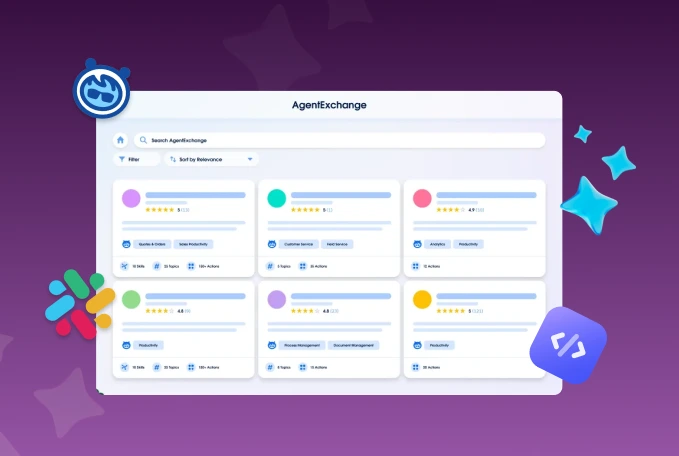
Table of Contents
source on Google
Salesforce, one of the world’s best CRM platforms, trusted by over 150,000 customers, has officially entered the agentic era. At the center of this shift is AgentExchange, formerly known as AppExchange, a unified marketplace of apps, agents, and tools that brings together what used to live separately: AppExchange, the Slack marketplace, and the Agentforce ecosystem.
Introduced in 2006, AppExchange is now AgentExchange and is home to more than 7,000+ pre-built solutions helping Salesforce customers extend the platform capabilities to meet their evolving needs.
This blog covers what AgentExchange actually is, who can use it, what types of solutions you’ll find there, why it’s worth using, and how to get started.
What is Salesforce AgentExchange?
Salesforce has officially renamed AppExchange to AgentExchange at the TrailblazerDX (TDX) event in 2026. If you have been using AppExchange to discover and install Salesforce solutions, AgentExchange is exactly that, just significantly expanded. Much like the Google Play Store and the App Store for mobile devices/
AgentExchange is a centralized platform for Salesforce customers to discover, evaluate, and install apps and agents that align with their specific business needs. These apps and agents are developed by Salesforce partners and other vendors, which cater to diverse industries and departments. The platform now offers 10,000+ Salesforce apps, 1000+ prebuilt agents, and 2600+ Slack apps and agents, combining AppExchange, Slack marketplace, and the entire Agentforce ecosystem.
How did AppExchange get its name?
AppExchange (now AgentExchange) was the brainchild of Salesforce founder Marc Benioff. He briefly interacted with Apple co-founder Steve Jobs regarding having a dedicated marketplace for solutions and apps for extending and complementing Salesforce products. Thus, AppExchange came into existence.
Also interestingly, the domain name for AppExchange was “app store,” which was later gifted to Apple, and the name AppExchange was retained to establish a unique identity in the tech ecosystem.
What’s new in AgentExchange: Features and capabilities
The evolved AppExchange (now called AgentExchange) comes with a new set of features and capabilities that enable conversational search, contextual discovery, seamless purchasing, and much more. Let’s discuss each one in detail –
a. Unified marketplace
AgentExchange combines AppExchange, Slack marketplace, and Agentforce ecosystem into one single destination. So whether you want to find a CRM app, deploy an agent, or activate a Slack integration, it can be done through a single governed platform.
b. Smart intent-based search
Salesforce Data 360 powers semantic search in AgentExchange. Even if you don’t know an app’s exact name to find it, AgentExchange will understand what you mean and help you find solutions that match your business needs.
c. In-flow discovery and activation
Agentforce Builder reads what developers are building and brings up trusted agents, sub-agents, and MCP servers in context. You no longer need multi-step searches to find an agent; the right tool will find you through the in-flow discovery feature of AgentExchange.
d. Seamless purchasing with a private offer
Vendors and partners can find and buy apps and agents, where the AgentExchange platform will consolidate purchases into your existing Salesforce account. You can send custom enterprise pricing and get unified billing without requiring separate invoices for every tool your team deploys.
e. Maximize productivity in Slack
All your team communications take place on Slack. Earlier, if you wanted to get a contract signed, you had to leave Slack, open DocuSign, complete the work, come back, and update the thread.
AgentExchange changes that by allowing AI agents to connect to the apps your team already uses inside Slack to execute tasks, all without opening a single other tab.
Who can use AgentExchange?
The platform is designed for a broad audience, including –
- Salesforce Users: Organizations that are already using Salesforce to manage their operations.
- Salesforce Admins: Admins are responsible for managing what gets deployed inside your Salesforce org. They control app access, set permissions, and manage which agents and tools teams can use.
- Salesforce Developers: The technical experts who build custom applications, agent components, actions, and integrations to extend Salesforce functionality.
- Salesforce Consultants: Professionals who advise businesses about suitable Salesforce solutions.
- Independent Software Vendors (ISVs): Companies that develop and independently sell applications on the platform.
- Agentblazers: It is a community of admins, developers, and technology leaders who actively build and deploy AI agents on AgentExchange.
What does AgentExchange offer?
Salesforce built AppExchange for an app-first world, while AgentExchange was launched for an agent-first one. Everything that AppExchange offered, including apps, components, bolt solutions, lightning data, and flow solutions, is still here. AgentExchange simply adds to that with Agentforce agents, Slack agents, Slack marketplace integrations, and much more.
Let’s now discuss the different types of AgentExchange solutions in detail.
1. Agentforce apps and agents
Agentforce apps and agents are the newest addition to AgentExchange. They are purpose-built to solve specific business problems. Instead of building an AI agent from scratch, your team can discover and buy agents from the marketplace and develop them further by extending Salesforce functionalities.
Today, with over 13K authorized apps and agents and more than 187K reviews, AgentExchange has become one of the most revered platforms that can help you find apps, agents, and integrations that match your business needs (Source). There are pre-built agents for customer service, sales coaching, field operations, recruiting, and much more.
2. Slack apps and agents
The entire marketplace of Slack is now a part of AgentExchange. It means that AI agents now live inside your Slack application. With this evolution, AgentExchange agents live where your teams are. Through Slack MCP, these AI agents can reach 6,000+ connected apps, allowing them to trigger a response, schedule a meeting, pull up a contract, all without leaving the conversation thread.
3. New agentic components in AgentExchange
Components are referred to as the modular building blocks that could be used to build other solutions, without coding requirements. AgentExchange has introduced four new component types that didn’t exist on AppExchange earlier, including –
- Actions: Actions are the tasks your agent can perform on your behalf. It offers pre-built integrations, flows, and API connections that expand what an agent can actually do.
- Topics: With topics, you can define how the AI agent should behave. These agents group the actions and related instructions to operate within the defined guardrails.
- Prompt Templates: AgentExchange has prompt templates through which users don’t have to create instructions from scratch. Agents can use pre-built templates to ensure consistent communication across the interactions.
- Agent Templates: Salesforce users can access ready-to-deploy agent templates, which include topics, actions, and global instructions inside one package. Developers can install these packages and customize them in the Agent Builder as per their business needs.
4. Specialized apps
Specialized apps are pre-built third-party applications that cater to specific business needs. These applications are designed to integrate seamlessly with Salesforce, offering functionalities that may not be available in the core platform.
For instance, in customer service, apps like DocuSign allow users to send, sign, track, and save agreements directly within Salesforce. In IT & Administration, Cloudingo helps identify duplicate records and merge them effortlessly. In finance, we built ChargeOn, a payment solution that enables businesses to process online transactions across the globe using 16+ payment gateways, all from within Salesforce.
5. Lightning Solutions
Salesforce users can find Lightning solutions at AgentExchange, including Lightning data and Lightning components to help them build agents and Agentforce apps from scratch. With Lightning components, developers/users can build custom, drag-and-drop user interfaces while the Lightning data allows them to add records and populate fields without requiring any Apex code.
6. Bolt Solutions
Bolt solutions are pre-built templates that contain industry-specific solutions that can be deployed quickly, eliminating the need to code from scratch and reducing overall development time. Businesses can customize these solutions further to align with their unique processes, as Bolt Solutions comes with pre-built templates and built-in automation.
7. Flow Solutions
AgentExchange (formerly AppExchange) offers flow actions, which are pre-built actions that can be incorporated into flows to automate specific tasks. In addition, there are ready-made templates called flow templates that provide a starting point for building flows tailored to specific business processes.
8. Consultants
In addition to the above-mentioned solutions, the marketplace offers certified consultants who can help businesses identify the right solutions, customize them to fit specific needs, and ensure successful implementation.
Why use Salesforce AgentExchange?
Here are some of the reasons that validate the use of the AgentExchange platform –
a. One-stop solution for all apps
The AgentExchange platform is like a one-stop shop for multiple applications and solutions that could be used to cater to various business needs. It has a vast application library of 7000+ pre-built solutions catering to the needs of sales, service, or marketing teams sales, services, or marketing needs/ departments.
b. Diverse pricing options
Salesforce marketplace supports diverse pricing options, including free, freemium, paid, paid-addons, usage-based, and custom pricing. Paid applications often offer free trials, allowing users to explore their features without any commitment.
c. User-friendly interface
The AgentExchange interface is designed for ease of use, enabling users to quickly find, evaluate, and install applications without extensive technical knowledge. Apps are presented with rich visuals, descriptions, and demo videos that help users understand functionalities before installation.
d. Community-driven insights
According to Salesforce, over 91% of Salesforce customers actively use AgentExchange applications (Source). With such a large user base, there is always an influx of knowledge from existing users to the new ones in the form of feature peer reviews. This helps the users to make informed decisions based on real-world experiences.
e. Security
Salesforce and its commitment to security are highly regarded. As a result, AgentExchange operates under stringent security standards, ensuring that the apps available for installation and integration are safe and secure. By having proper vulnerability checks and SOQL injections to prevent unauthorized access.
f. Regular updates and maintenance
All applications listed on the Salesforce AgentExchange are regularly updated to stay aligned with the latest Salesforce features and security standards. Additionally, the version control functionality enables users to easily track updates and new versions of applications. This feature aids developers in collaborating, simplifying deployments, and monitoring changes.
How to get started with AgentExchange?
After experiencing the benefits of the platform, it’s now time to learn how to get started with AgentExchange and how to be on the Salesforce App Marketplace.
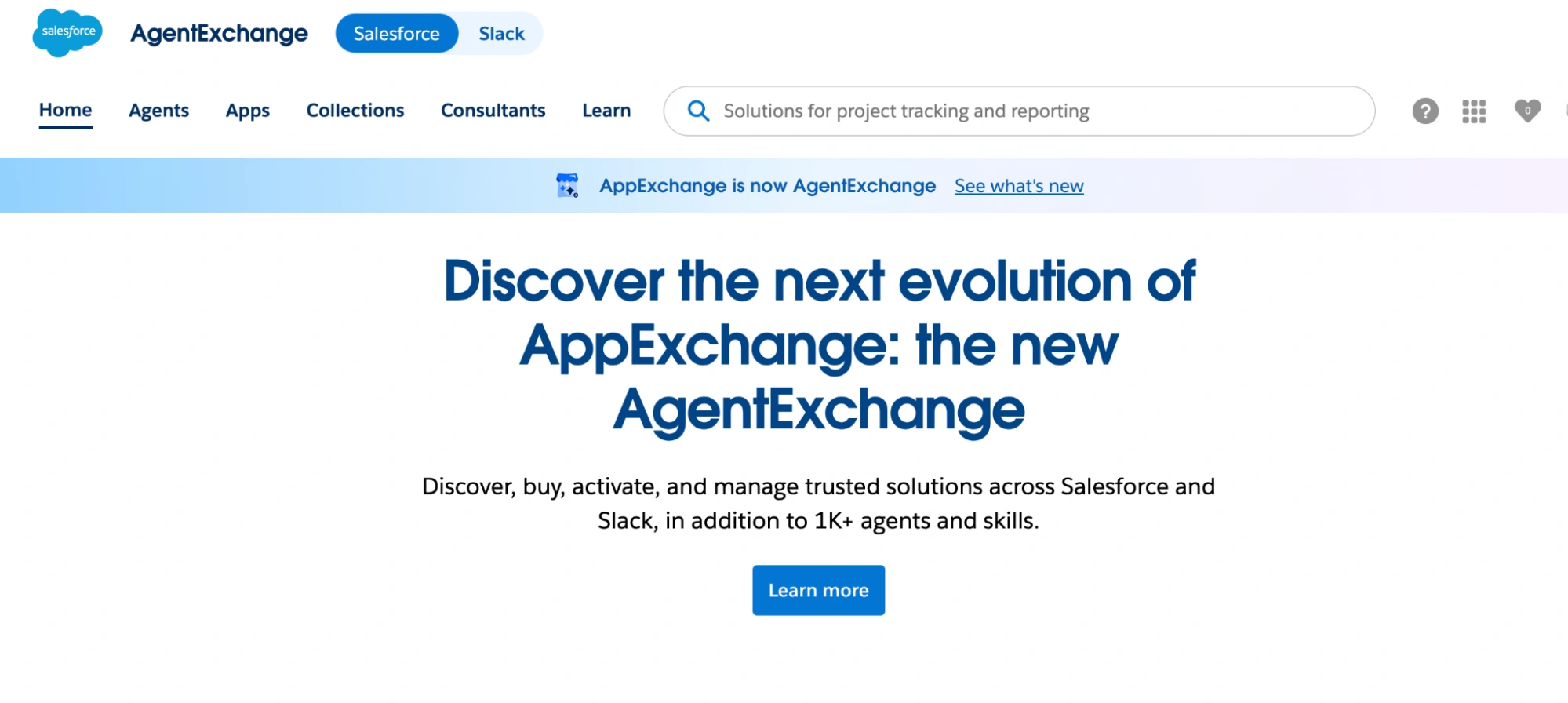
Step 1: Open appexchange.salesforce.com
The AppExchange URL still works and now takes you directly to AgentExchange, so nothing changes for existing users.
(Image via Salesforce)
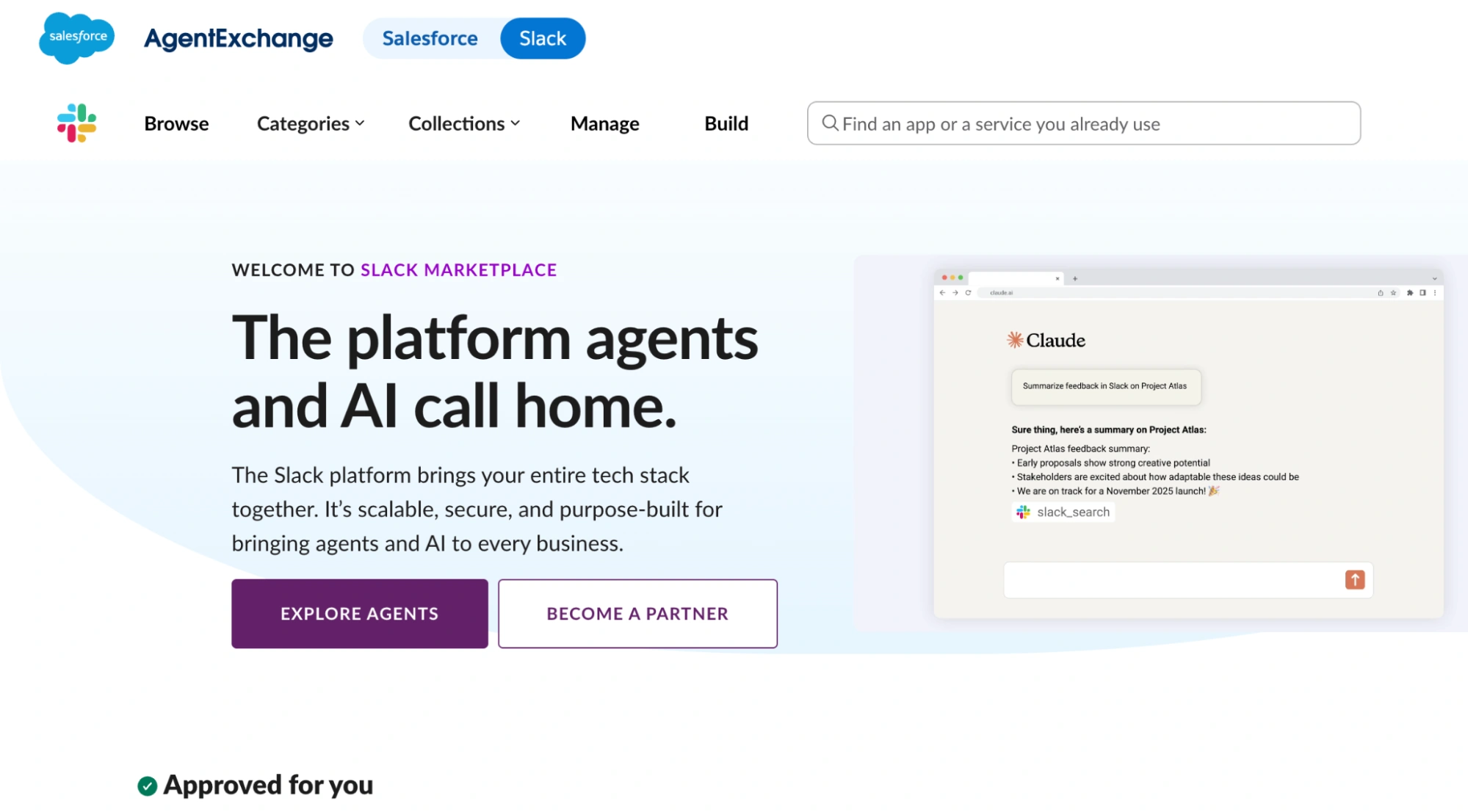
Step 2: Switch between Salesforce and Slack using the toggle
Click on the blue toggle button to switch between the Salesforce and Slack interfaces to discover Agentforce apps, AI agents, Slack apps, and agents.
(Slack Marketplace, Image via Salesforce)
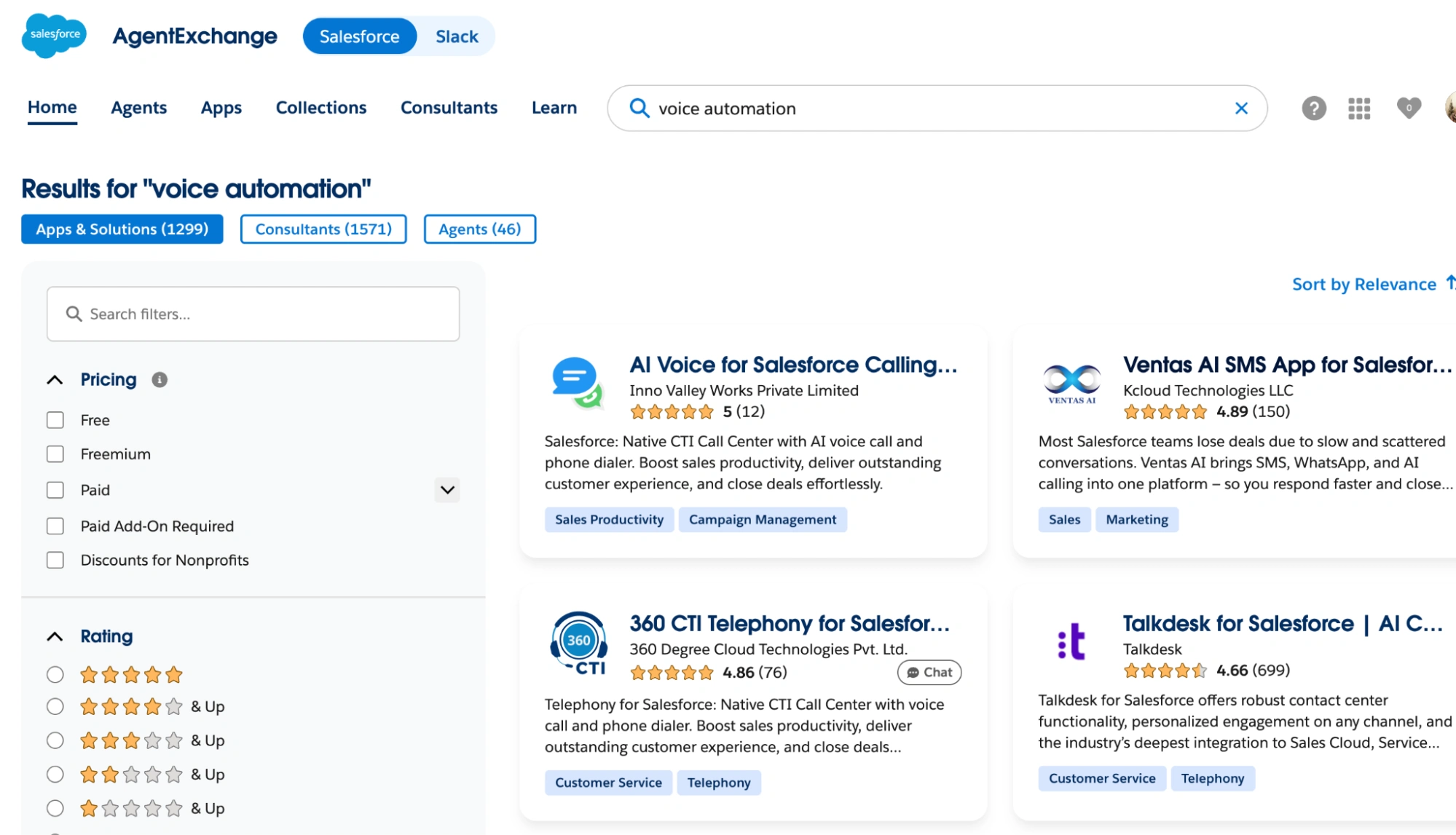
Step 3: Search for specific agents or apps
If you want to add or explore apps and agents on Salesforce, search using a specific action, function, or feature to find the tailored apps and AI agents for your org.
(AgentExchange Salesforce Marketplace, Image via Salesforce)
Step 4: Centralize your search to look for Agent/App/Consultants
If you are specifically looking for consultants to help you develop an industry-specific solution, you can choose “consultants” and connect with relevant consulting partners shown in the list.
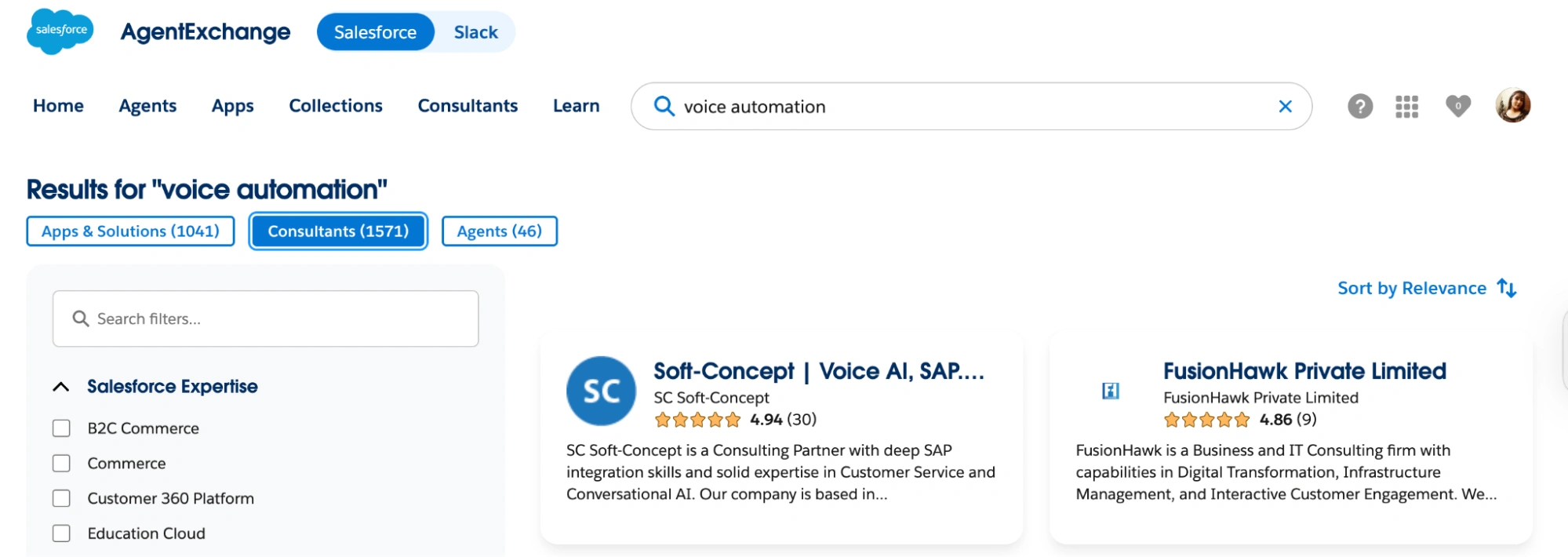
(Choose between Apps/Consultants/Agents, Image via Salesforce)
Step 5: Set filters for pricing, ratings, etc
With 10,000+ apps on the platform, searching without filters will waste your time. You can set a filter based on many variables, including –
- Pricing (free, freemium, paid, paid with add-ons, and discounted apps),
- Ratings (unrated and 0 to 5),
- Agentforce contents (actions, agents, subagents)
- Business needs (sales, marketing, customer service, finance, accounting, etc)
- Solution type (Agentforce, B2C commerce headless integration, Bolt solution, component, flow, Salesforce app, etc.)
- Salesforce products (Sales, Marketing, etc)
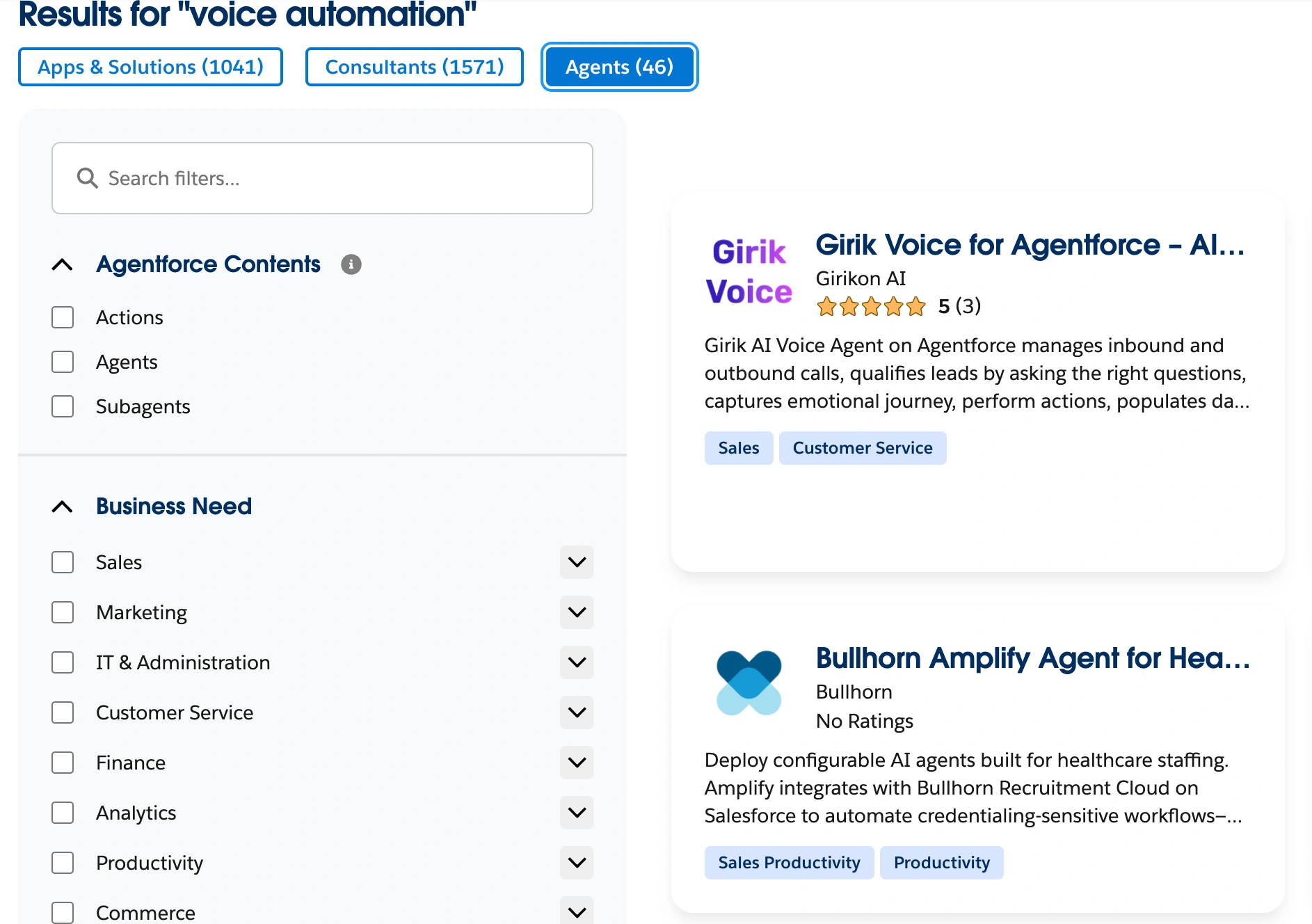
(Set filters to find a relevant solution, Image via Salesforce)
Step 6: Check compatibility
Open the ‘More Details’ tab on any listing and check the ‘compatibility’ section. Here, you can confirm whether the app supports your Salesforce edition (Professional, Enterprise, Unlimited, etc.). If your edition isn’t listed under “Salesforce Editions,” skip that app and look for an alternative.
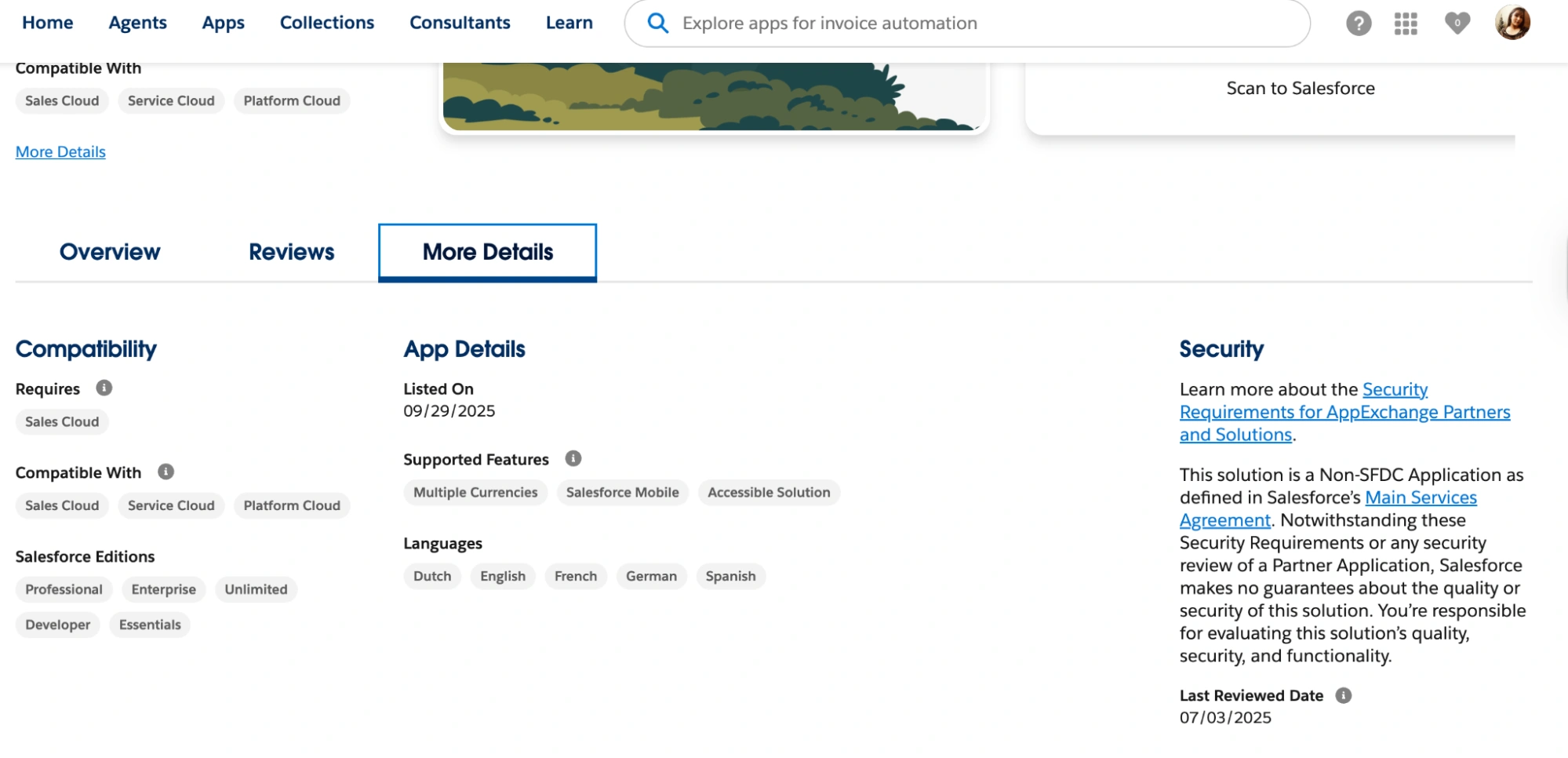
(Image via Salesforce)
Step 7: Install the app/agent in a safe environment
After choosing your app/agent, install it directly into a Sandbox or Developer Edition Org to properly test it without affecting your productivity. You should not move to this step without checking the app/agent’s compatibility with your Salesforce edition (go to the previous step).
Step 8: Move to production once tested
Once you are satisfied with the app/agent’s performance, install it in your Salesforce production org and configure it to meet your unique business requirements.
What are the limitations of AgentExchange?
The primary limitations of AgentExchange include –
- Search overload: AgentExchange is a large marketplace for Salesforce apps, solutions, and agents, having 10,000+ listings. Finding a relevant solution can be difficult without applying filters and sorting through the search results.
- Edition gaps: Not every Salesforce app works with every Salesforce edition, so users will need to check compatibility before installing the app inside their org.
- Platform lock-in: AgentExchange apps and agents are for Salesforce native users only. They can be used inside Slack and Salesforce, limiting outside users’ access to these apps across other CRMs. However, users can leverage integration tools, APIs, or native connectors like MuleSoft to connect AgentExchange apps with outside systems and CRMs.


Bottom line
The Salesforce AgentExchange is not just a marketplace for applications; it is a comprehensive ecosystem that provides a large set of solutions tailored to enhance Salesforce’s capabilities.
Navigating the AgentExchange can be complex, and businesses often require expert guidance. Our team of experts offers comprehensive AgentExchange Development Services to help you identify and implement the right solutions for your needs. We stand with you beyond the deployment to ensure your application reaches and delights the audiences intended for it. If you are interested in advancing your agent or app development journey, reach out to our team of Salesforce professionals for AppExchange consultation.
Don’t Worry, We Got You Covered!
Get The Expert curated eGuide straight to your inbox and get going with the Salesforce Excellence.
AUTHOR
Jagrat
AppExchange, Salesforce Community Cloud, Loyalty Cloud
Jargrat, Delivery Manager at Cyntexa, has 7+ years of experience in the Salesforce ecosystem. He specializes in Salesforce AppExchange, Community (Experience) Cloud, and Loyalty Management, Jagrat excels in building scalable, customer-centric platforms that foster engagement, loyalty, and seamless digital experiences for businesses.


Cyntexa.
Join Our Newsletter. Get Your Daily Dose Of Search Know-How
Frequently Asked Questions
In simple terms, AgentExchange is Salesforce's marketplace for apps and integrations that extend the functionality of your Salesforce platform.
You can browse, search, and install apps from AgentExchange to add features such as marketing automation, sales enablement, and customer service tools to your Salesforce org.
There are over 13K listings on AgentExchange, including Salesforce apps, Slack agents, MCP servers, Agentforce agents, subagents, and more.
You can access AgentExchange through the app launcher in your Salesforce org or directly from the Salesforce homepage.