



ServiceNow Build Agent: Features, App Building Process & More

Table of Contents
ServiceNow Build Agent is an AI tool that helps developers and non-technical users create, build, and deploy a scoped ServiceNow application and workflows using natural language prompts.
From writing code and organizing files to fixing errors, it takes care of all aspects of application development.
This is just a brief of what the ServiceNow Build Agent is and what it can do. Its capabilities are far beyond this. This blog will help you learn about this in detail.
Understanding ServiceNow Build Agent
Build Agent is a new ServiceNow product that enables both technical and non-technical users to build, manage, and deploy full-stack ServiceNow applications.
The platform uses vibe coding, which is an AI-driven method that allows developers to provide natural language prompts to create apps. The build agent is powered by Anthropic’s Claude at its core, which enables contextual awareness in the agent builder. Through this, it can understand the project scope and desired outcomes of the app based on user prompts. Accordingly, it autonomously sets up the application database, applies business rules, runs diagnostics, debugs, and launches a full-fledged ServiceNow native application.
Features of ServiceNow Build Agent
ServiceNow build agent supports a multitude of features like app creation, UI designing, database/backend support, third-party integrations like payment gateways, external APIs, automated testing, and advanced features like self-correction loops, SLA configuration, role management, and much more.
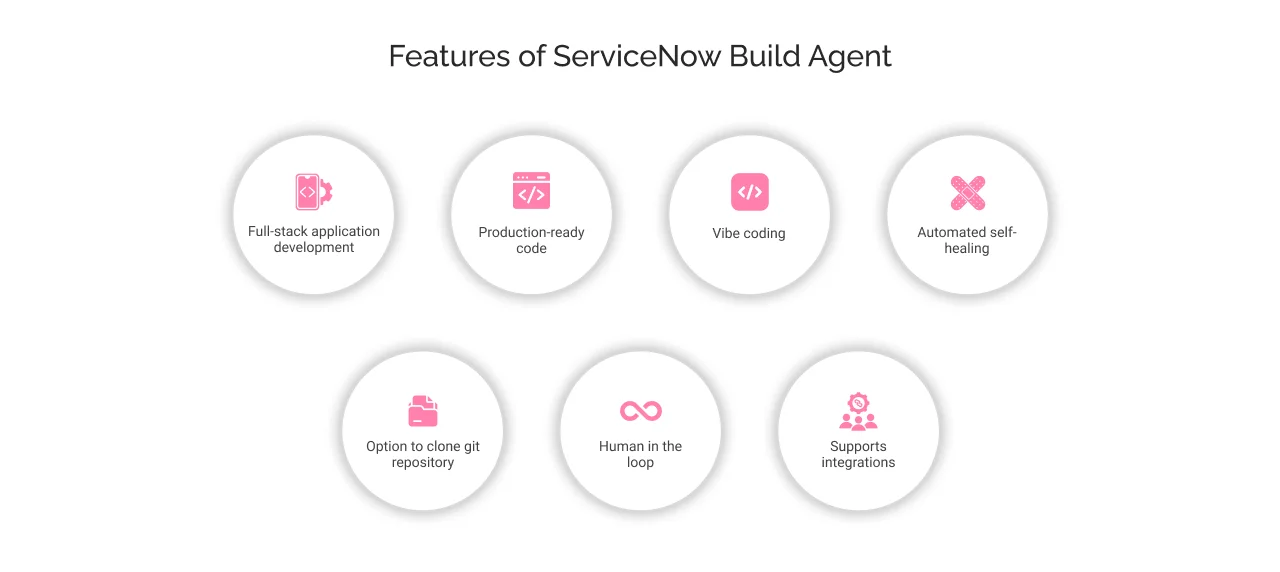
So, let’s examine the features of build agents that transform the app development process, allowing week-long coding to be completed in just minutes of conversation.
1. Full-stack application development
The build agent handles application development from backend database architecture to front-end user interface. It can autonomously create workflows, install necessary libraries, and include packages and dependencies required for app development. In addition, it can create tables, columns, apply business rules, update access control lists, define user roles, and design UI pages, all based on user prompts.
2. Production-ready code
Build agent can produce production-ready code using its domain-specific language fluent, which is a TypeScript-based development framework designed specifically for modern app architecture. This modern app development framework allows compile-time error checking, which enables finding bugs before app deployment. Additionally, it offers robust code maintainability, allowing developers to easily refactor, test, and maintain Fluent code over time.
3. Vibe coding
ServiceNow supports Vibe coding, which eliminates the traditional ‘write-compile-debug’ cycle by enabling conversational and iterative app development. Meaning, it is a new age development paradigm that leads to an automated app development process from creation, optimization, to deployment.
Instead of specifying “how” to build functionality (loops, conditions, and data structures), developers specify “what” they want to achieve (business outcomes, user experiences, workflows). The build agent interprets the app requirements and accordingly accelerates app development while eliminating technical knowledge barriers. However, the efficiency of vibe coding depends on the quality of the prompt, requiring developers to clearly provide the purpose, target users, and functional requirements of the app.
4. Automated self-healing
Build Agent has Automated Test Frameworks (ATFs) that allow debugging and error-checking that lead to self-healing. Build agent provides production-ready code as it detects errors in runtime, analyzes root cause, performs autonomous correction, revalidates the correction, and iterates this process until all ATFs are successful.
Build agent generates application code and immediately runs it through Automated Test Frameworks (ATFs), enabling debugging and error-checking, which leads to self-healing. The self-healing process occurs in stages, starting from (i) runtime error detection, (ii) root cause analysis, (iii) autonomous correction, (iv) revalidate correction, and (v) iteration until all ATFs are successful.
5. Clone Git repository – Add files/app to workspace
Developers can clone their Git repository to the ServiceNow instance that works in integration with the build agent. They will need to navigate to ServiceNow Studio, where they can open the application they want to link.
By copying the contents of the application source code (files, scripts, images, etc.) to the ServiceNow instance, developers can enable app access to the build agent. After this step, simply provide the changes you want to make in the app using natural language prompts. Consequently, the build agent will implement the changes and diagnose them until all the errors are resolved.
6. Human in the loop
The build agent performs autonomously, from app description to deployment. However, it seeks permission from human developers at every stage of the development.
Additionally, it maintains transparency in the app development process, showing the underlying scripts, file creation, data loading, data refinement, version control, testing, and deployment to developers. This leads to better management of files and overall app metadata, as developers can manually edit or manage the code if needed.
7. Supports integrations
Build agent is a developer tool that allows deep integrations with third-party tools and platforms, such as Git repositories, payment gateways, server-side code libraries, etc. It allows developers to connect their apps with third-party platforms like Salesforce, Jira, etc., using pre-built connectors. In addition, it uses existing web services like REST and SOAP APIs to communicate with external systems. In a nutshell, deeper-level agentic integrations in the build agent allow developers to get end-to-end support in app development and deployment.
How to build an app using ServiceNow Build Agent?
The build agent platform adds a conversational layer on top of ServiceNow IDE, allowing developers and even non-coders to design and deploy full-scale ServiceNow apps using natural language. Let’s see how:
Stage 1: Set up and prerequisites
- Go to developer.servicenow.com
- You can get access to ServiceNow with a build agent in the Zurich release Personal Developer Instance (PDI).
- Alternatively, you can upgrade to Zurich (ServiceNow’s latest release) to activate the “Build Agent (Trial)” that doesn’t require any contract.
- Next, log in to your ServiceNow instance by navigating to All → App Development → ServiceNow IDE.
Stage 2: Application planning and workspace creation
- Before you begin, get the app idea clearly laid out to know about its scope, functionalities, target audience, pain points, etc.
- Go to the ServiceNow IDE homepage and click on “create a workspace”.
- After workspace creation, provide a name to your application along with its description.
- Open the newly created workspace to find files in the left panel, code editor in the middle, and conversational chat interface (AI assistant) on the right side of the workspace.
Stage 3: Build app with build agent
- On the right side of the workspace, write your first prompt to create a ServiceNow application.
- In the prompt, provide application requirements, goal, its scope, functionality, data requirements, and any other details necessary to create the application from scratch.
- After this step, the build agent creates a plan to build the application.
- Build agent highlights tables to be created, fields and data types, UI components, business rules, sample data, etc.
- Review the plan, suggest changes or improvements if necessary, and approve.
Stage 4: Approve and build the app
- After approval, the build agent will start creating the application by generating code using the Fluent framework.
- It will create a database schema and tables, build business logic and UI components. In addition, it will populate the tables with random sample data.
- Developers will be able to track the file creation, real-time updates, progress indicator, summary of app completion, etc.
Stage 5: Automated debugging and testing
- After establishing the app architecture and finishing the app design, the build agent performs automated debugging to resolve errors at run time.
- Developers can add more advanced features to the app, like adding a user dashboard, integrating external APIs, etc.
- After new changes are made, developers can perform manual testing or seek assistance from the build agent.
Stage 6: Documentation and deployment
- Once the testing is completed, the build agent will bundle the application.
- The build agent will ask permission from the developer before deploying the application.
- Once approved, the build agent deploys the app to the ServiceNow instance.
- It will provide complete app documentation, like a user manual guide, admin setup instructions guide, the technical architecture document, API documentation, etc.
Who can benefit from ServiceNow Build Agent?
ServiceNow Build Agent is transforming enterprise app development across various skill levels and organization sizes. The platform holds no coding barrier that enables coders (also, non-coders) to build apps quickly with IT oversight, guardrails, and governance. This has led citizens, professional developers, small to large-scale enterprises, ServiceNow partners, and consultants to quickly leverage the build agent for automated app development.
In summary, the ServiceNow build agent is helping businesses:
- Free up developer hours for strategic tasks rather than routine builds.
- Clear past development backlog
- Take less time to market the app
- Achieve 5-10x productivity gains
- Streamline complex workflows and build production-ready apps using conversational language
- Attain better profitability and competitive advantage


Wrapping up
Build agent is an agentic AI solution offered by ServiceNow that harnesses the power of Anthropic’s Claude to help developers build full-stack applications. Businesses today are creating enterprise-grade solutions from scratch using a simple AI-powered chat mechanism.
Although build agent democratizes app creation, building and launching ServiceNow apps requires more than technology. It demands strategic implementation, which is offered by our certified ServiceNow developers at Cyntexa.
Being a registered ServiceNow partner, Cyntexa’s developers have hands-on experience working on autonomous ServiceNow apps, which will help you strategically design and launch production-ready apps. So, book a consultation now with our experts to accelerate your ServiceNow ROI from day one!
Don’t Worry, We Got You Covered!
Get The Expert curated eGuide straight to your inbox and get going with the Salesforce Excellence.
AUTHOR
Shruti
ServiceNow, Sales Cloud
Shruti is a ServiceNow Consultant with 5+ years of experience across ServiceNow ITSM, AWS, Salesforce Loyalty Management, and managed services. She blends technical expertise with strategic insights to deliver transformative IT services and CRM solutions that enhance efficiency and customer satisfaction.


Cyntexa.
Join Our Newsletter. Get Your Daily Dose Of Search Know-How