



Slackforce Surfaces Explained: How Salesforce’s Slackbot Is Becoming Your CRM’s Front Door
source on Google

Table of Contents
source on Google
Salesforce has moved beyond being a system people simply log into, toward a live interface that works with business data, understands context, and helps teams get things done. This is the broader shift behind AIforce.
While Salesforce remains the system of record for much of your business data, the change is in how people access, understand, and act on it.
And Slack is becoming an important part of that shift.
Think about how work actually happens. A sales decision might start in a Slack conversation. Someone shares a customer update, another person checks the pipeline, and the team discusses what to do next.
Now is the time to pull data to turn that conversation into data-backed insights. For this, someone has to leave Slack, open Salesforce or another system, pull the right data, build a report or dashboard, prepare a presentation, and bring it back to the team. Manual, time-consuming, and monotonous.
Slackforce is Salesforce’s answer to this gap: bringing data, AI, and actions into the conversation so teams can work without constantly switching between Slack and Salesforce.
But what exactly is Slackforce? Let’s untangle that first.
What is Slackforce?
The simplest way to understand Slackforce is to think of it as the broader vision of turning Slack into a conversational, AI-powered interface to Salesforce and the other systems where your work happens.
The idea is simple: instead of moving between Slack, Salesforce, and other business tools every time you need information or want to take an action, you can do that and more directly inside the conversation.
Slackforce brings together your conversations, business data, AI, and actions in one place.
But Slackforce didn’t appear all at once. Salesforce has been building toward this vision in stages.
What does Slackforce entail?
It comprises four pillars:
- Slack CRM
- Slackbot and MCP
- Slackforce Surfaces
- Slack Code
Understand the journey of Slackforce
It started with Slack CRM, which brought core CRM actions into Slack. Users could create Salesforce records, log call notes, and update fields without opening a separate CRM screen.
Then came Slackbot’s ability to work with Salesforce through MCP, allowing it to read from, write to, and take action across Salesforce and other connected systems.
Now, Slackforce Surfaces take this a step further. Instead of simply finding information or completing an action, Slackbot can turn the context and data available to you into a live, interactive experience. Such as a dashboard, report, executive deck, or another custom interface.
And Slack Code extends the same idea beyond CRM, bringing people and AI agents together to build, review, and ship software inside Slack.
So, when Salesforce talks about Slackforce, it isn’t referring to just one feature. It is the broader idea of making Slack the place where your team can access business context, work with AI, and take action without leaving the flow of work.
With that map in place, let’s look at the newest piece: Slackforce Surfaces.
What are Slackforce Surfaces?
Slackforce Surfaces are interactive experiences that Slackbot creates from the information and context available to you.
You can ask Slackbot to create something, and instead of returning only a text answer, it can create a dashboard, report, executive presentation, or another interactive experience. You can pin these experiences in a chat and share them among your peers.
The important part is that a Surface isn’t just a static presentation of your data. It is connected to the information behind it. That means your team can interact with the Surface, explore the data, get into the details of records and messages, comment, and decide what to do next without leaving Slack.
How do Slackforce Surfaces work?
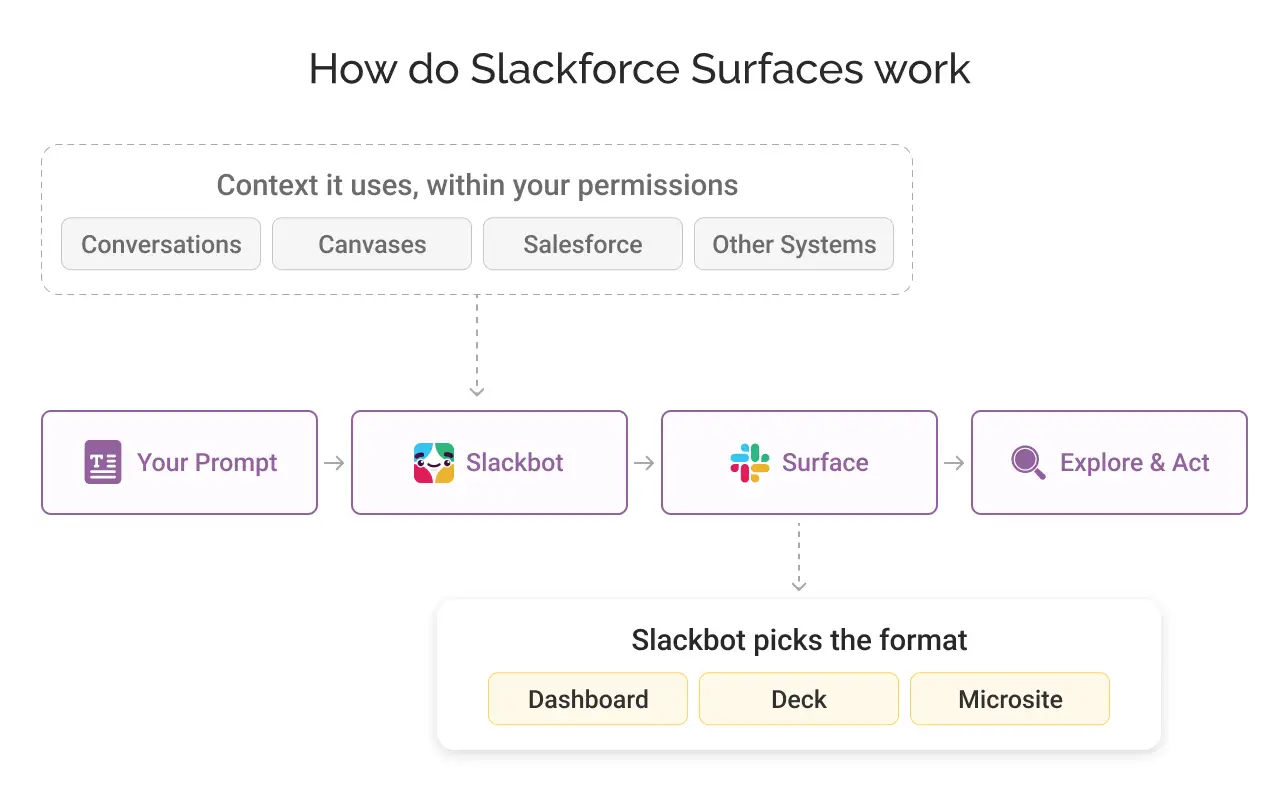
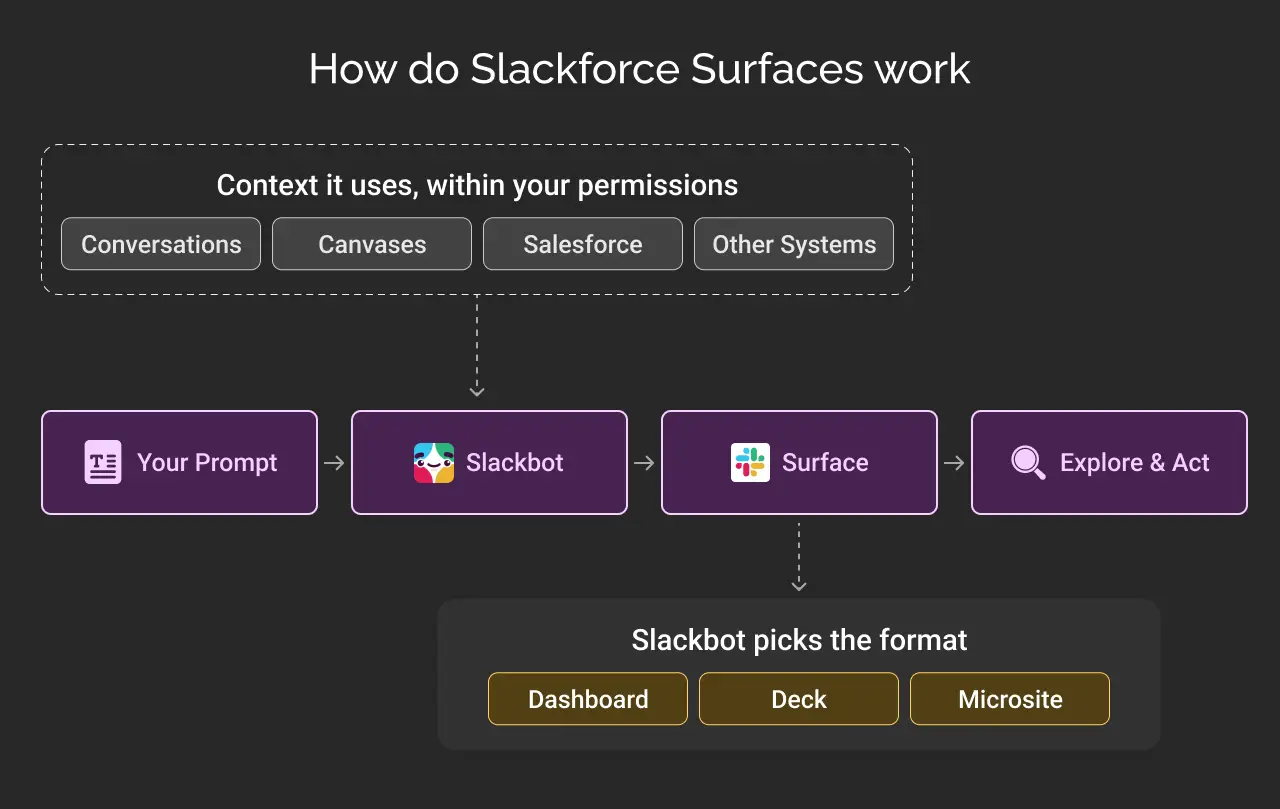
It starts with a prompt. You tell Slackbot what you want to understand, communicate, or accomplish.
Slackbot then uses the context already available to you, including conversations, canvases, Salesforce, and other connected enterprise systems, to create the Surface. It works within your existing permissions, so the information shown is based on what you’re already allowed to access.
There isn’t a fixed template that Slackbot has to follow. Depending on what you’re asking for, it can decide whether a dashboard, executive deck, microsite, or another format makes the most sense.
The conversation doesn’t stop when Slackbot gives you an answer. You can keep exploring the Surface, ask follow-up questions, look into the records or messages behind the numbers, and discuss the findings with your team.
The result is an interactive workspace rather than a static answer.
That’s also why Salesforce describes Slack as becoming “the front door to Salesforce.” The CRM data can remain in Salesforce while the interaction with that data increasingly happens in the place where teams are already working.
What can Slackforce Surfaces do for Sales, Marketing, IT, Service, and Finance Teams?
The use cases become clearer when you look at how different teams could use them.
Slackforce Surfaces for Sales
A sales rep can turn their Salesforce pipeline into a live, prioritized view. They can represent deals individually so that delayed or at-risk opportunities can be identified easily.
Slackforce Surfaces for Marketing
A marketer can turn a go-to-market plan into an executive presentation. They can combine the GTM document with proof points, targets, Agentforce Marketing campaign data, and required leadership sign-offs, altogether, with just a prompt in natural language.
Slackforce Surfaces for IT
An IT team can use a Surface to track AI adoption, token usage, spend, and ROI, helping them identify unexpected usage before it becomes a larger problem.
Slackforce Surfaces for Service
A service leader can turn an Agentforce Service support queue into a live, organized board showing SLA breaches, case severity, and customer tier.
Slackforce Surfaces for Finance
A finance leader can turn forecast, budget, and variance data into a visual that makes risks and positive trends easier for leadership to understand.
What is Slackbot: From Chatbot to AI Teammate
Slackbot started as a chatbot, then evolved into an AI assistant, and is an AI teammate now.
One important change that has come is that, instead of AI being limited to a private chat, Slackbot can be brought into different channels. The entire team can build on its responses. Everyone can see the conversation, contribute, and learn.
Slackbot has also expanded into Salesforce Lightning Experience. This means that Salesforce users can access Slackbot directly beside the CRM record they’re working on.
For example, a sales manager could ask it to identify deals that are not responding. A service agent could use it to pull shipping information and order history for a delayed order and help draft a resolution.
Then there is Big mode. It gives Slackbot a dedicated, full-screen workspace for lengthy tasks such as research, writing, analysis, and file generation. Further, it can be pushed into a Surface and pinned to a channel for the team to work on together.
Slackbot is also powered by Claude, which brings it closer to the broader ecosystem of AI agents and coding tools working inside Slack.
What’s new in Slackbot?
Slackbot is also expanding beyond text into voice, video, and presentation generation.
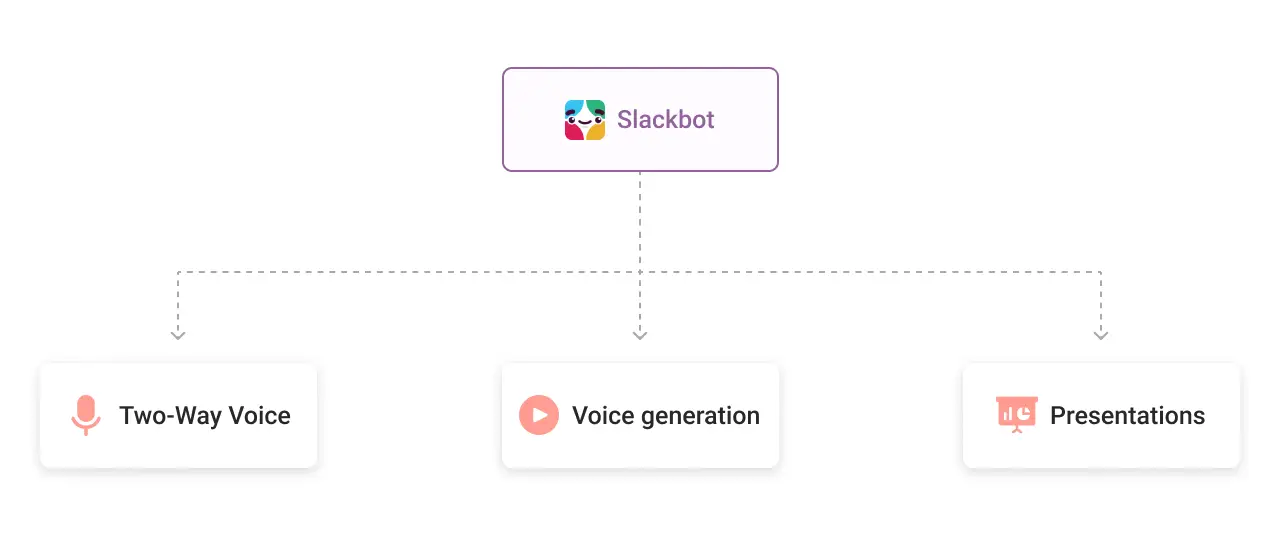
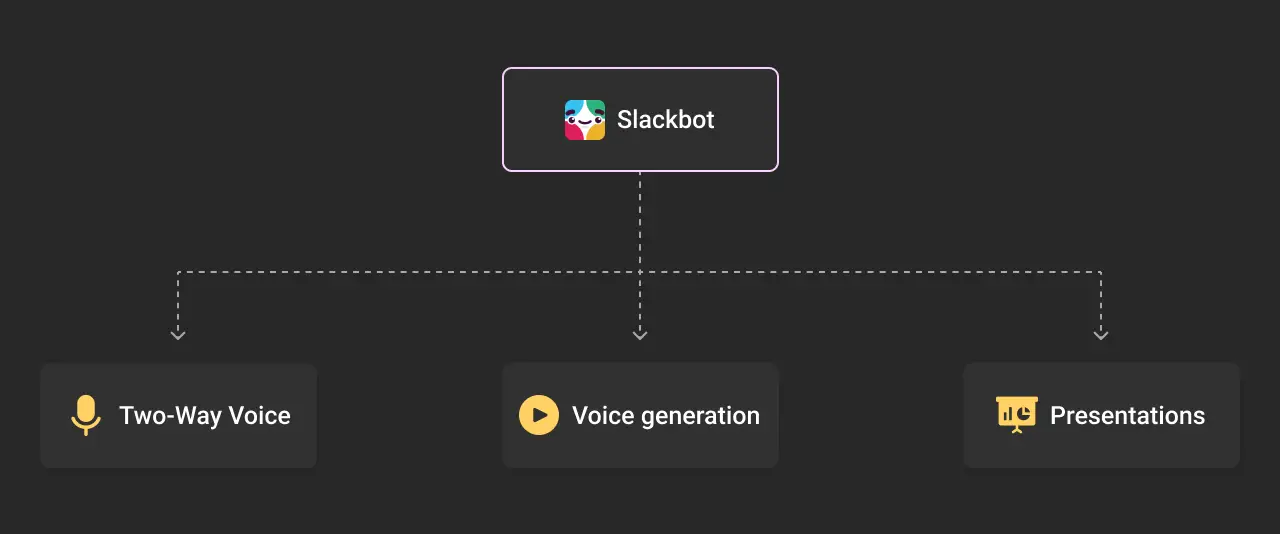
- Two-way voice is coming later in 2026. It allows users to talk to Slackbot and hear its responses. More importantly, voice interactions can trigger real actions, such as updating a record or starting an automation.
- Video generation is also coming. Slackbot will be able to turn something like a product update, demo, or campaign brief into a finished video clip directly inside the conversation.
- Presentations are a part of the same workflow. Instead of manually taking information from a Slack conversation, moving it into a presentation tool, and building the slides yourself, Slackbot can turn the context into an executive presentation or another visual experience.
What is Slack Code and how does it work?
Slack Code introduces dedicated Code Channels, where people and AI agents can work together on software development.
Your technical expert doesn’t have to work separately with an AI coding tool and then bring the result to the team later. Everything happens in a shared channel. The team can see the plan, code changes, and working preview as the agent works.
Different AI coding agents can work in these channels, including Claude Code, Devin, GitHub Copilot, ChatGPT, Vercel agents, and others.
The workflow is collaborative. A product manager can describe a bug. An agent can propose a fix. An engineer can review it. Someone can redirect the agent if the approach isn’t right. Additionally, for high-end changes, human approval is needed.
While the agent is working, you and your teammates can pause or redirect it for updates and changes. Therefore, making Slack Code less about replacing developers and more about making AI-assisted development a shared team activity.
Slackforce vs. Slackforce Surfaces vs. Slackbot vs. Slack Code: A quick difference table
If you’ve reached this point and still want the simplest possible explanation, here it is:
| Term | What the Term Means |
|---|---|
| Slackforce | The broader vision of Slack becoming a conversational, AI-powered interface to Salesforce and business work. |
| Slack CRM | Salesforce CRM capabilities brought directly into Slack. |
| Slackbot | The AI teammate that can understand context, answer questions, create things, and take actions in Slack. |
| Slackforce Surfaces | Interactive dashboards, reports, decks, and other experiences Slackbot creates from business context. |
| Slack Code | AI-assisted software development inside dedicated Slack Code Channels. |
| MCP | The connection layer that allows Slackbot to work with Salesforce and other connected systems. |
Conclusion
With Slackforce, the conversations are themselves becoming the starting point of work. Instead of: Conversation → leave Slack → find data → create something → return to Slack, the intended workflow becomes: Conversation → ask Slackbot → get the context → create → discuss → act
That explains the “front door to Salesforce” idea. Salesforce doesn’t necessarily disappear from the workflow. Rather, Slack becomes the place where more people can interact with the data, AI, and actions that sit behind it.
Do you wish to leverage Slackforce excellence in your business? We can help. Our Salesforce and AI experts can help you find the best approach.
Don’t Worry, We Got You Covered!
Get The Expert curated eGuide straight to your inbox and get going with the Salesforce Excellence.
Co-founder and CTO at Cyntexa also known as “VJ”. With 10+ years of experience and 22+ Salesforce certifications, he’s a seasoned expert in Salesforce Data Cloud & AI Products, Product Engineering, AWS, Google Cloud Platform, ServiceNow, and Managed Services. Known for blending strategic thinking with hands-on expertise, VJ is passionate about building scalable solutions that drive innovation, operational efficiency, and enterprise-wide transformation.


Cyntexa.
Join Our Newsletter. Get Your Daily Dose Of Search Know-How