






Salesforce Health Cloud: A Complete Step-by-Step Guide
source on Google

Table of Contents
source on Google
Salesforce Health Cloud implementation is setting up Health Cloud for your care teams: planning the first release, configuring the platform, connecting your EHR and other systems, moving data, testing, and training users. Health Cloud is a healthcare CRM that helps organizations manage patient, member, provider, and service information.
This guide explains what Salesforce Health Cloud is, why organizations use it, its key features, and what an implementation involves. It also covers implementation phases, timelines, readiness, integrations, costs, and other decisions to consider before getting started.
Note: Salesforce now also calls Health Cloud Agentforce Health in its documentation and on some regional pages. In this guide, we refer to Health Cloud.
What is Salesforce Health Cloud?
Salesforce Health Cloud is a purpose-built CRM for healthcare. It stores clinical and insurance data in healthcare-specific data models and gives teams tools for care plans, referrals, appointments, outreach, and service.
The platform brings information from different systems into a more useful view for authorized users. Depending on the architecture, Health Cloud can store a copy of the data, show it live from the source system, or use a mix of both.
Health Cloud does not automatically replace an EHR or EMR. Your clinical systems often remain the source of truth for clinical documentation, orders, medications, and other regulated workflows.
Why Use Salesforce Health Cloud?
Salesforce Health Cloud helps healthcare organizations improve visibility into patient and member information, coordinate care, and manage everyday operations more efficiently.
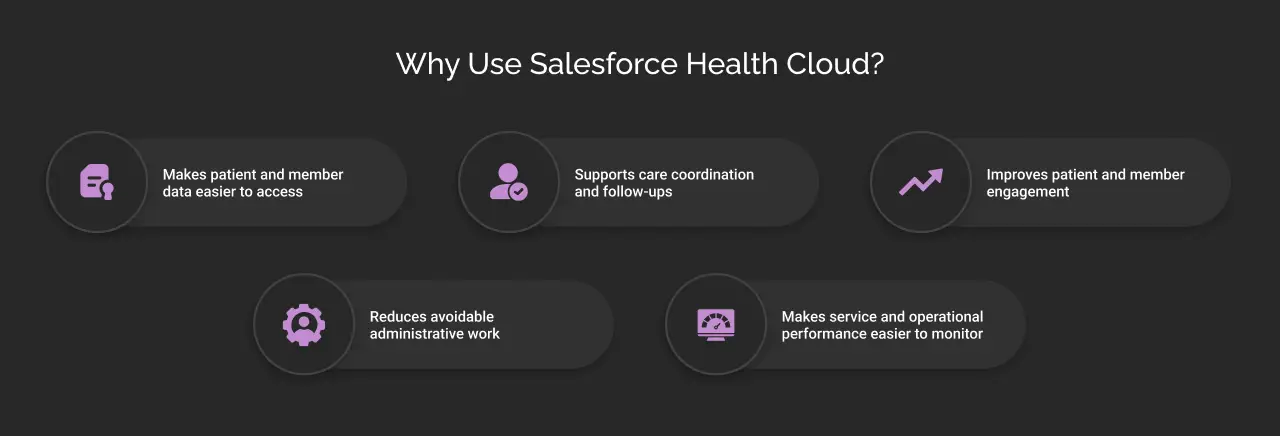
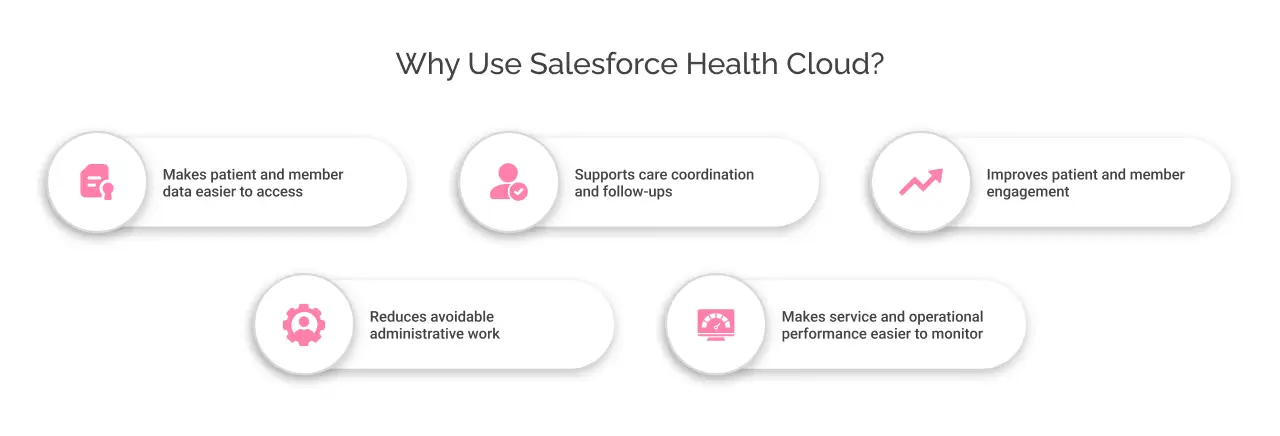
1. Makes patient and member data easier to access
Patient and member data is often spread across EHRs, claims platforms, contact centers, referral systems, and other applications. Once connected, Health Cloud can bring relevant information from these systems into a connected view, helping authorized users access the context they need without switching between multiple applications.
2. Supports care coordination and follow-ups
Care teams can use Health Cloud to manage care plans, track referrals, assign tasks, and coordinate patient follow-ups. Automated reminders, task assignments, and work queues help teams track pending activities and follow up on time.
3. Improves patient and member engagement
Health Cloud gives teams access to communication preferences, service history, and patient or member interactions. They can use this information to personalize outreach, send relevant updates, manage service requests, and maintain consistent communication across different channels.
4. Reduces avoidable administrative work
Healthcare teams often spend considerable time routing service requests, updating records, assigning tasks, and tracking follow-ups. Health Cloud automates repetitive activities through workflows and business process automation, allowing teams to spend less time on manual coordination.
5. Makes service and operational performance easier to monitor
Health Cloud reports and dashboards help organizations track referral progress, service response times, case volumes, task completion, and care program participation. Managers can use these insights to monitor operations and identify areas that need attention.
Results depend on your workflows, data quality, and how well staff adopt the system.
Salesforce Health Cloud Features
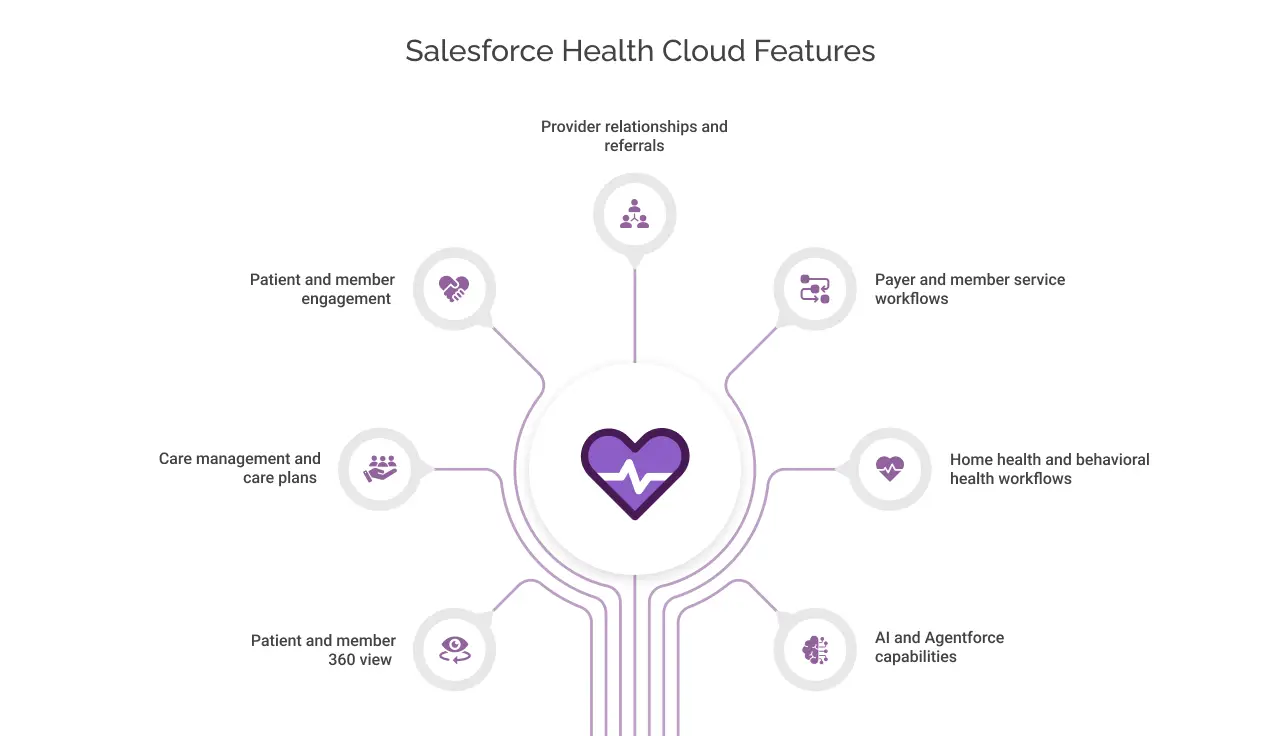
1. Patient and member 360 view
Health Cloud includes healthcare-specific data models to represent patients, members, providers, care teams, and their relationships. Organizations can use these models to structure information such as patient details, insurance coverage, healthcare providers, and interactions.
Example use case: A hospital can use patient and provider records to organize information about a patient’s care relationships, while a health plan can use member records to manage coverage-related information and service interactions.
2. Care management and care plans
Care management capabilities support the organization of care plans, assessments, care gaps, health goals, and activities assigned to care teams. Health Cloud also supports care program management, which organizations can use to structure services and activities for a defined patient or member population. A care plan focuses on an individual’s needs and planned activities. A care program organizes services or interventions for a group of people who meet specific criteria.
Example use case: A care management team can create care plans for members with chronic conditions, record assessments, assign follow-up activities, and track their participation in a care program.
3. Patient and member engagement
Health Cloud supports service and engagement workflows that can be configured around patient and member interactions. Depending on the Salesforce products and setup, these workflows can include appointment-related communication, outreach, service requests, and follow-up activities.
Example use case: A healthcare provider can manage patient inquiries and follow-up requests through a service workflow, while a health plan can organize member communications related to coverage or healthcare programs.
4. Provider relationships and referrals
Provider relationship capabilities help organizations manage provider information and their relationships with patients, members, and healthcare networks. Referral management capabilities can support referral intake, status tracking, and coordination between referring and receiving providers.
Example use case: A hospital network can manage incoming referrals, track their progress, and coordinate the handoff between referring providers and the relevant departments.
5. Payer and member service workflows
Health plans can use Health Cloud capabilities to support member service, care management, and selected coverage-related workflows. Depending on the implementation, teams work with information related to claims, benefits, utilization management, prior authorizations, appeals, and grievances.
These capabilities support healthcare service processes; they do not make Health Cloud a replacement for core claims adjudication or policy administration platforms.
Example use case: A health plan’s service team can access relevant member and coverage information when handling an inquiry, while a care management team can coordinate activities for members enrolled in a health program.
6. Home health and behavioral health workflows
Health Cloud can support specialized workflows for home-based care and behavioral health services. They involve assessments, care coordination, visit-related activities, and crisis support workflows.
Example use case: A home health provider can organize patient assessments and visit-related activities. A behavioral health organization can structure assessments and service workflows for its care teams.
7. AI and Agentforce capabilities
Salesforce offers AI and Agentforce capabilities for selected healthcare workflows. Depending on the available products and implementation, these can support tasks such as summarizing information, assisting with service interactions, and processing documents. Before including them in scope, confirm the required licenses, supported use cases, data access, human review, monitoring, and safeguards.
Example use case: A healthcare service team can use AI-assisted summaries to review patient or member interactions more quickly. Any AI-generated output used in clinical or operational decisions should follow the organization’s review and approval processes.
Note: Not all of these capabilities and features are included in every edition, and you do not need all of them in the first release. You can choose the plans according to your specific healthcare business needs.
Knowing the features is only one part of the picture. The next section explains how you can put them to work.
Salesforce Health Cloud implementation: What it actually involves
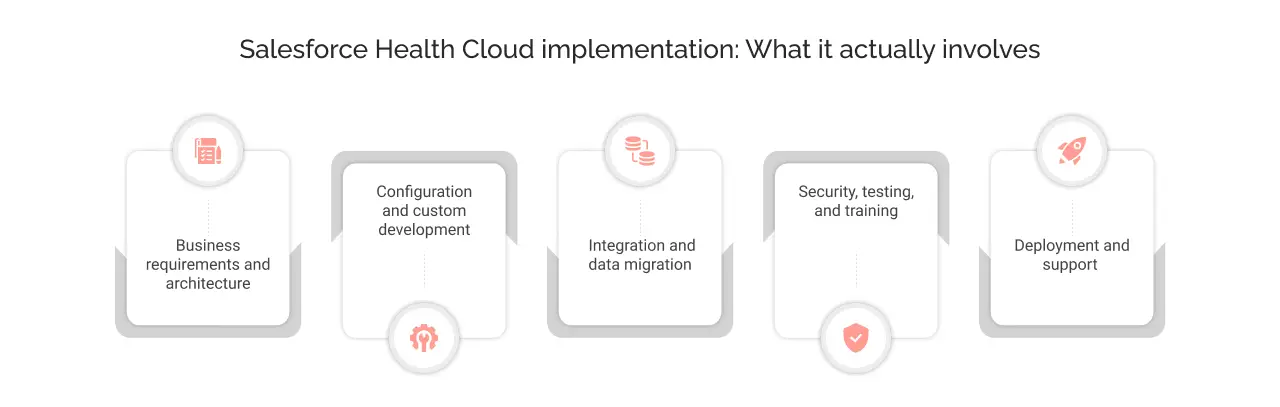
A typical Health Cloud implementation project covers these areas.
1. Business requirements and architecture
You decide which teams and workflows go first, how many users you need, and whether to build in a new org or an existing one. You also choose your data approach. Salesforce recommends the FHIR-aligned Clinical data model for new integrations, instead of the older packaged EHR data model.
A Health Cloud practitioner on the Trailblazer Community gives the same advice from their experience: start with the data model, then map one patient journey end to end, from patient to caregiver to provider to encounter to care program. Doing this on paper first shows gaps before anyone builds.
2. Configuration and custom development
Release 1 should use standard Health Cloud features wherever possible: person accounts for patients, care teams, care plans, assessments, page layouts, and permissions. Custom development fills real gaps, such as a special intake flow. Each custom piece adds testing and upgrade work, so keep it for needs the standard features cannot meet.
3. Integration and data migration
Interfaces to the EHR and other systems, and moving history out of legacy tools, are often the longest part of an implementation project.
4. Security, testing, and training
Roles, sharing rules, consent, and audit settings should be designed with your privacy team. Testing covers each workflow, integration, access rules, and real user scenarios. User training works best when it includes each role’s daily tasks.
5. Deployment and support
Your Salesforce go-live needs a plan that includes extra support in the first weeks and a way to handle Salesforce’s updates during the year.
In short, a Salesforce Health Cloud implementation involves a solution design, data mapping, a configured org, working interfaces, testing, user training, and a post-implementation plan. Proper planning reduces delays and helps you get the most value out of the implementation.
Delays usually come from dependencies, not the implementation itself: access to the EHR interface team, decisions from data owners, privacy review, and time from clinical users. So, you should name an owner for each one early.
Next, here is how this work is organized into phases and how the timeline fits together.
Salesforce Health Cloud implementation phases and timeline
How long a Health Cloud project takes depends mostly on scope, the number of integrations, and data volume. A rollout without EHR integration usually moves faster than an enterprise rollout with several interfaces.
| Phase | Key activities | Deliverables |
|---|---|---|
| Discovery and planning | Workflow workshops, user and license count, data source inventory, Release 1 scope | Scope document, project plan, risk list |
| Solution design | Data model mapping, care team and sharing model, integration and security design | Solution design, data mapping, security model |
| Configuration and development | Person accounts, permissions, care plans, assessments, flows, custom components | Configured org, build backlog |
| Integration and data migration | Build interfaces, trial data loads, patient matching, duplicate cleanup | Working interfaces, migration runs, reconciliation report |
| Testing and validation | Functional, integration, security and user acceptance testing | Test results, signed-off UAT, defect log |
| Deployment and hypercare | Training, cutover, go-live support, fixes | Go-live checklist, support log, handover |
Several phases run side by side. Integration build often starts while configuration is still going, and trial data loads run before testing finishes. When you compare timelines from different vendors, check what each one counts: planning to go-live, or planning to the end of hypercare.
Before you start: Salesforce Health Cloud implementation readiness checklist
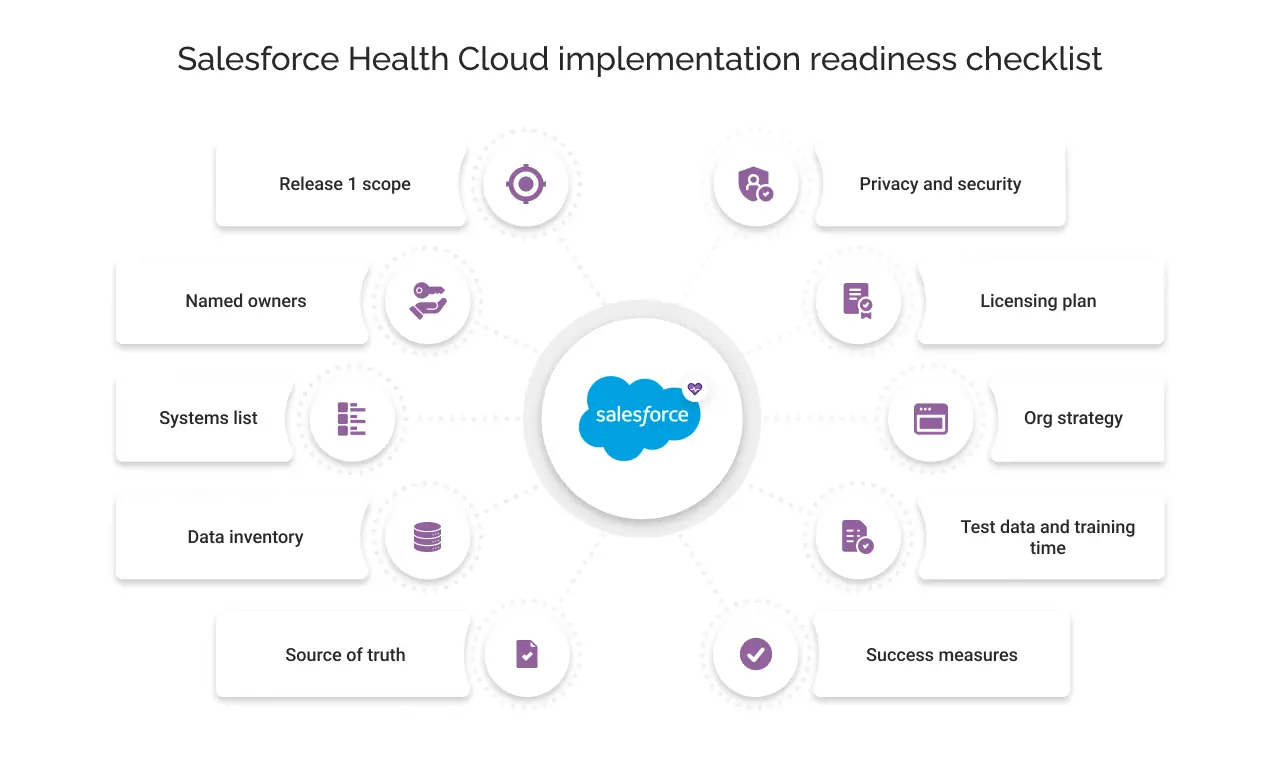
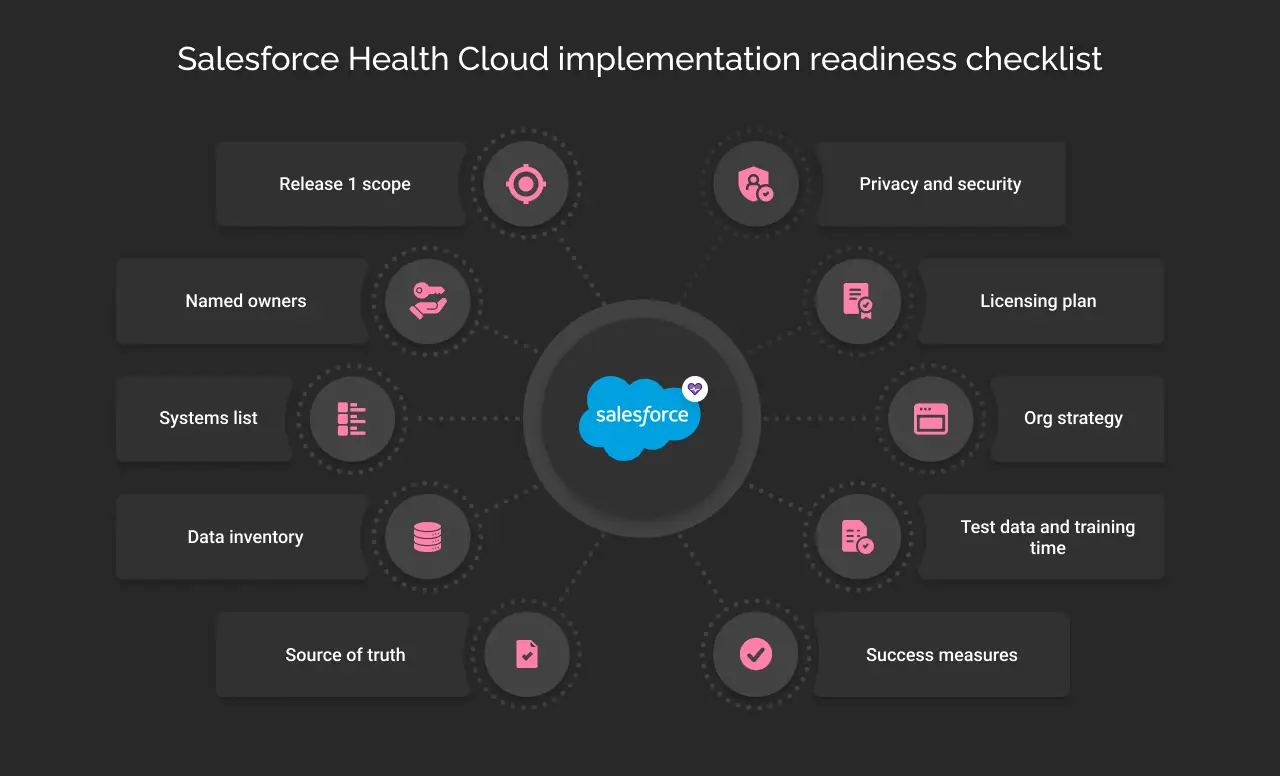
- Release 1 scope: Decide which teams, workflows, and sites go live first, and what waits for later.
- Named owners: Assign ownership for an executive sponsor, a clinical lead, an IT or integration lead, a privacy and security lead, and a data owner for each source system.
- Systems list: Prepare a list of your systems, including EHR or EMR, billing, scheduling, claims, and contact center tools, with vendor contacts and the interface options each one supports (FHIR, HL7, or APIs).
- Data inventory: Decide what you will migrate, what you will link instead, and check the quality of the data, including known duplicates.
- Source of truth: Decide which system owns each type of data, and whether Salesforce writes anything back.
- Privacy and security: A signed business associate agreement (BAA) with Salesforce covering the services you plan to use. Complete a privacy review, consent rules, and access roles.
- Licensing plan: Choose the Health Cloud edition, add-ons, user counts, and sandboxes you need.
- Org strategy: Choose a new org or an existing one. Person accounts cannot be turned off once enabled, so test them in a sandbox first.
- Test data and training time: Use test data without real patient information and protect time for users and super users.
- Success measures: Set a baseline to compare against after go-live, such as referral turnaround or time spent on outreach.
Once these items are in place, you can start the initial setup of your Health Cloud org.
Salesforce Health Cloud implementation process: Step-by-step setup
Step 1 – Turn on Health Cloud settings and Industries settings
After you buy Health Cloud, its options do not show up in Setup on their own. From Setup, admins have to turn on Health Cloud Settings and Industries Settings first.
Step 2 – Add users and configure profiles
Create user records for the people in your team who will use Health Cloud. Assign each user a profile, and set up the profiles so they can reach the Health Cloud objects and tabs each role needs.
Step 3 – Assign the Health Cloud Platform permission set license and permission sets
Every internal user needs at least the Health Cloud Platform permission set license. It gives access to the Health Cloud objects and features built directly on the Salesforce platform. Then assign the Health Cloud Foundation permission set. Do not assign Health Cloud permission sets to Experience Cloud site users.

Step 4 – Verify Chatter settings are enabled
Check that Chatter is turned on in your org. Chatter helps users collaborate in real time. Suppose Cure Well’s care coordinator, Sam, wants to post an update about a patient’s flu diagnosis for the therapist. Chatter lets him do it in a few clicks.

Step 5 – Verify data protection details are available in records
Check that data protection details are enabled for lead, contact, and person account records. This helps maintain the privacy of your users’ data.
Step 6 – Enable contacts to relate to multiple accounts
Relate a single contact to multiple accounts so you can easily track the relationships between people and organizations. For example, a care provider who is represented as a contact can be related to an organization’s primary account as well as to a patient’s person account record.

Step 7 – Enable person accounts
- Person accounts store information about individual people by combining certain account and contact fields into one record.
- From Setup, enter Person Accounts in the Quick Find box, and then select Person Accounts.
- Acknowledge the org implications of enabling person accounts.
- Make sure the Account object has at least one record type.
- Make sure user profiles that have read permission on accounts have read permission on contacts.
- The organization-wide default sharing is set so that either Contact is Controlled by Parent or both Account and Contact are Private.
Then turn on person accounts. Once enabled, person accounts cannot be turned off, so preview them in a sandbox first to see how they affect your org. After you turn them on, Salesforce creates a person account record type. You can add more record types if you need them.

Step 8 – Create page layouts and record types for patients and providers
Create the page layouts and record types your patients and providers need. Then assign the person account record type to profiles.

Step 9 – Set field access
Set field-level access so users can see the Health Cloud fields they need.
Step 10 – Install or enable OmniStudio
Install or enable OmniStudio. Salesforce now lists it with person accounts as part of basic setup.
Note: Legacy orgs (onboarded before Summer ’24)Only orgs onboarded before Summer ’24 have access to the Health Cloud managed package. If that is your org, you also install the managed package and the optional unmanaged packages, turn on the Use Person Accounts setting, and map person accounts with a default mapping record.
These steps complete the initial setup of your Health Cloud org. Integration, data migration, testing, and training follow in the next phases. If your team needs help, Cyntexa’s Health Cloud implementation experts can support you from setup through post-launch support.
These setup steps are similar for most new orgs. What changes by organization type is the scope of your first release, as the next section shows.
How does Salesforce Health Cloud implementation differ by organization type?
The Health Cloud platform is the same, but priorities change with the organization.
| Organization type | Main priority | Key considerations |
|---|---|---|
| Hospitals and providers | Care coordination, referrals, patient access | EHR integration, clinician workflows, patient identity matching |
| Payers | Member service, care management, prior authorization | Claims system feeds, CMS-0057-F, large data volumes |
| Life sciences and MedTech | Patient support programs, provider engagement | Health Cloud or Life Sciences Cloud, qualification, change control |
| Digital health companies | Fast launch, app and product data | Product integrations, FTC rules, user scale |
| Behavioral health | Intake, crisis response, consent | 42 CFR Part 2, sensitive notes, strict access |
| Home health | Scheduling, field visits, mobile use | Offline mobile, field workflows, device and EHR links |
• Hospitals and providers
The implementation goal is one view of the patient for care coordinators, referral teams, and contact centers. A sensible Release 1 covers the patient 360 view, care teams, referral intake, and appointment workflows for one department or service line. Care plans across more sites, patient portals, and AI summaries can follow. The main integration is the EHR, plus scheduling and patient identity. Cost and timeline grow with the number of EHR interfaces, the number of sites, and the volume of history you migrate. Common mistakes are copying the whole EHR into Salesforce and bringing clinicians in only at user acceptance testing.
Cyntexa implemented Health Cloud with Epic integration for a US healthcare client. The work covered care teams and plans, a timeline view of patient history, automated reminders about upcoming events and care plan goals, insurance information, and referral reports. You can read the full case study.
• Payers
The goal is a single view of each member for service and care management teams. Release 1 often includes the member profile, a claims summary, care gaps, alerts for high-cost events, and case management. Claims systems stay the system of record for adjudication, payment, and the official claims history. Health Cloud shows summaries and triggers work from them.
Regulation matters here. The CMS-0057-F final rule applies to certain payers. Some operational requirements begin in 2026, and the main API requirements, including a prior authorization API, generally apply from January 1, 2027. Dates vary by payer type, so check CMS and confirm with your compliance team. Health Cloud can support prior authorization workflows, but meeting the API requirements also depends on your payer systems. Cost drivers are claims data volume and the number of source systems. A common mistake is loading raw claims data into Salesforce instead of only the summaries teams need.
• Life sciences and MedTech
The goal here is usually patient support programs and provider engagement. Salesforce offers Life Sciences Cloud for pharma, biotech, and medtech companies, and positions Health Cloud for organizations that deliver care.
A practitioner on the Trailblazer Community points out that features like benefits verification and care programs exist in both products but are modeled differently. Health Cloud is around a care team looking after a patient’s overall health, and Life Sciences Cloud around a manufacturer running a patient support program. So, you should check Salesforce’s current documentation and licensing before you choose.
If your quality team treats the system as validated, plan for qualification, change control, and documentation from day one, because they add time to every release. A common mistake is picking the product before the program design is clear.
• Digital health companies
The goal is to launch fast and connect your own app and product data to patient and member records. For digital health companies, release 1 often includes the patient profile, intake, care team tasks, messaging, and an app-to-Salesforce integration. Care plans, Agentforce, and Data 360 can come later. Integrations usually include your app backend, partner EHRs, identity, and payments.
If you are not covered by HIPAA, the FTC’s Health Breach Notification Rule may apply to you. User volume, API volume, and the number of integrations drive cost. Common mistakes are using Salesforce as the product database and leaving consent design for later.
• Behavioral health
The goal is intake, crisis response, and care coordination with tight control over who sees what. Release 1 often includes intake and assessments, care plans, restricted access to sensitive notes, and, if you run a crisis center, crisis support workflows. Integrations commonly include the EHR, scheduling, and telehealth tools.
Some substance use disorder programs fall under 42 CFR Part 2. The final rule was effective April 16, 2024, with a compliance date of February 16, 2026. It aligns Part 2 more closely with HIPAA and changes areas like consent and breach notification. Decide early which records Part 2 covers, and design consent and access around that decision. Do not assume any platform is compliant out of the box. Common mistakes are broad access to sensitive notes and mixing record types without clear rules.
• Home health
The goal in home health implementation is to schedule visits, capture assessments and medications in the field, and keep the care team in sync. Salesforce lists automated scheduling, mobile offline assessments, and medication management for home health. Release 1 might cover the patient profile, visit scheduling, offline assessments, and a medication list. Service quotes and Agentforce skills can be included later, and integrations usually include the EHR or EMR and field devices. You should confirm the license and add-ons each home health feature needs before you finalize scope.
Most first releases depend on connecting Health Cloud to other systems, which we covered in the next section.
Salesforce Health Cloud integration: Systems, data and architecture
Integration decides how useful Health Cloud is on day one, because much of the data your teams need lives in other systems. Here are the common choices of healthcare organizations.
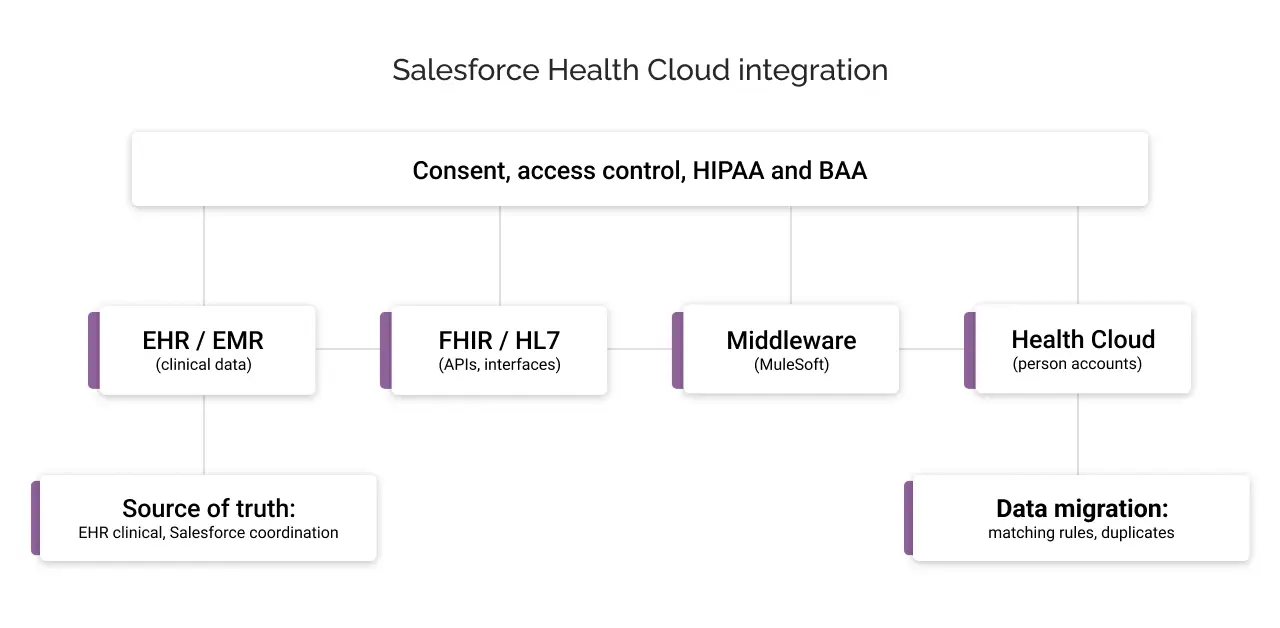
• EHR and EMR integration
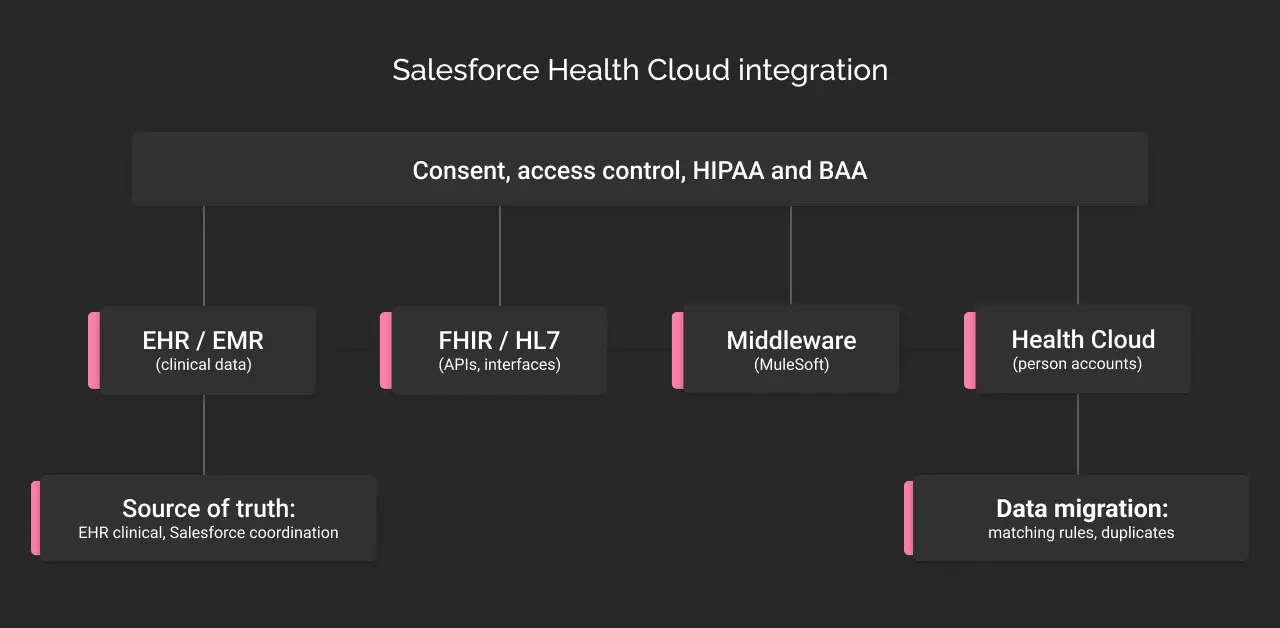
Health Cloud works next to your EHR. Its Clinical data model is built on standard Salesforce objects and aligns with FHIR R4. In Salesforce’s mapping, the FHIR Patient resource maps to the Account and Contact objects, and patients are modeled as person accounts. Salesforce recommends building new integrations on this model, not on the older packaged EHR data model.
• FHIR, HL7, and APIs
FHIR is the modern standard for exchanging healthcare data through APIs. Salesforce lists an HL7-compliant interface among Health Cloud features, and many teams still use an integration engine or middleware to translate older HL7 v2 messages. Agree on the interface type, direction (read-only or write-back), and refresh timing with your EHR vendor early.
• Middleware and integration platforms
Middleware helps when you connect many systems, need data transformation, or want central monitoring. MuleSoft is Salesforce’s own integration platform and has pre-built connectors, which can reduce custom coding. You can also use an integration engine you already run.
• Data migration, patient matching, and duplicates
Decide what to migrate and what to link. Set matching rules for patients, such as name, date of birth, and identifiers, before any load. Clean duplicates in the source first, run trial loads, and reconcile record counts after each run.
• Data ownership and source of truth
Pick an owner for each data type. In many projects, the EHR owns clinical data such as diagnoses and results, while Salesforce owns coordination data such as tasks, outreach, and preferences. Write the rule down, including what happens when two systems disagree.
• Consent and access control
Design role-based access, consent capture, and audit settings during solution design, not at the end. Provide each role only the access it requires, and decide who can see sensitive records, such as behavioral health notes.
• Security and compliance
Salesforce says Health Cloud supports HIPAA, but compliance is shared. It depends on your signed BAA, which services it covers, and how you configure and use the platform. Confirm that your BAA covers every Salesforce service you plan to use with patient data. Salesforce’s BAA terms place some duties of encrypting PHI you transmit on you.
For any integration assistance, you can reach out to the experts in Salesforce integration services.
Integration is one of the main cost areas; the next section covers the full cost of a Health Cloud implementation.
Salesforce Health Cloud implementation cost and pricing
The license is only one part of the total cost to implement Salesforce Health Cloud. You should plan for these areas.
| Cost area | What drives it |
|---|---|
| Salesforce licenses and add-ons | Edition, number of users, add-ons such as Shield or MuleSoft |
| Implementation and configuration | Scope of Release 1, number of workflows and user roles |
| Custom development | How many needs standard features cannot meet |
| Integrations and middleware | Number of systems, interface type, middleware licenses |
| Data migration and testing | Data volume, data quality, number of trial loads and test cycles |
| Training, support and optimization | Number of users, go-live support, ongoing admin and releases |
Salesforce Health Cloud licensing and pricing
These are listed prices from Salesforce’s pricing page (as of November 2026). All are per user per month, billed annually, and Salesforce says prices are subject to change.
| Edition | Price (USD) | What stands out |
|---|---|---|
| Health Cloud Sales & Service Core | $350 | Clinical and insurance data models, flex credits for AI, Slack, Premier Success |
| Health Cloud Sales & Service Advanced | $525 | More AI, storage and automation, plus Backup & Recover, Archive, Data Detect and Security Center |
| Health Cloud Service Max | $700 | Full Agentforce suite for health and service, Workforce Management, Quality Management |
| Health Cloud Sales Max | $700 | Full Agentforce suite for health and sales, Salesforce Contracts, Contact Center (Digital) |
| Health Cloud Sales & Service Max | $725 | Everything above in one edition |
For example, 50 users on Core edition cost $17,500 per month, or $210,000 per year, without any add-ons. Some features cost extra, such as read-write Knowledge on Core at $75 per user per month. Advanced includes several security tools, while Salesforce lists Shield and Government Cloud as separate purchases. If you want to test before buying, Salesforce offers a 30-day free trial of Health Cloud.
Implementation costs vary widely with scope, integrations, and data, so we do not quote a fixed range here. To get a realistic estimate, you can make a short scoping call with the chosen implementation partner. For more detail, you can go through our guide on Health Cloud implementation cost.
Many healthcare project problems can be avoided with early planning. Here are the mistakes you can avoid.
Common Salesforce Health Cloud implementation mistakes and how to avoid them
These are general lessons from healthcare CRM projects and Salesforce’s own guidance.
| Mistake | How to avoid it |
|---|---|
| Copying the whole EHR into Salesforce | Decide what stays in the EHR. You can link or summarize instead of duplicating. |
| Building before the data model is clear | Map patients, care teams, and one full patient journey on paper first. |
| Enabling person accounts without testing | Try it in a sandbox, since it cannot be turned off later. |
| Buying every feature up front | License what Release 1 needs. Check prerequisites for each feature. |
| Bringing clinicians in too late | Involve them in design and test with real scenarios, not only at UAT. |
| No clear source of truth or patient matching rules | Document ownership and matching rules before any migration. |
| Treating security and consent as a final step | Design roles and consent in the design phase. Confirm your BAA covers the services you use. |
| No plan after go-live | Budget for hypercare, admin time, and regular release updates. |
Should you implement Salesforce Health Cloud in-house or work with a partner?
There are three common approaches for Health Cloud implementation; each fits a different situation.
- An in-house approach works when you already have experienced Salesforce admins and developers, a simple Release 1, and simple integrations. You keep full control and build knowledge in your team, but you carry all the delivery risk.
- A partner-led approach fits when you lack in-house Health Cloud experience, need EHR or claims integrations, or have a firm deadline. A certified Salesforce partner brings healthcare workflow knowledge and a tested approach.
- A hybrid approach is common. A Salesforce partner handles design, integrations, and the first release, while your team learns alongside and takes over administration. This works well when you want to own the system long term.
When you decide, weigh five things: expertise in Health Cloud and healthcare workflows, integration complexity, your team’s capacity, how much risk you can carry, and who will own the system after go-live.
If you want help, you can check Salesforce implementation services and development services.
Questions to ask a Salesforce Health Cloud implementation partner
Before you finalize a Salesforce implementation partner, ask these questions to check whether they fit your use case.
- Which Health Cloud projects have you delivered for organizations like ours? (Check their customer success stories and case studies)
- Which EHR or claims systems have you integrated, and how?
- Who will work on our project, and which Health Cloud certifications do they hold?
- How do you handle patient data during build and testing?
- How do you decide what goes into Health Cloud Release 1 and what waits?
- What will you need from our team each week?
- How do you handle testing, training, and go-live support?
- What happens after launch, including support, release updates, and handover to our admins?
- How do you estimate, and what would change the estimate?
What’s new in Health Cloud
Salesforce adds new Health Cloud features in every release.
Salesforce continues to expand its healthcare platform with new AI-powered capabilities and workflow improvements. In the Winter ‘27 release, several updates focus on patient and member engagement, payer services, care management, and healthcare administration.
• Health engagement
Winter 27 update adds a Care Gap Closure dashboard to the Health Engagement app for payers. It shows closure rates, intervention frequency, and HEDIS and Stars performance. Users can filter by plan, condition, and geography. A Formulary Self-Service Agent also lets members ask plan-specific questions, such as whether a drug is covered through Experience Cloud, WhatsApp, or SMS.
• AI-powered payer contact center
When a call starts, reps get an AI summary of the member or provider record. A voice agent can verify callers, handle basic claims, prior authorization, and eligibility questions, and pass complex calls to a human rep. With the Winter 27 release update, reps can also search claims in natural language by NPI, claim number, or prior authorization number to see details such as denial reason and payment status, using data from Data 360.
• Referral Management
Providers can submit referrals directly from their EHR and get real-time status updates through bidirectional HL7 integration. Patients receive personalized outreach at each step, and care coordinators can see referral conversations and time to appointment in embedded Tableau Next dashboards.
Confirm availability and licensing for your Salesforce edition before you add any of these to your scope.


In conclusion
A Health Cloud implementation goes well when your first release is small, data decisions are made early, and clinical users are involved from design. You should start with a clear Release 1 scope, decide which system owns each type of data, and plan security and consent before the build begins. Remember that licenses are only one part of the cost. Integration, migration, testing, and support add to it.
If you want help planning your first release or connecting Health Cloud to your EHR, you can connect with Cyntexa’s Salesforce implementation team.
Don’t Worry, We Got You Covered!
Get The Expert curated eGuide straight to your inbox and get going with the Salesforce Excellence.
Shruti is a ServiceNow Consultant with 5+ years of experience across ServiceNow ITSM, AWS, Salesforce Loyalty Management, and managed services. She blends technical expertise with strategic insights to deliver transformative IT services and CRM solutions that enhance efficiency and customer satisfaction.


Cyntexa.
Join Our Newsletter. Get Your Daily Dose Of Search Know-How
Frequently Asked Questions
Salesforce Health Cloud streamlines patient information management, offering a unified platform for healthcare providers. It enhances care coordination, improves patient engagement, and provides a 360-degree view of patients' health data.
Salesforce is used in healthcare to improve patient care, streamline operations, and enhance engagement. It offers tools for managing patient data, care plans, and communications, ultimately leading to better healthcare outcomes.
Salesforce Health Cloud is a specialized CRM platform for the healthcare industry. It provides features for patient data management, care coordination, and collaboration, aiming to deliver patient-centric care and operational efficiency.
Benefits of Salesforce Health Cloud are better care to patients, properly aligned operations. Enhanced patient engagement, improved care coordination, and a comprehensive 360 degree view of entire patient’s history and details, encouraging healthcare providers to deliver better experience and informed decision making.