



Zoho CRM vs Salesforce CRM for Small Businesses: Features, Pricing, and More
Table of Contents
For small businesses, Zoho CRM is always the first choice due to its affordability and ease of implementation. However, the introduction of Salesforce Free Suite and Starter Suite ($25/user/month) positions Salesforce among the best CRMs for small businesses in 2026.
So Zoho and Salesforce both seem to be the right choice for a small business to manage its customer relationships more effectively. But which one makes more sense for your business?
This blog will help you with a comparison of Zoho vs Salesforce, including their features, pricing, and when you should choose which CRM and why.
So, let’s get started.
Zoho vs Salesforce: A detailed comparison
In this blog, we compare Zoho and Salesforce across both free and entry-level paid editions. Specifically, we look at Zoho’s Free and Standard editions vs Salesforce’s Free Suite and Starter Suite editions to help you choose the right CRM.
We’ll start with their free CRM offerings, then explore the features available in their entry-level paid editions, i.e., Zoho Standard and Salesforce Starter Suite.
Zoho vs Salesforce: Free CRM
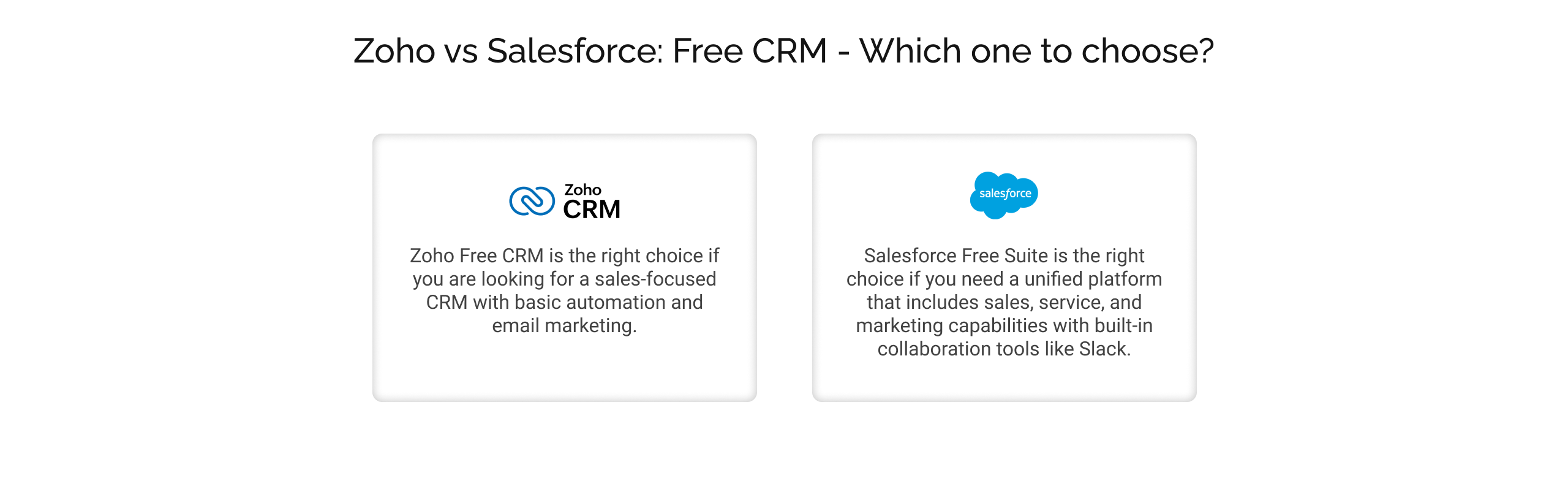
Zoho CRM’s free edition is free for up to 3 users with no credit card required to sign up. This free edition offers small sales teams access to core sales and email marketing capabilities with simple automation and standard reporting capabilities.
Salesforce Free Suite supports up to 2 users with no credit card required to sign up and no software to install. Free Suite includes sales, service, and email marketing capabilities, along with a free Slack workspace and pre-built reports and dashboards.
| Zoho vs Salesforce: Free CRM | ||
| Features | Zoho | Salesforce |
| Number of users | 3 | 2 |
| Sales | Leads, accounts, contacts, and deals managementTasks only reminders | Account, contact, lead, and opportunity managementTask management and activity reminder1 price books Connected Slack channelLead assignment and routing |
| Marketing | Campaigns automations10 custom email templates Email opt-out feature | Pre-built email templatesEmail builder Customer segmentation |
| Customer service and support | – | Integrated email supportCase managementKnowledge management Custom email templates |
| Analytics | Standard reports | Customizable reports and dashboards |
| Automation | 5 tasks/actionsWorkflow rules (configuration limits):- 10 rules/module (maximum 5 active) 5 email notifications/actions | Process automation with flows: 5 flows |
| Integration | Can be integrated within the Zoho family with a paid license | Email integration with Gmail and OutlookIntegration within the Salesforce family with paid licenses |
Which one to choose between Zoho and Salesforce, and why?
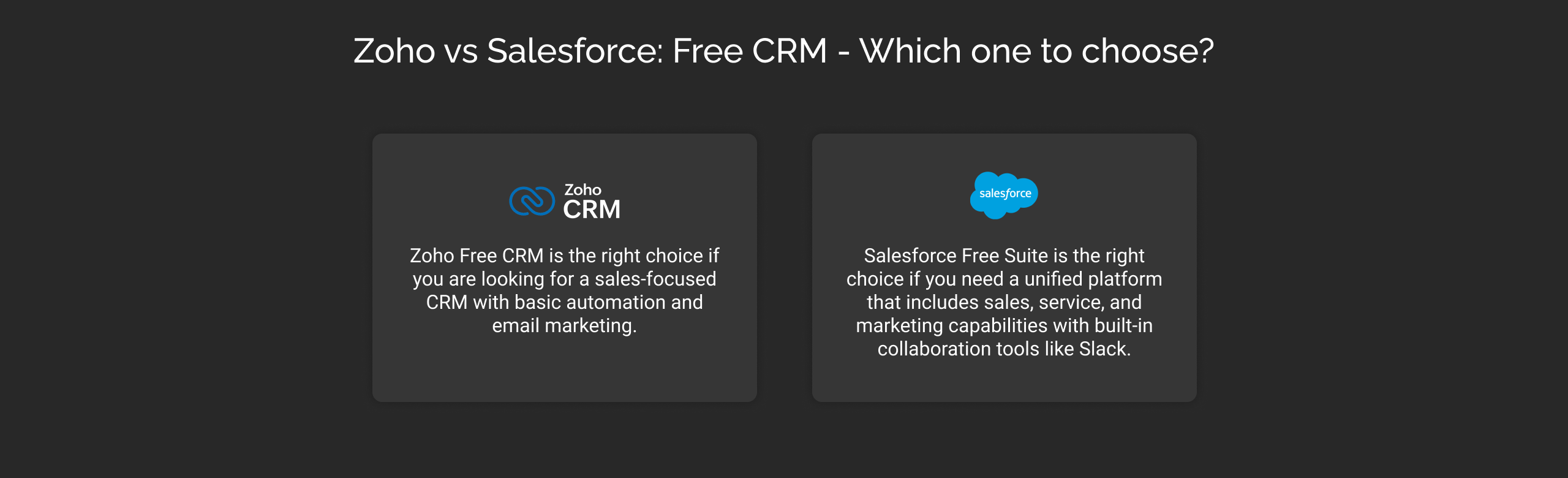
- Zoho Free CRM is the right choice if you are looking for a sales-focused CRM with basic automation and email marketing.
- Salesforce Free Suite is the right choice if you need a unified platform that includes sales, service, and marketing capabilities with built-in collaboration tools like Slack.
Zoho vs Salesforce: Standard edition vs Starter Suite
Zoho Standard is priced at $20 per user per month on a monthly billing or $14 per user per month when billed annually, while Salesforce Starter Suite costs $25 per user per month on both billing cycles.
You can start with their trial versions. Zoho offers a 15-day free trial, while Salesforce doubles that with a 30-day trial period.
Here is a detailed comparison of features available in their entry-level paid editions, i.e., Zoho Standard and Salesforce Starter Suite.
Zoho vs Salesforce: Sales features
| Zoho vs Salesforce: Sales features | ||
| Features | Zoho | Salesforce |
| Account, contact, lead, and opportunity Management | It helps you manage the entire sales cycle from lead capturing, enhancement, and nurturing. | Helps with a centralized platform for end-to-end sales cycles. |
| Sales forecasting | It offers sales forecasting based on roles and territories. This includes the information related to the sales pipeline and individual sales reps. | Allows the customizable sales forecasting and pipeline tracking from a single place. You can customize the KPIs and access the performance in real-time. |
| Sales activities | Helps with the detailed information related to tasks, events, call log, and notes for each prospect. | A centralized view of all customer engagement. |
| Multiple currency management | Allows for the estimation of the value of an opportunity in the currency a business deals in and in the customer’s currency. Additionally, you can export reports in multiple currencies or in currencies your organization deals with. | Supports multiple currency management. |
| Products and price books | You have to upgrade to its Professional edition ($35/user/month, billed monthly) to access product configuration limited to 10 products. | Allows setting up a product catalogue and price assignment for different scenarios. |
Zoho CRM’s sales features, as discussed, are geared towards managing leads, contacts, accounts, and deals. Salesforce, on the other hand, provides detailed insights into the contacts, leads, opportunities, and to-dos in one place. Additionally, it also offers personalized insights and suggestions, helping reps to close more deals.
Cut to the short, Zoho is a simple sales CRM with essential features, while Salesforce is a more comprehensive sales CRM with access to the information and support needed to win and close deals.
Which one to choose and why?
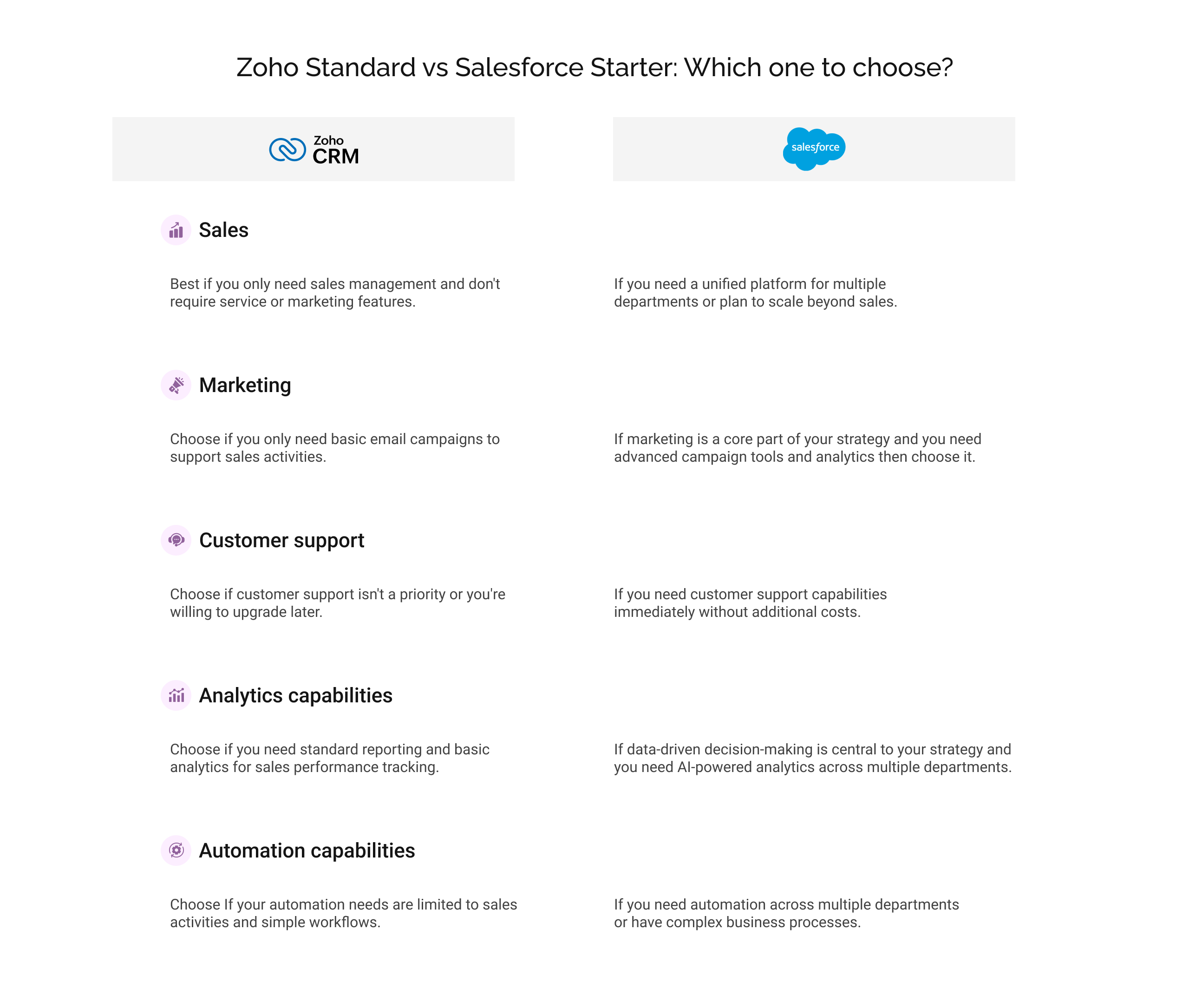
- Choose Zoho if you only need sales management and don’t require service or marketing features.
- Choose Salesforce if you need a unified platform for multiple departments or plan to scale beyond sales.
Zoho vs Salesforce: Marketing features
| Zoho vs Salesforce: Marketing features | ||
| Features | Zoho | Salesforce |
| Campaigns | Allows you to plan, create, and track campaigns in CRM directly. These campaigns can be associated with multiple leads or one lead, as preferred by marketing teams. | Offers pre-built templates to create, launch, and optimize email campaigns using your brand’s identity. |
| Mass email | Allows sending mass emails 250/day/org. These mass emails strictly apply to sales activities only. | Allows sending mass emails 5000/org/day. |
| Email templates | Supports up to 100 email templates. | Along with offering pre-built email templates, it also offers an email builder to create templates specific to your needs. |
| Email opt out | Available | Available |
| Email sends | 50/user/day (maximum 200 per org) | 2,000 per month |
These are the marketing capabilities available with Salesforce CRM and Zoho. Beyond these capabilities, Salesforce offers additional marketing capabilities as well, such as:
- Drag and drop email builder to let you create email campaigns specific to your audience’s interests.
- You can create a segmentation filter to create a list of customers with similar attributes.
- Einstein Send Time Optimization (STO) helps you determine the best time when prospects are most likely to engage with your messages.
- Campaign Analytics to help you gain insights about all the campaigns, so timely optimizations can be made.
Which one to choose and why?
- Choose Zoho if you only need basic email campaigns to support sales activities.
- Choose Salesforce if marketing is a core part of your strategy and you need advanced campaign tools and analytics.
Zoho vs Salesforce: Customer support
Zoho Standard edition only supports the notify owner feature, which sends an email notification to the assigned owner of a specific record whenever a new case is created. If you need additional customer support features, then you have to upgrade to Zoho CRM’s Professional edition, starting at $35/user/month (when billed monthly).
The Salesforce Starter Suite helps small businesses manage their customer issues efficiently and resolve them in a timely manner. It offers customer support capabilities such as integrated email support, case management, knowledge management, and custom email templates.
Which one to choose and why?
- Choose Zoho if customer support isn’t a priority or you’re willing to upgrade later.
- Choose Salesforce if you need customer support capabilities immediately without additional costs.
Zoho vs Salesforce: Analytics capabilities
| Zoho vs Salesforce: Analytics capabilities | ||
| Features | Zoho | Salesforce |
| Standard reports | Provides standard reports across different modules in the Zoho CRM. | It has pre-built reports helping businesses to have a real-time visual representation of a business process, such as sales pipeline, campaign performance, customer support, etc. |
| Custom reports | It supports up to 100 custom reports. | It supports the customization of the standard report in addition to the custom report builder. |
| Email scheduling | It supports up to 100 email schedules to ensure that it can be sent automatically to both Zoho users and non-Zoho users. | You can set up scheduled reports, like daily/weekly, along with the configuration of the notification channel, email, or in-app |
| Dashboards | It supports both custom and standard dashboards. | It has pre-built dashboards with a simplified setup, offering insights into sales, service, and marketing. Additionally, it supports the creation of custom dashboards. |
Beyond this feature, Zoho CRM helps you with built-in cohort analysis capabilities so that you can analyze a group of users, customers, or data with similar attributes.
Salesforce CRM, on the other hand, helps businesses visualize the data powered by Generative Canvas (Preview). It is an AI-powered tool that uses Einstein and Large Language Models (LLMs) to ease the process of visualizing, summarizing, and interacting with the data.
Which one to choose and why?
- Choose Zoho if you need standard reporting and basic analytics for sales performance tracking.
- Choose Salesforce if data-driven decision-making is central to your strategy and you need AI-powered analytics across multiple departments.
Zoho vs Salesforce: Automation capabilities
Zoho CRM is built for sales-first automation, while Salesforce delivers automation across multiple functions, including sales, service, marketing, and commerce. Let’s have an overview of the automation capabilities available with both platforms:
| Zoho vs Salesforce: Automation capabilities | ||
| Features | Zoho | Salesforce |
| Macros for repetitive tasks automation | It has support for Macros that allow sales reps to automate routine tasks such as:Email sending to the customer for their timeUpdating the lead status as contacted Tasks for leads up follow-up in 2 daysThese are some of the references. Macros allow you to set actions that can be executed. | It also supports automation powered by Macros. You can create Macros with natural language instructions. Examples of the routine tasks that can be automated with Macros:Case escalationEmail sending at the right time is supported by Einstein Send Time OptimizationLead capture from multiple channelsAutomated emails for lead nurturing and more. |
| Activities automation | You can automate sales-related activities such as tasks, meetings, and calls. | You can automate activities across sales, service, and marketing, such as meeting scheduling, and more. |
| Workflow automation | It supports up to 30 rules/module (maximum 15 active)5 conditions/rule | It includes Salesforce Flow, which supports up to 50 active flows per flow type and 2000 total flows per flow type. |
| Assignment rules | 10 rules/module & 20 rule entries | It supports up to 2,000 total rules at a platform level, including both active and inactive. |
These are some of the basic automation capabilities available with both Salesforce CRM and Zoho, with varying limits.
Which one to choose and why?
- Choose Zoho if your automation needs are limited to sales activities and simple workflows.
- Choose Salesforce if you need automation across multiple departments or have complex business processes.
Zoho vs Salesforce: Integration options
Here, we have discussed the integration capabilities separately for both Zoho and Salesforce CRM. In their respective editions (Standard and Starter), the integration capabilities vary.
Zoho CRM Standard allows you to integrate up to 5 extensions from the marketplace. Additionally, you can integrate with other Zoho CRM applications such as Zoho Campaigns, Analytics, Forms, Webinar, Meetings, and more. The integration with other Zoho applications might require their paid licenses. For example, Zoho Forms integration’s basic plan starts at $10/user/month, when billed annually. Additionally, it can also integrate with:
- LinkedIn Sales Navigator
- WhatsApp Business
- Google Chat Integration
- LINE Business
- Slack
- Google Contacts
- Google Calendar
Salesforce Starter Suite, by default, is an all-in-one solution for all the business needs, starting from marketing, sales, commerce, and service. All these solutions work together; additionally, you can integrate them with Gmail and Outlook.
Cut to the short, Zoho is a more mature platform when it comes to third-party integration. Salesforce wins when you need an all-in-one solution for all your needs without needing multiple integrations and silo subscriptions.
Which one to choose and why?
- Choose Zoho if you rely on multiple third-party tools and need flexible integration options.
- Choose Salesforce if you prefer a unified ecosystem and want to avoid managing multiple integrations.
Zoho vs Salesforce: Implementation cost
Zoho CRM can be self-implemented with the help of SME implementation guides and getting-started resources. You need to have structured data, understanding business processes in CRM, and basic configuration. If you choose the self-implementation of the Zoho CRM standard edition for 10 users, with 2 users receiving online training to ensure your team gets familiar with CRM and its benefits, then the cost will be around $2,198. This price includes:
- Zoho Standard edition monthly subscription (10 users):- $20*10 = $200
- Online training (2 users):- $1,998
- Total first-time cost: $2,198
Note: This cost is calculated using the Zoho CRM license calculator.
Self-implementation is feasible only when you have structured data and simple business processes that can be easily mapped in CRM. If this is not the case, then you might need help from an implementation partner, which usually costs between $500-$2,000. So, the total cost of ownership will be somewhere between $2,198-$4,198.
Salesforce also offers guided onboarding, which includes a step-by-step guide to get started with the Free, Starter, and Pro Suite. Additionally, you can work with Salesforce implementation partners like Cyntexa, which specializes in customizing the platform to meet specific business needs.
Cyntexa offers three fixed-price Salesforce quickstart packages starting from $3,500. These packages include discovery sessions to understand your requirements, Salesforce CRM configuration, and end-user training.
For a 10-user setup, the total implementation cost breaks down as follows:
- Monthly subscription: $250 (Starter Suite at $25 per user)
- Implementation package (one-time fee): $3,500 (Sales + Service)
- Total first-time cost: ~$3,750.
Which one to choose and why?
- Choose Zoho if budget is your foremost interest and you have simple implementation needs.
- Choose Salesforce if you value comprehensive features and professional implementation support that grows with your organization’s needs.
The bottom line
Indeed, Salesforce and Zoho CRM are feature-rich and accessible to all sizes of business. Therefore, the selection should be made after careful vetting of your business needs.
Both CRM offers trials for their introductory pricing plans, so you can get hands-on experience with the interface, features, and overall workflow before committing financially.
Don’t Worry, We Got You Covered!
Get The Expert curated eGuide straight to your inbox and get going with the Salesforce Excellence.
AUTHOR
Vishwajeet Srivastava
Salesforce Data Cloud, AI Products, ServiceNow, Product Engineering
Co-founder and CTO at Cyntexa also known as “VJ”. With 10+ years of experience and 22+ Salesforce certifications, he’s a seasoned expert in Salesforce Data Cloud & AI Products, Product Engineering, AWS, Google Cloud Platform, ServiceNow, and Managed Services. Known for blending strategic thinking with hands-on expertise, VJ is passionate about building scalable solutions that drive innovation, operational efficiency, and enterprise-wide transformation.


Cyntexa.
Join Our Newsletter. Get Your Daily Dose Of Search Know-How
Frequently Asked Questions
Both Zoho CRM and Salesforce CRM prioritize customer data security and privacy, and both have implemented measures to ensure user data is kept private. Zoho CRM utilizes encryption, authentication, role-based access, and two-factor authentication to ensure data security. Salesforce CRM also employs encryption, authentication, and role-based access, as well as access restriction and data masking to protect customer data.
Salesforce CRM acquired Vlocity to extend its support to industry-specific solutions. With this acquisition, insurance, healthcare, manufacturing, energy and utilities, and more. On the other hand, Zoho CRM also offers support for industries, but there is no specific solution like Salesforce industries available with Zoho CRM.
Yes, you can easily migrate from Zoho CRM to Salesforce CRM. Cyntexa is a certified Salesforce consulting partner where you can hire Salesforce developers to help you migrate from Zoho to Salesforce CRM seamlessly.